How do I convert my MP4 files to SRT? 
Follow these six simple steps to quickly and accurately convert your video files (*.mp4) to Subrip Subtitle (*.srt). It's really easy, let's get started.
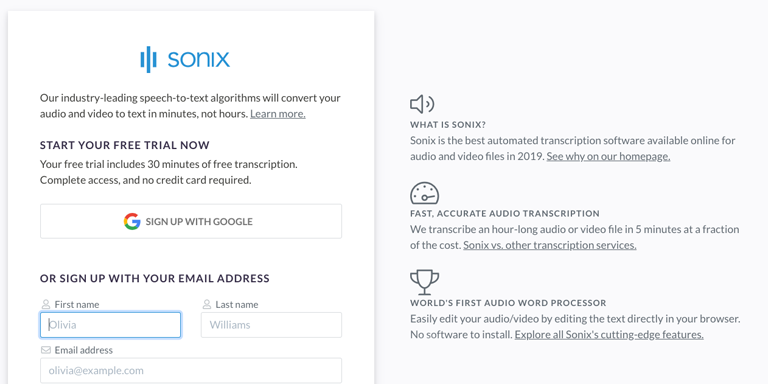
Step 1
Sign up for a free Sonix trial account—includes 30 minutes of free speech to srt conversion.
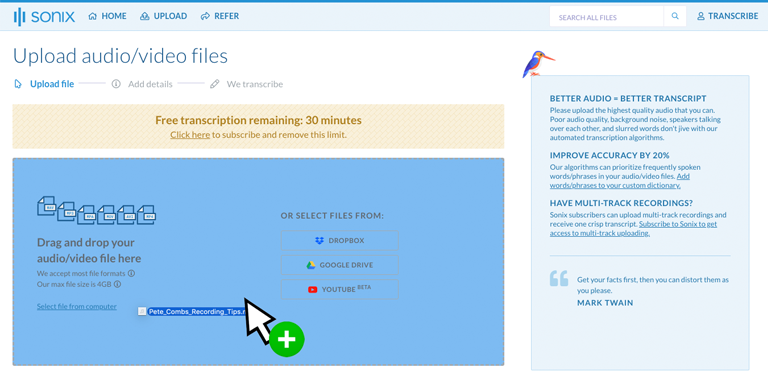
Step 2
Upload your MPEG-4 Video File file(s) (*.MP4) from your computer, Dropbox, Google Drive, or by dragging it on the page.
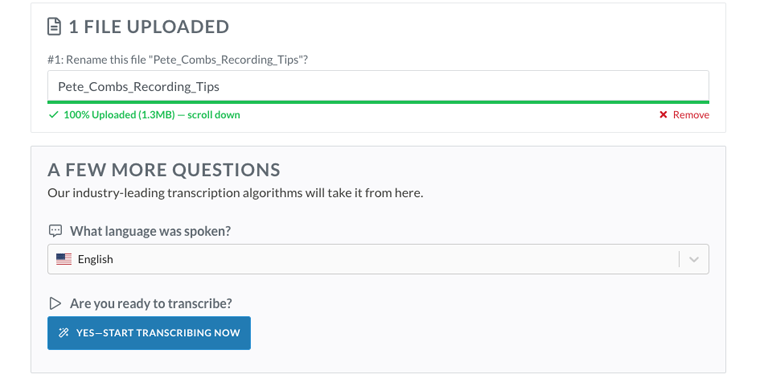
Step 3
Select the language spoken in your MP4 file. We support over 49 different languages. Then click the button 'Start Transcribing Now.'
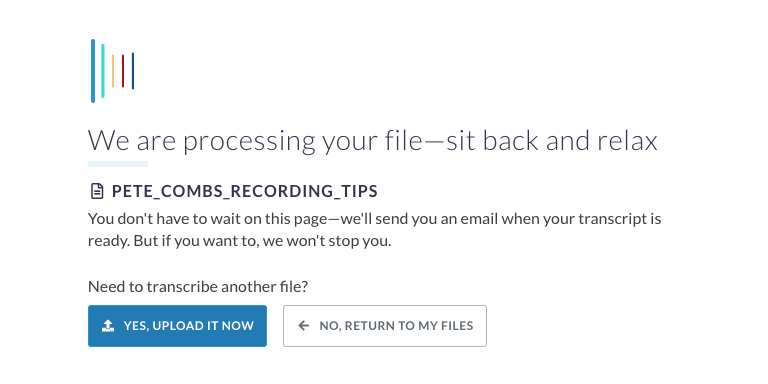
Step 4
Sonix automatically extracts the audio from your MP4 file and converts it to the SRT format. It'll only take a few minutes so you can grab some coffee.
Step 5
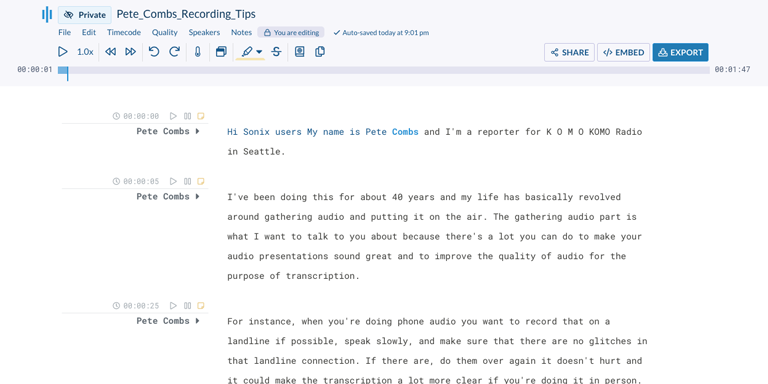
Use the Sonix AudioText Editor to polish your SRT transcript. Simply type in your browser to correct any words.
Step 6
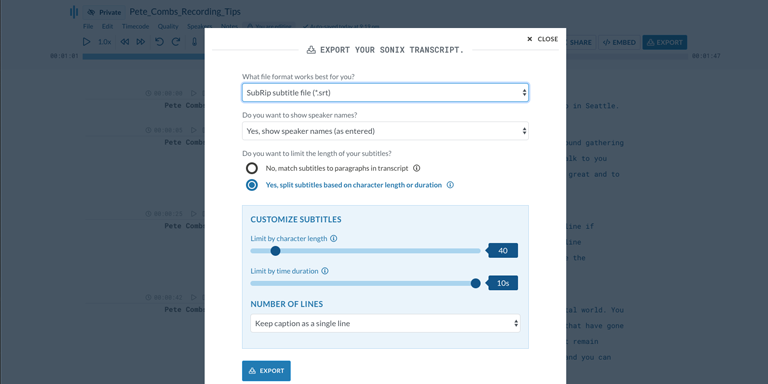
Click the 'Export' button. Select 'Subrip subtitle file (.srt)' from the dropdown to download a SubRip Subtitle version of your MP4 file.
That's it! Your MP4 file has now been converted to text!
Thousands of incredible customers trust Sonix to transcribe their MP4 files 











Frequently Asked Questions for MPEG-4 Video File (*.MP4) to srt 
What is a MP4 file?
An MP4 file is also known as a MPEG-4 Part 14 multimedia container. MP4 files were developed by the Moving Picture Experts Group (MPED). WIth an MP4 File, there are separate compression algorithms for the audio and video tracks. Typically, video is compressed with the MPEG-4 codec and the audio is compressed using the AAC codec (which is the same codec used in AAC files). Most MP4 files are downloaded from Apple’s iTunes STore since most of the media downloaded from the store is downloaded in this format. The MP4 format is also used for Internet streaming video.
Does Sonix transcribe video files with a *.MP4 file extension?
Yes, Sonix does automatically transcribe video files with a .MP4 file extension. Sonix is an online video to text converter. Convert any audio (mp3, m4a, wav, ...) or video (mp4, mov, avi, ...) file to text without installing any software! Sonix quickly and accurately transcribes *.MP4 files and converts them to text in a srt format.
Know anyone who needs to convert MPEG-4 Video File (.MP4) to srt?
We'd appreciate it if you tell them about Sonix—the best way to convert MP4 to srt.
Other ways to convert your MP4 video files with Sonix
MP4 to text
Use the most accurate speech-to-text technology to convert files: MP4 to text.
MP4 to docx
Accurately transcribe your MP4 file to Microsoft Word Format (docx) so you can bring the transcript into your workflow.
MP4 to PDF
Easily transcribe your MP4 file to Adobe's Portable Document Format (pdf) so you can share them with colleagues.
MP4 to subtitles
Create subtitles for your MP4 files to make them more accessible for your audience.
MP4 to VTT
Create more advanced captions for your MP4 files by using the latest caption format VTT (Video Text Tracks).
MP4 to captions
Quickly and easily create closed captions for your MP4 files so you can embed them in your video files.
Add subtitles to MP4 files
Quickly and easily add subtitles to your MP4 video files with the power of automated transcription.
Convert MPEG-4 Video File to SRT version with Sonix 
Sonix automatically transcribes and translates your audio/video files in 49+ languages. Easily search, edit, and share your media files. Sonix is an online, fully-automated speech to text service that quickly converts files in the MPEG-4 Video File format to the srt subtitle format (SubRip Subtitle). Fast, accurate, and affordable. Millions of users from all over the world.
Includes 30 minutes of free transcription

