
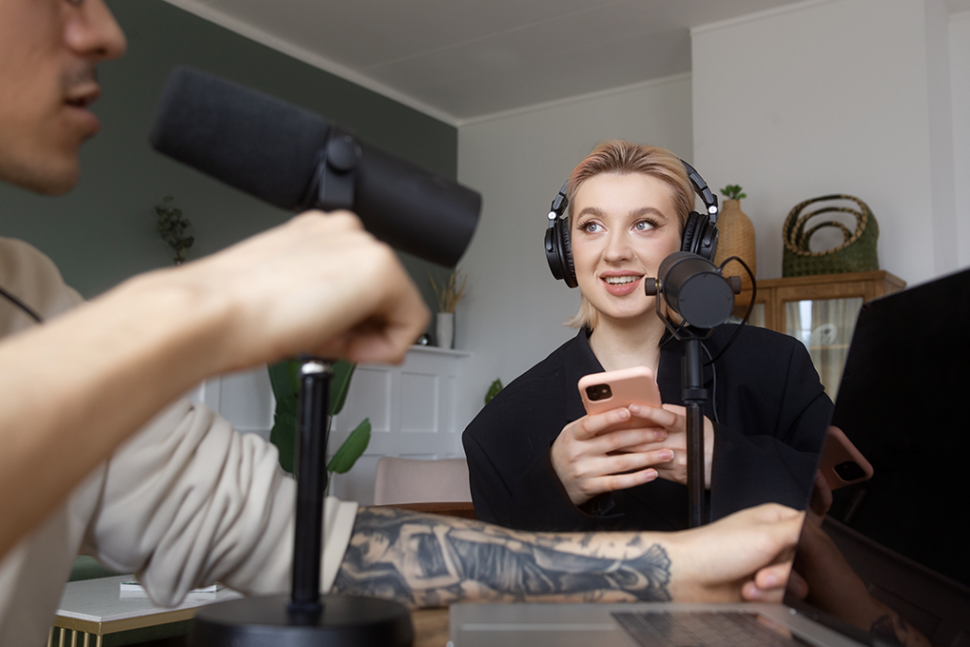
Manual transcription traps organizations in a costly cycle where teams spend 4-6 hours transcribing each hour of audio, paying $1-3 per minute for human services, and still battling error rates reaching 15-20% due to human fatigue. Automated transcription software powered by AI speech recognition has transformed this landscape, delivering 95-99% accuracy while processing audio at 3-10× real-time speed and reducing costs by 80-90%, making enterprise-grade transcription accessible to teams of all sizes.
Key Takeaways
- Manual transcription creates 4-6 hour bottlenecks for each hour of audio, while AI processes the same content in 3-20 minutes
- Leading automated platforms achieve 95-99% accuracy in optimal conditions, closing the gap with human transcription
- AI transcription costs $0.05-0.25 per minute compared to $1-3 for human services, representing 80-90% cost reduction
- Modern transcription tools support 30-140+ languages with real-time translation and automatic subtitle generation
- Teams using automated transcription report 30% higher productivity by eliminating manual documentation tasks
- SOC 2 Type II compliance and HIPAA certification enable automated transcription in regulated industries including legal, medical, and finance
The Manual Maze: Understanding Traditional Transcription Challenges
Traditional transcription methods impose crushing time penalties on teams across industries. A single hour of audio requires 4-6 hours of focused manual transcription work, creating immediate bottlenecks that delay content publication, legal proceedings, and research analysis.
Manual transcription challenges extend beyond simple time waste:
- Prohibitive labor costs: Human transcriptionists charge $1.00-3.00 per minute, making a one-hour recording cost $60-180
- Quality inconsistency: Error rates fluctuate from 5-20% depending on transcriptionist experience and fatigue levels
- Scalability constraints: Manual processes cannot handle sudden volume spikes without expensive workforce expansion
- Turnaround delays: Professional services require 24-120 hours for delivery, missing urgent deadlines
- Limited searchability: Unstructured text documents lack timestamps and speaker identification for efficient content navigation
- Accessibility gaps: Manual subtitle creation for videos takes days, violating ADA compliance requirements
Background noise, multiple speakers, and technical terminology compound these challenges. Transcriptionists working with poor audio quality see accuracy drop below 70%, yet still charge full rates. The manual approach simply cannot scale with modern content production demands.
The Power of AI: Accelerating Your Workflow with Automated Transcription
AI-powered speech recognition has matured into a production-ready technology that processes audio 3-10× faster than real-time. Where manual transcription creates multi-day delays, automated platforms deliver completed transcripts in minutes.
Modern transcription software leverages deep learning models trained on millions of hours of diverse audio. These systems handle multiple accents, background noise, and domain-specific terminology with accuracy rates approaching human performance.
How AI Transcription Works
Speech-to-Text Processing: Advanced neural networks convert audio waveforms into text through:
- Acoustic modeling: Analyzing sound patterns to identify phonemes and words
- Language modeling: Applying contextual understanding to select the most likely word sequences
- Speaker diarization: Identifying and labeling up to 30 unique speakers automatically
- Confidence scoring: Flagging low-confidence words for human review
Workflow Automation: AI platforms eliminate tedious manual steps by:
- Processing multiple files simultaneously in batch mode
- Auto-generating timestamps synchronized to audio playback
- Extracting action items and key topics without manual review
- Exporting to multiple formats (Word, PDF, SRT, VTT) instantly
The efficiency gains are measurable. Teams implementing AI transcription save 4-30 hours weekly per user, redirecting that time to higher-value analysis and content creation.
Finding the Best: Features to Look for in Transcription Tools
Selecting the right automated transcription platform requires evaluating capabilities beyond basic accuracy rates. The best tools combine AI precision with workflow features that eliminate post-transcription manual work.
Essential Platform Capabilities
Accuracy Performance:
- Baseline accuracy of 95%+ for clear audio
- Custom vocabulary support for industry terminology
- Accent and dialect recognition across global English variants
- Noise filtering for challenging audio environments
Editor Features:
- Browser-based interface requiring no software installation
- Audio playback synchronized to text highlighting
- Click-to-jump navigation from text to specific audio moments
- Real-time collaboration enabling simultaneous editing by multiple team members
- Comment threads for feedback and discussion
Integration Ecosystem:
- Direct import from Zoom, Teams, and Google Meet recordings
- Cloud storage connections (Dropbox, Google Drive, OneDrive)
- API access for workflow automation
- Export to video editing software and content management systems
Security & Compliance:
- SOC 2 Type II certification for enterprise data protection
- Encryption in transit (TLS 1.2+) and at rest (AES-256)
- HIPAA compliance for healthcare transcription
- GDPR alignment for European data privacy requirements
The difference between basic and professional transcription platforms becomes apparent at scale. Free tiers typically cap usage at 30-300 minutes monthly with limited accuracy, while professional plans unlock custom vocabularies and collaboration features essential for team workflows.
Going Global: Seamless Translation and Subtitling with Automated Tools
Multi-language content creation demands transcription platforms that handle translation and subtitle generation as integrated workflows rather than separate processes requiring multiple tools.
Modern platforms support 30-140+ languages for both transcription and translation. This enables teams to transcribe Spanish audio, translate to English, French, and Japanese, and generate subtitles in all four languages from a single upload.
Automated Subtitle Generation
Video accessibility requirements create urgent needs for caption creation. Manual subtitle timing takes experienced professionals 4-6 hours per hour of video. Automated subtitles reduce this to minutes:
- Auto-sync timing: Subtitles automatically aligned to video frames
- Style customization: Adjust fonts, colors, and positioning
- Format flexibility: Export as SRT, VTT, or burn directly into video
- Multi-language variants: Generate localized subtitles for global audiences
The SEO benefits of transcribed video extend beyond accessibility compliance. Search engines index transcript text, making video content discoverable through search queries. An SEO-friendly media player that displays synchronized transcripts alongside video can increase organic traffic by making previously unsearchable content findable.
Translation Accuracy
AI translation has achieved 98%+ accuracy for common language pairs like English-Spanish and English-French. Domain-specific models tuned for legal, medical, or technical content deliver terminology precision matching human translators at fraction of the cost.
Translation workflows typically follow this sequence:
- Transcribe original audio in source language
- Apply AI translation to target languages
- Generate subtitles from translated transcripts
- Export in multiple formats for distribution
This automated pipeline replaces workflows requiring separate transcription vendors, translation services, and subtitle specialists—reducing both cost and coordination overhead.
Beyond Text: Unlocking Insights with AI Analysis
Transcription creates searchable text, but modern AI goes further by extracting structured insights that would require hours of manual analysis. Leading platforms apply natural language processing to identify themes, extract action items, and generate summaries automatically.
Automated Content Analysis
Theme Extraction: AI identifies recurring topics across long recordings or multiple files. A researcher analyzing 12 hours of interview transcripts can view aggregated themes in minutes rather than spending days categorizing manually.
Entity Recognition: The system automatically tags:
- People names and roles
- Company and organization mentions
- Locations and dates
- Product and service references
Sentiment Detection: Analyze tone and emotional context across customer calls, focus groups, or interview responses. Sales teams use sentiment scoring to identify at-risk accounts or successful pitch elements.
Question Identification: Automated extraction of questions asked during meetings or interviews creates instant FAQ foundations or research insight summaries.
Practical Applications
- Legal Discovery: Law firms processing deposition transcripts use AI to identify relevant testimony segments, reducing document review time by 70% while maintaining accuracy standards required for court submissions.
- Media Production: Video editors reviewing 2-4 hours of interview footage use AI-generated highlights to create rough cuts in minutes, replacing tedious manual scanning.
- Research Analysis: Qualitative researchers conducting 20-50 interviews leverage automated theme extraction to identify patterns across datasets, accelerating insight generation from weeks to days.
- Sales Intelligence: Revenue teams analyze customer conversations at scale, extracting objection patterns, competitive mentions, and successful closing techniques from hundreds of calls monthly.
The value multiplies when AI analysis tools process content libraries rather than individual files. Pattern recognition across your entire audio archive reveals insights impossible to surface through manual review.
Collaborate and Conquer: Streamlining Team Workflows
Transcription bottlenecks often hide in handoff delays between team members. One person uploads files, another reviews transcripts, a third makes edits, and a fourth publishes final content. Each transition introduces delays and potential errors.
Modern platforms eliminate these bottlenecks through integrated collaboration:
Shared Workspaces:
- Centralized file libraries organized by projects and folders
- Permission controls defining who can view, edit, or approve
- Activity logs tracking all changes and contributors
- Team collaboration features enabling simultaneous work on transcripts
Real-Time Editing:
- Multiple users editing the same transcript concurrently
- In-line comments for questions and suggestions
- Highlight annotations for important segments
- @mention notifications for team coordination
Workflow Automation:
- Automatic routing of completed transcripts to designated reviewers
- Approval workflows requiring sign-off before publication
- Integration with project management tools for status tracking
- Webhook notifications triggering downstream processes
Integration Benefits:
For newsrooms, automated transcription of press conferences and interviews flows directly into content management systems. Reporters access transcripts within minutes of recording completion, meeting tight publication deadlines.
Education institutions use bulk upload to process entire semesters of lecture recordings, with automated distribution to student portals ensuring accessibility compliance.
Transcription agencies handle client projects through white-label platforms, managing multiple clients within partitioned workspaces while maintaining data isolation.
The time savings compound at scale. A team processing 50 hours monthly reduces coordination overhead from days to hours through automated workflows, multiplying individual efficiency gains.
Security and Compliance: Ensuring Your Data is Safe
Sensitive content from legal depositions, patient consultations, and confidential business meetings demands security controls matching or exceeding traditional transcription services. Modern platforms recognize this imperative through comprehensive security programs.
Enterprise Security Standards
Data Encryption:
- TLS 1.2+ for all data transmission
- AES-256 encryption for files at rest
- Encrypted backups with geographic redundancy
Access Controls:
- Role-based permissions (view, edit, admin)
- Single sign-on (SSO) integration for enterprise identity management
- Two-factor authentication (2FA) for account security
- Session management with automatic timeouts
Compliance Certifications:
SOC 2 Type II certification demonstrates independently audited controls across:
- Security policies and monitoring
- Availability and uptime commitments
- Confidentiality protections for sensitive data
HIPAA compliance enables medical transcription with patient conversation protections. Healthcare providers must verify platforms offer Business Associate Agreements (BAAs) before processing Protected Health Information.
GDPR alignment ensures European data privacy requirements including data portability, right to deletion, and consent management for personal information processing.
Industry-Specific Requirements
- Legal: Attorney-client privilege demands air-tight security with audit trails documenting all access. Platforms serving law firms implement strict access controls preventing unauthorized viewing of sensitive case materials.
- Healthcare: Medical transcription requires specialized accuracy models trained on clinical terminology plus security controls protecting patient privacy. HIPAA-compliant platforms include automatic PHI detection and redaction capabilities.
- Financial Services: FINRA regulations mandate call recording retention with immutable storage. Compliant platforms provide tamper-evident audit logs and retention policies enforcing regulatory requirements.
- Education: FERPA protects student information in educational recordings. Platforms serving universities implement student data isolation and access restrictions aligned with institutional privacy policies.
Security considerations should drive platform selection for organizations handling regulated content. The cost of compliance failures—including regulatory fines, reputational damage, and legal liability—far exceeds premium pricing for certified secure platforms.
Making the Switch: How Automated Transcription Transforms Content Creation
Transitioning from manual to automated transcription requires minimal disruption while delivering immediate benefits. Most teams achieve positive ROI within the first month as time savings and cost reductions materialize.
Implementation Process
Phase 1: Platform Selection (1-3 days)
- Upload sample files during free trial periods
- Test accuracy with your specific audio types
- Evaluate editor interface for team usability
- Verify required integrations function correctly
Phase 2: Setup and Configuration (3-5 days)
- Create custom vocabulary lists with industry terminology
- Configure folder structures for project organization
- Establish permission levels for team members
- Connect integrations with existing tools
Phase 3: Team Training (1 week)
- Train 2-3 power users on advanced features
- Create internal documentation for common workflows
- Conduct hands-on sessions with broader team
- Establish quality review processes
Phase 4: Production Rollout (2-4 weeks)
- Start with 20-30% of transcription volume
- Monitor accuracy and gather team feedback
- Refine workflows based on real usage patterns
- Scale to full volume after validation
Measuring Success
- Time Savings: Track hours previously spent on manual transcription versus current automated processing plus review time. Teams typically save 4-30 hours weekly depending on volume.
- Cost Reduction: Compare previous outsourcing costs at $1-3 per minute against subscription fees plus per-minute charges. Most organizations achieve 80-90% cost reduction.
- Quality Improvement: Measure error rates in final transcripts. AI consistency eliminates the 5-20% variability seen with manual transcription across different staff members.
- Turnaround Speed: Document reduction in delivery times from days to minutes. Faster transcription enables accelerated content publication, research analysis, and decision-making cycles.
- Productivity Gains: The 30% productivity increase reported by teams using automated transcription stems from eliminating tedious work and enabling focus on high-value analysis and content creation.
Integration into Existing Workflows
- Content Creators: Podcasters use automated transcription to generate show notes, blog posts, and social media quotes from audio content. What previously required 8-12 hours of manual work per episode now takes under 30 minutes.
- Research Teams: Qualitative researchers conducting 20-50 interviews leverage batch upload to process entire studies simultaneously. AI theme extraction identifies patterns across the dataset, replacing weeks of manual coding.
- Sales Organizations: Sales teams record customer calls and automatically transcribe conversations for analysis. Managers review transcripts to coach representatives and identify successful techniques for training.
- Media Companies: Journalists upload interview recordings and receive searchable transcripts within minutes, enabling fast fact-checking and quote extraction for deadline-driven publishing.
The transformation extends beyond individual efficiency to organizational capability. Teams that previously avoided transcription due to cost and time constraints now transcribe everything, creating searchable archives that compound in value over time.
Why Sonix Transforms Transcription Workflows
While numerous automated transcription platforms exist, Sonix delivers comprehensive solutions specifically designed for teams requiring professional accuracy, multi-language support, and enterprise security within a unified platform.
Sonix transcends basic speech-to-text with its AI-powered platform that combines:
- Industry-Leading Accuracy: Sonix achieves 99%+ accuracy rates on clear audio through advanced AI models trained on diverse content types. Custom dictionary support enables rapid adaptation to industry terminology, proper nouns, and technical jargon specific to your domain.
- Unmatched Language Support: With 50+ languages for transcription and translation to 50+ languages, Sonix handles global content workflows that would require multiple specialized services. Automatic subtitle generation in dozens of languages enables international content distribution from a single platform.
- Powerful Browser-Based Editor: The integrated editor synchronizes audio playback with text highlighting, enabling click-to-jump navigation and real-time correction. Teams collaborate directly within transcripts through comments, highlights, and simultaneous editing without email attachments or version control headaches.
- Automated AI Analysis: Beyond transcription, Sonix automatically extracts themes, identifies key topics, summarizes long recordings, and generates searchable indexes. Research teams, legal professionals, and content creators access insights that would require hours of manual analysis.
- Enterprise-Grade Security: SOC 2 Type II compliance, encryption in transit and at rest, role-based access controls, and SSO support ensure Sonix meets security requirements for legal, healthcare, and financial services organizations handling sensitive content.
- Seamless Integrations: Direct connections to Zoom, Google Drive, Dropbox, YouTube, and 50+ platforms eliminate manual file transfers. API access enables workflow automation integrating transcription into existing business processes.
- Transparent Pricing: Starting at just $10 per hour for AI transcription with pay-as-you-go flexibility or monthly plans for regular usage, Sonix delivers enterprise features at prices accessible to small teams. No hidden fees, overage charges, or surprise costs.
For organizations serious about eliminating transcription bottlenecks while maintaining accuracy and security standards, Sonix’s automated platform provides the comprehensive infrastructure needed for sustainable content production and analysis workflows.
Frequently Asked Questions
Q: How accurate is automated transcription compared to human transcription?
A: Leading automated transcription platforms achieve 95-99% accuracy on clear audio with minimal background noise, approaching the 99%+ accuracy of professional human transcriptionists. However, accuracy varies significantly based on audio quality, speaker accents, and technical terminology. Poor audio with heavy background noise may drop AI accuracy to 70-85%, while human transcriptionists maintain higher consistency in challenging conditions. For critical content like legal depositions or medical records requiring 98%+ accuracy, many organizations use AI transcription with human review rather than pure manual transcription to achieve both speed and precision.
Q: Can automated transcription tools handle multiple speakers and identify who is speaking?
A: Yes, modern automated transcription platforms use speaker diarization technology to identify and label different speakers automatically. Advanced systems can distinguish up to 30 unique speakers in a single recording. The technology works by analyzing voice characteristics like pitch, tone, and speaking patterns to segment the conversation by speaker. However, accuracy depends on audio quality and whether speakers talk over each other. For best results, use individual microphones when possible and minimize crosstalk during recording.
Q: What audio quality is needed for accurate automated transcription?
A: Optimal automated transcription requires clear audio with minimal background noise, recorded at 16kHz or higher sample rate. Key factors affecting accuracy include: recording in quiet environments without echo or reverberation, using external microphones rather than built-in laptop mics ($50-200 investment significantly improves results), minimizing background music or ambient noise, and ensuring speakers are close to the microphone (within 6-12 inches). Poor audio quality is the primary factor reducing transcription accuracy from 95%+ to 70-85%, regardless of the platform used.
Q: How do automated transcription costs compare to human transcription services?
A: Automated transcription costs $0.05-0.25 per minute compared to $1.00-3.00 per minute for human transcription services, representing an 80-90% cost reduction. For example, transcribing one hour of audio costs $3-15 with AI versus $60-180 with human services. Many platforms offer subscription plans providing 5-35 hours monthly for $10-50, making AI transcription cost-effective even for small teams. The cost savings compound at scale—organizations processing 50 hours monthly save $3,000-9,000 annually by switching from human to automated transcription.
Q: Is automated transcription HIPAA compliant for healthcare use?
A: Select automated transcription platforms offer HIPAA compliance with appropriate security controls and Business Associate Agreements (BAAs), but not all services meet healthcare requirements. HIPAA-compliant platforms must provide: encryption in transit and at rest, access controls and audit logs, BAAs assuming liability for Protected Health Information, and secure data retention/deletion policies. Organizations should verify SOC 2 Type II certification and explicitly confirm HIPAA compliance before processing patient conversations or medical records. Some platforms offer HIPAA compliance only on enterprise tiers, not standard plans.
World's Most Accurate AI Transcription
Sonix transcribes your audio and video in minutes — with accuracy that'll make you forget it's automated.

 English
  Spanish
  German
  French
  Russian
  Portuguese
  Dutch
Dutch  Chinese
  Turkish
  Danish