
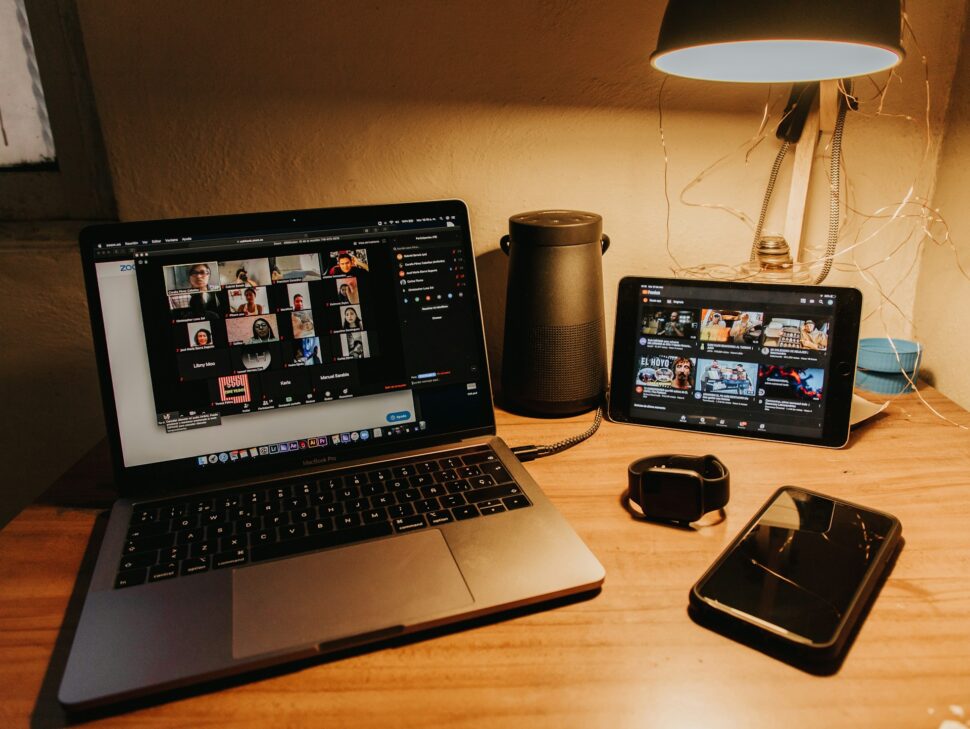
Remember when transcribing a single hour-long Zoom meeting meant spending an entire afternoon with headphones, a foot pedal, and a lot of patience? Those days are gone. Automated transcription now converts your Zoom recordings into searchable, editable text in minutes—not hours—with accuracy rates reaching up to 99% for clear audio. Whether you’re a researcher drowning in interview recordings, a legal team needing precise deposition documentation, or a marketing team repurposing webinar content, automatic Zoom transcription eliminates the bottleneck that’s been slowing your workflow.
Key Takeaways
- Zoom’s native transcription requires a Pro plan (starting at $16.99/month or $159.96/year) and delivers variable accuracy with limited editing tools
- Third-party AI tools like Sonix process a 30-minute recording in approximately 5 minutes versus Zoom’s 2x meeting length delay
- By eliminating manual note-taking, teams can save significant time each week on transcript creation
- Free transcription tools often cap storage or limit features significantly compared to professional platforms
- Enterprise security requires SOC 2 Type II compliance with AES-256 encryption for sensitive meeting content
- Multi-language support varies dramatically—from Zoom’s 19 languages to Sonix’s 53+ languages
Why Automatic Zoom Transcription Is a Game-Changer
The math on manual transcription simply doesn’t work anymore. Professional transcriptionists charge $120-180 per hour of audio with 24-48 hour turnaround times. AI-powered alternatives deliver comparable accuracy at a fraction of the cost and time, with research from Stanford showing modern AI systems approaching human-level performance on clear audio.
Automatic transcription transforms your workflow by
- Eliminating manual bottlenecks that delay content production and compliance documentation
- Making meetings searchable so you can find specific discussions in seconds instead of scrubbing through video
- Enabling content repurposing from webinars to blog posts, social clips, and training materials
- Supporting accessibility requirements with captions and transcripts for hearing-impaired viewers, as recommended by FTC accessibility guidelines
- Creating compliance records with timestamped, speaker-labeled documentation
For organizations processing high volumes of recordings, the efficiency gains compound quickly. Marketing teams switching from human transcription to AI solutions report significant cost savings per webinar while reducing turnaround from days to minutes.
Choosing the Best AI Tool for Your Zoom Transcriptions
Not all transcription tools deliver equal results. Your choice depends on accuracy requirements, language needs, security standards, and budget constraints.
Accuracy and Processing Speed
Zoom’s built-in transcription delivers variable accuracy depending on audio quality—serviceable for internal reference but potentially problematic for legal, medical, or published content. Research published in the International Journal of Court Administration indicates transcription accuracy requirements for legal proceedings typically demand 98%+ accuracy. Independent testing shows top AI services achieving significantly higher rates, with leading platforms reaching over 94% accuracy on clear audio.
Processing speed matters for time-sensitive workflows
- Zoom native: Takes 2x meeting duration (60-minute meeting = 2-hour wait)
- Upload-based AI services like Sonix: Typically 5-10 minutes for 30 minutes of audio
- Real-time services: Transcripts available during or immediately after meetings
Language Support and Global Teams
If your organization operates internationally, language capabilities become critical:
- Zoom Native – 19 languages
- Sonix – 53+ languages
Cost Considerations
Pricing structures vary significantly across platforms:
- Zoom Native: Requires Pro plan minimum (starting at $16.99/month or $159.96/year) just to access transcription
- Pay-as-you-go models: Starting at $10/hour for occasional users
- Subscription plans: Monthly fees plus reduced per-hour rates for regular users
- Free tiers: Limited minutes or storage with basic features
Check detailed pricing and features before committing to understand total costs including storage, export options, and collaboration tools.
Step-by-Step: How to Transcribe Zoom Meetings with Sonix
Getting started with automated Zoom transcription takes just a few minutes. Here’s the practical workflow for transcribing your Zoom meetings:
Initial Setup
- Create your account at Sonix and receive 30 free trial minutes—no credit card required
- Download your Zoom recording from Zoom’s cloud storage (MP4 or M4A format)
- Upload to Sonix by dragging the file to your dashboard
- Select your language from 53+ options
- Click Transcribe and wait approximately 5 minutes for 30 minutes of audio
Editing and Refining Your Transcript
The browser-based editor syncs text with audio playback for efficient review:
- Click any word to jump to that exact moment in the recording
- Rename speakers by clicking the pencil icon—changes apply throughout the entire transcript
- Use keyboard shortcuts to speed through edits without touching your mouse
- Add custom vocabulary for industry-specific terms, company names, and acronyms
Exporting Your Final Transcript
Export options accommodate virtually any downstream use:
- Word documents (DOCX) for editing and sharing
- PDF files for archiving and distribution
- SRT/VTT subtitle files for video platforms
- Plain text (TXT) for further processing
Beyond Transcription: Harnessing Your Zoom Content’s Full Potential
A transcript is just the starting point. Modern platforms extract additional value from your meeting recordings through AI analysis tools that would take hours to produce manually.
Creating Video Assets from Zoom Transcripts
Transform your recorded meetings into polished video content:
- Generate subtitles automatically with automated subtitle creation
- Export caption files (SRT/VTT) for YouTube, Vimeo, and social platforms
- Customize styling including fonts, colors, and positioning
- Hardcode subtitles directly into video files for universal playback
For TV production companies and video teams, automated subtitle workflows eliminate the bottleneck that traditionally delays post-production. What once required dedicated captioning staff now happens in minutes.
Translating Zoom Transcripts for Global Reach
International teams and content creators benefit from built-in translation capabilities:
- Translate transcripts into multiple languages simultaneously
- Create multilingual subtitle versions from a single source file
- Reach global audiences without manual translation workflows
Extracting Insights with AI Analysis
Beyond word-for-word transcription, AI can identify:
- Key themes and topics across multiple recordings
- Important entities including people, companies, and locations mentioned
- Sentiment patterns in customer calls and interviews
- Action items and highlights for meeting follow-ups
- Automated summaries condensing hour-long meetings into digestible overviews
Research firms and qualitative analysts use these features to process interview data at scale—turning weeks of manual coding into hours of automated analysis, as documented in NIH research on qualitative data analysis.
Making Your Zoom Transcripts Searchable and Shareable
The real power of transcription emerges when your content becomes discoverable. Instead of rewatching videos to find specific moments, search across your entire library instantly.
Effective transcript management requires
- Centralized storage with folder organization by project, client, or date
- Full-text search across all transcripts simultaneously
- Sharing permissions controlling who can view, edit, or download
- Team collaboration with commenting and highlight features
For newsrooms racing against deadlines, searchable transcripts mean finding the perfect quote in seconds. For sales teams, it means quickly locating competitive mentions across hundreds of customer calls.
Is Free Zoom Transcription Really Worth It?
Free transcription tools exist, but understanding their limitations prevents frustration and wasted time.
Hidden Costs of “Free” Transcription Tools
What free tiers actually provide:
- Limited monthly minutes: Most free plans cap usage at 300-600 minutes per month
- Storage restrictions: Some platforms limit total storage to 800 minutes across all time—not monthly
- Zoom Native: Requires paid Pro plan ($16.99/month minimum) to access any transcription
Beyond minute caps, free tools typically restrict
- Export formats and quality
- Speaker identification accuracy
- Editing capabilities
- Integration options
- Customer support access
When to Invest in Paid Transcription
Consider upgrading when you need:
- Higher accuracy for legal, medical, or published content
- Multilingual support beyond English
- Advanced editing tools for efficient cleanup
- Team collaboration features
- API access for workflow automation
- Enterprise security and compliance certifications
For professionals whose work depends on transcript quality, the cost difference between free and paid tools is insignificant compared to the time saved and errors avoided.
Ensuring Security and Compliance for Sensitive Zoom Data
Healthcare consultations, legal proceedings, financial discussions, and confidential business meetings all require enterprise-grade security. Not all transcription services meet these standards.
Critical security requirements include
- SOC 2 Type II certification validating security controls
- Encryption in transit using TLS 1.2/1.3
- Encryption at rest with AES-256 standard
- Role-based access controls limiting data exposure
- SSO/SAML support for enterprise identity management
- Data residency options for regulatory compliance
Sonix maintains comprehensive security standards including SOC 2 Type II compliance, making it suitable for organizations handling sensitive content. For industries like healthcare requiring HIPAA compliance, verify specific certifications before uploading protected information.
Transcription Software For Legal Professionals
Legal professionals have unique requirements for transcription accuracy, security, and compliance. When selecting transcription software for legal work, consider these essential criteria:
Key Requirements for Legal Transcription
Accuracy Standards: Legal transcription typically requires 98-99% accuracy or higher, as even small errors can change the meaning of testimony or contractual language. Research from the International Journal of Court Administration emphasizes that legal transcription accuracy directly impacts case outcomes.
Security and Confidentiality
Attorney-client privilege and case confidentiality require:
- SOC 2 Type II or equivalent security certification
- End-to-end encryption for data in transit and at rest
- Secure access controls with role-based permissions
- Clear data retention and deletion policies
Compliance Features
- Timestamped transcripts for deposition and court reporting
- Speaker identification for multi-party proceedings
- Audit trails showing who accessed or edited transcripts
- Export formats accepted by court systems (typically PDF and Word)
Why Sonix Serves Legal Professionals
Sonix meets the demanding requirements of legal transcription through:
- High accuracy rates with custom dictionary support for legal terminology
- SOC 2 Type II compliance meeting confidentiality requirements
- Secure collaboration allowing legal teams to review transcripts with controlled access
- Multiple export formats including timestamped PDFs for court submission
- Search functionality enabling rapid location of specific testimony across lengthy depositions
Legal teams use Sonix for depositions, client interviews, court proceedings, and case research. The platform’s organize and search capabilities prove particularly valuable when managing multiple cases with extensive recorded content.
Who Benefits Most from Automated Zoom Transcriptions?
Different industries leverage automatic transcription for distinct outcomes:
- Legal professionals use transcripts for deposition documentation, case preparation, and compliance records. Searchability transforms how attorneys locate relevant testimony across lengthy proceedings.
- Researchers and academics process interview data, focus groups, and oral histories. AI analysis extracts themes and patterns that manual review would miss.
- Media and production teams create subtitles, captions, and written content from video assets. Translation features extend reach to international audiences.
- Sales organizations analyze customer conversations at scale, identifying objections, competitive mentions, and buying signals across thousands of calls.
- Educational institutions meet accessibility requirements while creating study materials from lectures and presentations.
- Healthcare organizations document patient consultations for compliance and quality assurance, though HIPAA-specific requirements apply.
Why Sonix Makes Zoom Transcription Effortless
When evaluating transcription platforms, Sonix stands out for teams prioritizing accuracy, speed, and workflow integration.
What makes Sonix particularly effective for Zoom transcription
- Industry-leading accuracy with custom dictionary support for specialized terminology
- 53+ language support handling international team recordings and translation needs
- 5-minute processing for 30-minute recordings—no waiting hours for results
- Browser-based editing synced to audio playback for efficient review
- Organize and search capabilities across your entire transcript library
- Multiple export formats (DOCX, PDF, SRT, VTT, TXT) for any downstream use
- SOC 2 Type II compliance meeting enterprise security requirements
- Transparent pricing starting at $10/hour with no hidden fees
For organizations tired of choosing between accuracy and affordability, Sonix delivers both. The platform handles everything from simple meeting notes to complex multi-speaker interviews, scaling from individual users to enterprise teams.
Frequently Asked Questions
Can Zoom automatically transcribe recordings for me?
Yes, but only if you have a Pro plan or higher (starting at $16.99/month or $159.96/year). You must enable cloud recording and audio transcription in your settings before the meeting starts. The transcript generates automatically after your recording processes, which takes approximately 2x the meeting duration. Free Zoom accounts cannot access native transcription—they’re limited to local recording only.
How accurate are AI transcriptions for Zoom meetings, and what file formats can I export?
Accuracy varies significantly by platform and audio quality. Zoom’s native transcription provides variable accuracy depending on recording conditions, while specialized AI platforms like Sonix achieve higher accuracy rates on clear recordings. Factors affecting accuracy include background noise, speaker accents, audio quality, and technical terminology. Using external microphones and minimizing crosstalk dramatically improves results. Export options depend on your platform—Zoom native provides only VTT format, while third-party platforms like Sonix support multiple formats including DOCX for Word editing, PDF for archiving, SRT and VTT for video subtitles, and plain TXT for data processing.
Is it safe to upload confidential Zoom recordings to a transcription service?
Safety depends entirely on the service’s security infrastructure. Look for SOC 2 Type II certification, TLS encryption for data in transit, AES-256 encryption for stored files, and clear data retention policies. Enterprise platforms offer additional controls including SSO integration, role-based permissions, and audit logging. Always review a provider’s security documentation before uploading sensitive content. Sonix maintains comprehensive security standards suitable for confidential business, legal, and medical content.
Can I edit my Zoom transcription after it’s generated?
Yes, all quality transcription platforms include editing capabilities. Browser-based editors typically sync text with audio playback, letting you click any word to hear that moment in the recording. You can correct errors, adjust speaker labels, add punctuation, and format text before exporting. Some platforms also support collaborative editing with comments and change tracking. Sonix’s editor provides keyboard shortcuts and custom vocabulary features for efficient, accurate editing.
How does automatic translation of Zoom transcripts work?
After generating a transcript in the original language, AI translation converts the text into your target language. Sonix supports translation into dozens of languages, creating both translated transcripts and subtitle files. This workflow enables content localization without manual translation, though human review is recommended for critical content. You can generate multiple language versions from a single source recording, making it ideal for international teams and global content distribution.
World's Most Accurate AI Transcription
Sonix transcribes your audio and video in minutes — with accuracy that'll make you forget it's automated.

 English
  Spanish
  German
  French
  Russian
  Portuguese
  Dutch
Dutch  Chinese
  Turkish
  Danish