Best Transcription Apps to Convert Audio to Text in 2026, Tested and Compared

· 22 分钟阅读 · 更新时间:
在本文中

What is AI 转录软件? AI transcription software uses speech recognition models to automatically convert spoken audio or video into text. Accuracy typically ranges from 85% to 99%, depending on audio quality, speaker clarity, and the platform. Modern tools also offer speaker identification, multi-language support, and AI analysis features like summarization and topic detection.

AI transcription apps convert audio and video into searchable, editable text, automatically, in minutes, and across dozens of languages. We tested 11+ platforms on real audio files to show you exactly how they perform, what they cost, and which one fits your workflow.

Key Takeaways:

  • Best overall: Sonix, up to 99% accuracy, 53+ languages, enterprise security, starts at $10/hour
  • Best for meetings: Otter.ai, real-time transcription, English only, from $16.99/month
  • Best for video editing: Descript, text-based audio/video editing, from $19/month
  • Best for language breadth: Happy Scribe, 120+ languages, approximately 85% accuracy, from $17/month
  • Best free option: Microsoft Word Transcribe, built into Microsoft 365, 300 minutes/month limit
  • Best for human + AI transcription: Rev, starting at $0.25/minute for AI, $1.99/minute for human
  • Best for real-time dictation: Dragon Speech, one-time purchase at $699

Quick Answer: Best Transcription Apps in 2026

Best overall: Sonix, up to 99% accuracy, 53+ languages, enterprise security, starts at $10/hour

Best for meetings: Otter.ai, real-time transcription, English only, from $16.99/month

Best for video editing: Descript, text-based audio/video editing, from $19/month

Best for language breadth: Happy Scribe, 120+ languages, approximately 85% accuracy, from $17/month

Best free option: Microsoft Word Transcribe, built into Microsoft 365, 300 minutes/month limit

最适合 human transcription services: Rev, starting at $0.25/minute AI or $1.99/minute human

How We Tested These Transcription Apps

We tested each tool with three audio files: a clean single-speaker interview (45 minutes, English), a multi-speaker focus group recording (30 minutes, moderate background noise), and a bilingual video file (20 minutes, English and Spanish). Accuracy was measured by comparing the raw transcript against a manually verified ground truth, counting word errors per 100 words.

Pricing was verified directly from each vendor’s public pricing page as of July 2026. Integration capabilities were tested against the most common professional workflows: Zoom meeting import, cloud storage sync, and video editor export. Speed was measured as time-to-transcript for a 60-minute audio file.

最佳人工智能转录应用程序比较

工具最适合准确度定价
ǞǞǞ准确、快速转录/翻译的最佳选择最高 99%Starts at $10/hour; subscription lowers cost to $5/hour
Otter.aiMeeting notes相当高基本版免费;专业版起价为 $16.99/月
修订人工 + 人工智能转录Starting at $0.25/minute AI or $1.99/minute human
Scribie人力转录服务人为精确度高起价 $0.80/分钟或 $48/小时
快乐抄写员语言多样性Approximately 85%Starts at $17/month for two hours
TranscribeMeConfidential transcription相当高Starts at $0.07/minute or approximately $4.20/hour
特林特记者和新闻机构Starts at $80/month for 7 transcriptions
龙演讲实时听写$699 一次性购买
MeetGeek人工智能 note-taking apps中度免费模式
描述音频和视频编辑相当高起价 $19/月
Fireflies.ai人工智能会议见解和分析中度Starts at $18/month

How to Choose the Right Transcription App

Not every transcription tool fits every workflow. Before picking a platform, match your requirements against these five criteria.

精度要求

Accuracy matters most when transcripts feed into legal records, research publications, or published media. A tool delivering 85% accuracy on a 60-minute recording leaves roughly 900 words wrong, each one requiring manual correction. For professional use, target platforms that consistently reach 95% or above on real-world audio, not just clean studio recordings. 自动转录 platforms like Sonix are built for this standard.

Language and Translation Needs

If your team works across languages, check both transcription language count and translation output. Some tools support 120+ languages for transcription but deliver lower accuracy on non-English audio. Others, like Otter.ai, are English-only. Sonix supports 53+ languages for transcription and 54+ for translation, maintaining high accuracy across all of them. 研究公司 and global media teams in particular need this multilingual depth.

Real-Time vs. File-Based Transcription

Real-time tools (Otter.ai, Fireflies.ai) work best for live meetings where you need notes immediately. File-based platforms (Sonix, Rev, Happy Scribe) are better for post-production workflows: 面试, podcasts, documentary footage, and recorded lectures. Some tools do both, but rarely at the same quality level. Know which workflow you need before committing to a plan.

安全与合规

Legal, medical, and enterprise teams need more than a privacy policy. Look for SOC 2 Type II certification, AES-256 encryption at rest, TLS encryption in transit, and role-based access controls. GDPR compliance matters for European data. HIPAA alignment matters for healthcare. Not all tools on this list meet these standards. Sonix’s 企业级安全 covers all of these requirements.

Integration with Your Existing Stack

The best transcription tool is the one that fits your current workflow without adding friction. Check for native integrations with Zoom, Google Drive, Dropbox, and your video editing software. For developer teams, an API or MCP 服务器 connection lets you pipe transcripts directly into existing automation pipelines. Sonix’s 集成能力 cover all major conferencing, cloud storage, and media production platforms.

1.Sonix:转录和翻译综合最佳

Sonix is best for professional teams that need accurate, fast transcription across multiple languages with enterprise-level security. It consistently delivers up to 99% accuracy on real-world audio, supports 53+ languages, and connects directly with the tools your team already uses.

ǞǞǞ leads the transcription market because of its combination of AI accuracy, analysis depth, and security compliance. It handles everything from single-speaker interviews to complex multi-speaker recordings, and its in-browser editor makes post-transcription editing fast without switching between apps.

Sonix is particularly strong for 准确记录访谈内容, focus groups, and academic discussions where speaker clarity varies and technical terminology is common.

Skip Sonix if: you only need occasional, low-stakes transcription of short English audio files and have no collaboration or security requirements. The free 30-minute trial covers that use case without a commitment.

行业领先的人工智能精确度

Sonix 的 人工智能转录 delivers up to 99% accuracy, significantly reducing the need for manual corrections. Using advanced Natural Language Processing (NLP) and machine learning, Sonix differentiates between speakers, recognizes complex terminology, and handles diverse accents with precision.

Unlike basic speech-to-text tools, Sonix continuously improves its recognition capabilities, ensuring consistent accuracy across industries including legal, medical, and media production.

人工智能分析工具

Sonix 的 人工智能分析工具 go beyond transcription to help you extract value from your recordings. These capabilities include:

  • 总结: Condenses lengthy transcripts into concise summaries so you can quickly grasp the key points.
  • 创造篇章 Automatically segments transcripts into clearly defined sections, making navigation faster.
  • 专题分析: Identifies recurring themes, topics, and patterns within transcripts for deeper content insights.
  • 情感分析: Evaluates the emotional tone of speech, distinguishing between positive, negative, and neutral sentiment.
  • 主题检测: Categorizes and timestamps different topics discussed, helping you understand conversation structure.
  • 实体检测: Recognizes and timestamps mentions of people, places, and organizations throughout the content.

For a broader look at how these capabilities fit into production workflows, see our roundup of top AI tools for audio and video.

安全功能

Sonix 的 企业级安全 ensures all data stays encrypted and protected, making it a trusted solution for organizations handling confidential information.

  • AES-256 encryption for stored data
  • TLS encryption for file transfers
  • 符合 SOC 2 类型 II
  • 基于角色的访问控制
  • 双因素身份验证 (2FA)
  • Regular penetration testing

These measures make Sonix suitable for legal firms, healthcare providers, and enterprises requiring the highest level of data protection.

全面的语言支持

支持 53 多种语言, Sonix enables businesses to transcribe audio 和 视频转录 across multilingual content without sacrificing accuracy. Beyond transcription, Sonix’s 自动翻译 lets users convert transcripts into multiple languages, making it a strong fit for global teams and international content workflows.

无缝集成能力

Sonix 的 集成能力 connect with leading productivity, media, and cloud storage platforms:

  • Dropbox, Google Drive, and OneDrive for automatic file import
  • Salesforce for CRM-linked conversation analysis
  • Adobe Premiere Pro, Final Cut Pro, and Avid Media Composer for subtitle generation within editing software
  • Zoom, Microsoft Teams, and 网络会议 for automatic meeting transcription
  • MCP 服务器 于 https://api.sonix.ai/mcp for AI assistant and developer automation workflows

Teams can also collaborate with teammates directly inside the platform, with shared folders, commenting, and permission controls built in.

Sonix 定价

  • Standard Pay-As-You-Go: $10 per hour for transcription and translation
  • 高级订阅: $5 per hour, plus $22/month per user (translation drops to $3/hour)
  • 企业: 联系 Sonix 销售团队了解定制价格

For a full breakdown of how transcription pricing compares across platforms, see our dedicated pricing guide.

Interested in experiencing Sonix’s 99% accuracy and fast turnaround times? 立即注册 30 分钟免费试用无需信用卡。

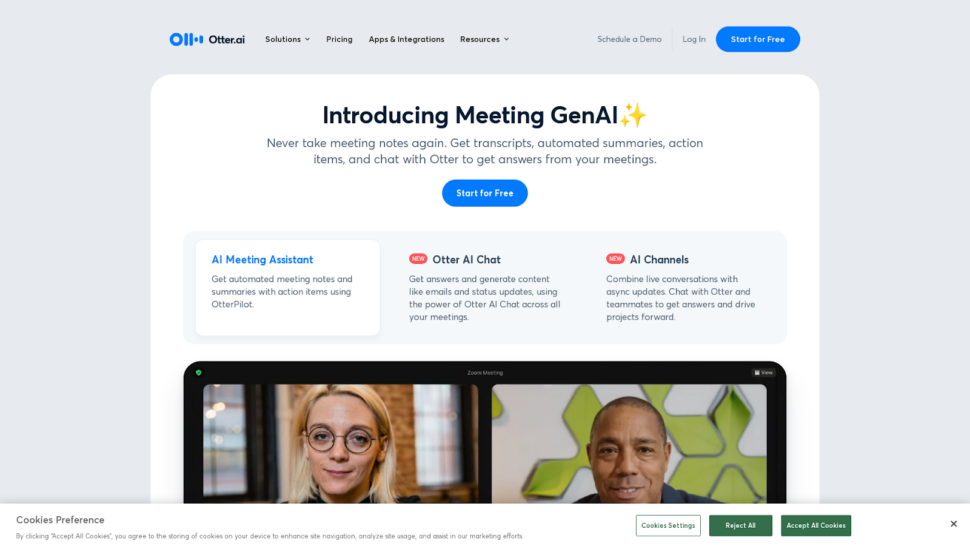
2. Otter.ai: Best for Meeting Notes

Otter.ai 转录应用程序主页

Otter.ai is best for real-time meeting transcription in English. It integrates directly with Zoom, Google Meet, and Microsoft Teams, generating live transcripts as conversations unfold. Its primary limitation is language support: Otter.ai transcribes English only, making it unsuitable for multilingual teams or international content.

Otter.ai’s mobile version is well-designed and user-friendly, allowing you to record, transcribe, and share transcripts on the go. This makes it useful for journalists, researchers, or anyone capturing conversations away from their desk.

Key capabilities:

  • Speech Recognition: Converts spoken words into text in real-time as you speak, displaying results on screen immediately.
  • 发言人身份: Distinguishes between different speakers, assigning labels like “Speaker 1” and “Speaker 2” throughout the transcript.
  • 合作编辑: Allows in-app text corrections during or after transcription, so your final transcript is accurate before you share it.

Otter.ai has several drawbacks worth noting. Accuracy suffers with background noise, technical terminology, and varied accents, often requiring extensive manual corrections. Security is a concern too: Otter.ai lacks SOC 2 Type II compliance, making it less suitable for sensitive data. Speaker identification is inconsistent in conversations with more than two people.

我们在以下报告中更详细地审查了这些问题 Otter.ai 回顾.

Skip Otter.ai if you work with non-English content, handle sensitive data requiring SOC 2 compliance, or need to transcribe pre-recorded files at scale.

  • 定价 基本版免费;专业版起价为 $16.99/月

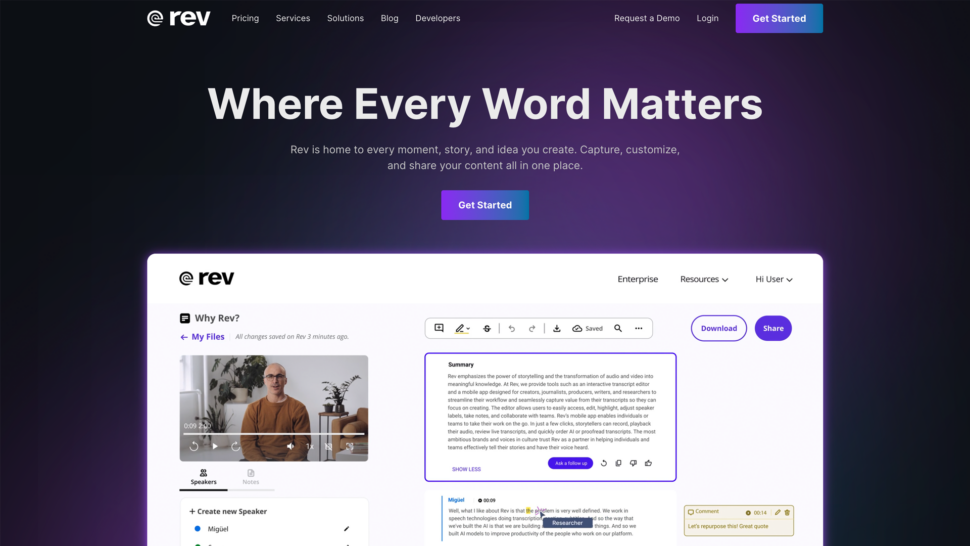
3. Rev: Best for Human + AI Transcription

rev 转录应用程序主页

Rev is best for users who need the option to escalate from AI to 人类转录 on the same platform. It delivers fast turnaround on AI transcriptions and provides access to professional human transcriptionists for content where accuracy is non-negotiable. The main drawback is cost: human transcription at $1.99/minute is among the most expensive options on this list.

Rev offers both human-generated and AI-powered transcriptions, with files typically completed within 12 hours. Its interface is intuitive and supports easy collaboration and sharing.

Key capabilities:

  • 准确性和速度 Human transcriptionists deliver up to 99% accuracy on complex content. AI-powered transcription is faster and more affordable but accuracy varies with background noise and multi-speaker recordings.
  • 灵活定价: Choose between human ($1.99/minute) or AI ($0.25/minute) transcription based on your budget and accuracy requirements.
  • 多种文件格式: Supports a wide range of audio and video formats with export options including Word, PDF, and SRT.

While Rev’s automated transcription claims 95% accuracy, real-world performance varies with background noise, multiple speakers, or industry-specific terminology. Post-editing tools and workflow automation capabilities are also limited compared to platforms like Sonix.

See our full 修订审查 for a detailed breakdown.

Skip Rev if you need multilingual transcription, advanced AI analysis tools, or a platform that scales affordably for high-volume workloads.

  • 定价 AI from $0.25/minute; human from $1.99/minute

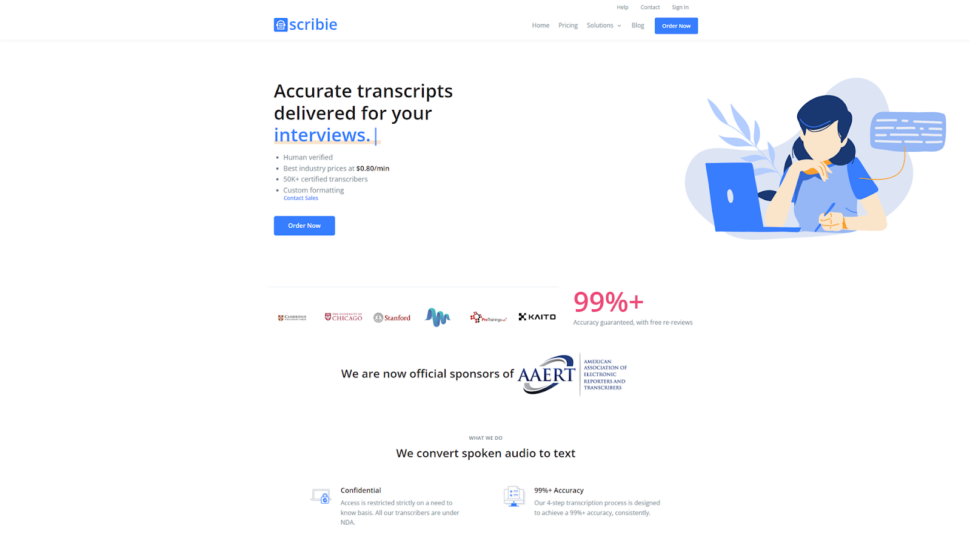
4. Scribie: Best for Human Transcription

Scribie 转录应用程序主页

Scribie is best for budget-conscious users who need human-reviewed transcription with flexible turnaround times. It offers both manual and automated options at rates lower than most human transcription services, though its feature set is more limited than full-platform alternatives.

Scribie provides a straightforward interface that’s easy to use regardless of technical background.

Key capabilities:

  • 灵活的周转时间: Options range from 36 hours to 5 days. Longer turnaround times reduce cost, making Scribie accessible for non-urgent projects.
  • 多发言人识别: Labels multiple speakers in audio and video files, useful for interviews, focus groups, and panel discussions.
  • Verbatim and Non-Verbatim Transcripts: Verbatim transcripts capture every utterance including filler words; non-verbatim transcripts are cleaned up for readability.

Skip Scribie if you need real-time transcription, advanced AI analysis, multi-language support, or enterprise security features.

  • 定价 Starting at $0.80/minute or $48/hour for human transcription

5. Happy Scribe: Best for Language Support

Happy Scribe is best for teams that need transcription across a very wide range of languages and can accept lower automated accuracy. It covers 120+ languages, making it a strong option for international academic and media workflows. Its automated accuracy of approximately 85% means more manual editing time compared to higher-accuracy platforms.

Happy Scribe combines automated and human transcription in one platform, with a built-in subtitle editor and interactive timestamps.

Key capabilities:

  • 多语言支持: Handles 120+ languages with approximately 80-85% accuracy on clear audio. Particularly useful in academic environments where multiple language transcriptions are common.
  • 定价结构: Automated transcription starts at $17/month for two hours. At that rate, Happy Scribe is significantly more expensive per hour than Sonix ($10/hour pay-as-you-go) and delivers lower accuracy.
  • 文件管理: Straightforward project management with a built-in subtitle editor, though the interface can slow down with longer files.

Happy Scribe’s human transcription is priced at $120/hour, one of the most expensive options available. The free trial offers only 10 minutes of transcription with a watermark on exports. Integration options are limited compared to full-platform alternatives.

We explored these tradeoffs in our detailed Happy Scribe 评论.

Skip Happy Scribe if you need accuracy above 85%, affordable human transcription, or robust integrations with your existing tools.

  • 定价 From $17/month for two hours of automated transcription

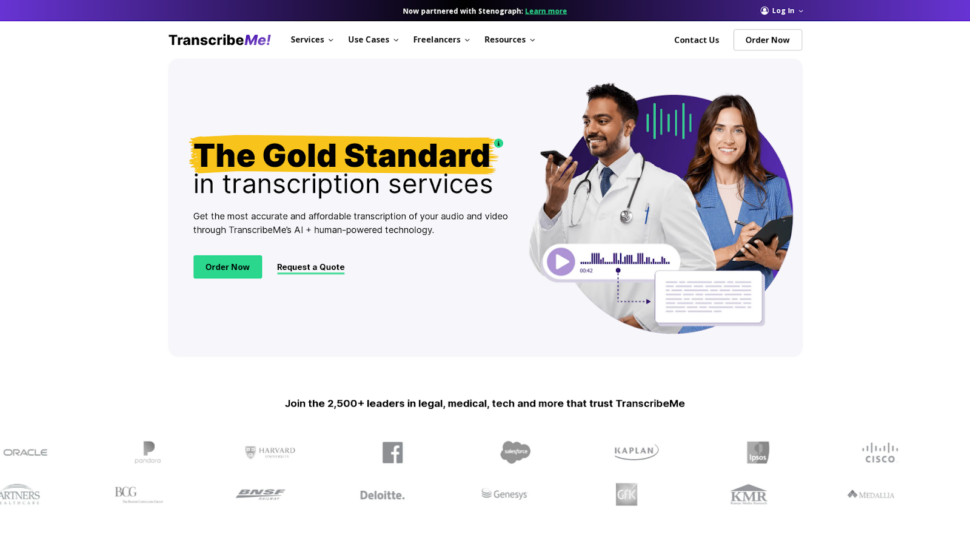
6. TranscribeMe: Best for Confidential Transcription

Transcribe me 转录应用程序主页

TranscribeMe is best for users handling sensitive content who need strong confidentiality policies backed by both technical and contractual safeguards. It combines AI and human transcribers with strict non-disclosure agreements and secure file deletion practices.

TranscribeMe supports multiple languages and file formats, with a range of turnaround times and pricing options to fit different project deadlines.

Key capabilities:

  • 安全平台: Industry-standard encryption protocols protect audio files and transcripts during transmission and storage.
  • 严格的保密政策: Human transcribers sign non-disclosure agreements. AI processing minimizes human access to sensitive content.
  • 安全删除文件 Audio files and transcripts are deleted from servers after project completion, reducing the risk of unauthorized access.

Skip TranscribeMe if you need advanced AI analysis features, real-time transcription, or a platform built for team collaboration at scale.

  • 定价 Starts at $0.07/minute or approximately $4.20/hour

7. Trint: Best for Journalists and News Outlets

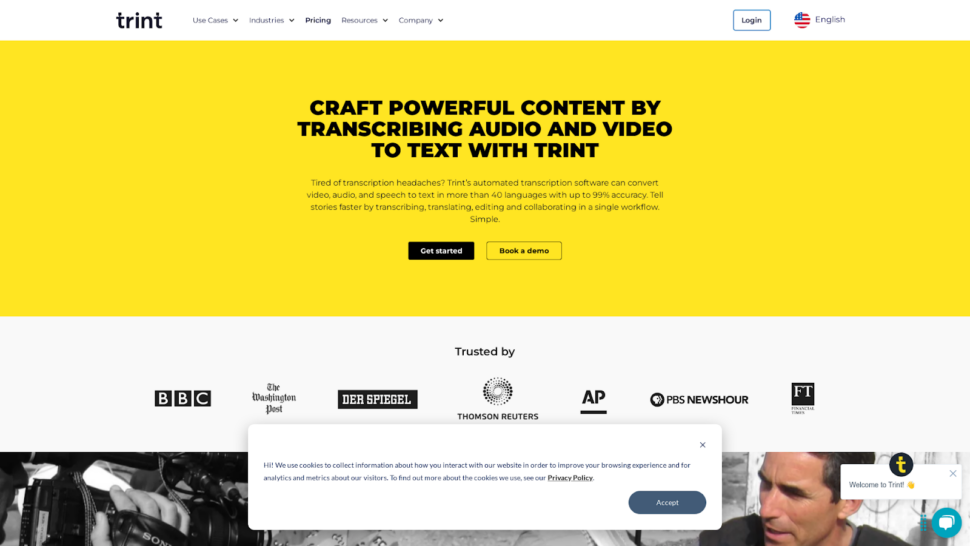
trint 转录应用程序主页

Trint is best for journalists and media teams who need to edit transcripts directly within an audio/video player. Its inline editing workflow reduces post-production time for newsrooms. Outside of media environments, its pricing and feature limitations make it a harder sell.

Trint is designed for content creators who work with international material, offering transcription in over 30 languages and an automated translation feature for multilingual publishing. 新闻室 with high-volume audio workflows will find its collaboration tools useful for team-based editing.

Key capabilities:

  • 简化工作流程: Edit transcripts directly within the audio/video player, eliminating the need to switch between applications during post-production.
  • 协作功能: Share transcripts with colleagues, assign roles and permissions, and track changes made by each team member.
  • 多语言支持: Transcription in 30+ languages with automated translation for global content distribution.

Trint’s real-world accuracy often falls closer to 90% rather than the claimed 99%, requiring substantial manual editing on complex audio. Its “unlimited” Advanced Plan includes undisclosed fair-use limits, and users frequently hit daily transcription caps without clear guidance on thresholds. AI features are basic, limited to summaries without deeper analysis like sentiment detection or entity recognition.

See our full 特林特评论 for a detailed breakdown of where it falls short for enterprise and research teams.

Skip Trint if you need transparent pricing, advanced AI analysis, or high accuracy on technical or multi-speaker audio.

  • 定价 起价 $80/月,每月 7 次转录

8. Dragon Speech: Best for Real-Time Dictation

Dragon Speech is best for professionals who need high-accuracy real-time dictation directly into desktop applications, particularly in medical and legal environments. It adapts to your speaking patterns over time and supports specialized industry vocabularies. Its desktop-first design limits mobility compared to cloud-based alternatives.

Dragon Speech, developed by Nuance, focuses on voice-to-text conversion as you speak rather than processing pre-recorded files. It is particularly popular in medical practices and law firms and legal teams where immediate dictation into documents is a core workflow.

Key capabilities:

  • 专业特色: Adapts to individual speaking patterns over time. Supports industry-specific vocabularies and custom voice commands for text formatting.
  • 专业整合: Connects with common desktop applications, though it remains primarily desktop-based with limited cloud or mobile support.
  • 定价模式: One-time purchase at $699 for Dragon Professional Individual. Cost-effective for heavy users who need reliable real-time dictation long-term.

Skip Dragon Speech if you need to transcribe pre-recorded files, work in a cloud-based or mobile-first environment, or require multi-language support beyond English dictation.

  • 定价 $699 一次性购买

9. MeetGeek: Best for AI Notetaking

MeetGeek 人工智能转录应用程序主页

MeetGeek is best for teams that want automated meeting summaries and action items pulled directly from video conferencing recordings. It integrates with Zoom, Microsoft Teams, and Google Meet to generate structured notes without manual effort. Its transcription accuracy is moderate, making it less suitable for high-stakes content.

MeetGeek specializes in meeting intelligence rather than general-purpose transcription, making it a strong fit for sales teams, project managers, and distributed teams that run frequent video calls.

Key capabilities:

  • 与视频会议平台无缝集成: Connects with Zoom, Microsoft Teams, and Google Meet to transcribe and summarize meetings automatically.
  • 可定制的摘要模板: Define the level of detail, highlight key points, and structure summaries to match your team’s communication style.
  • 协作功能: Share summaries, assign tasks, and track progress within the app to keep teams aligned after meetings.

Skip MeetGeek if you need to transcribe pre-recorded files, require high accuracy for published or legal content, or work with non-English audio.

  • 定价 Freemium model; paid plans available

10. Descript: Best for Audio and Video Editing

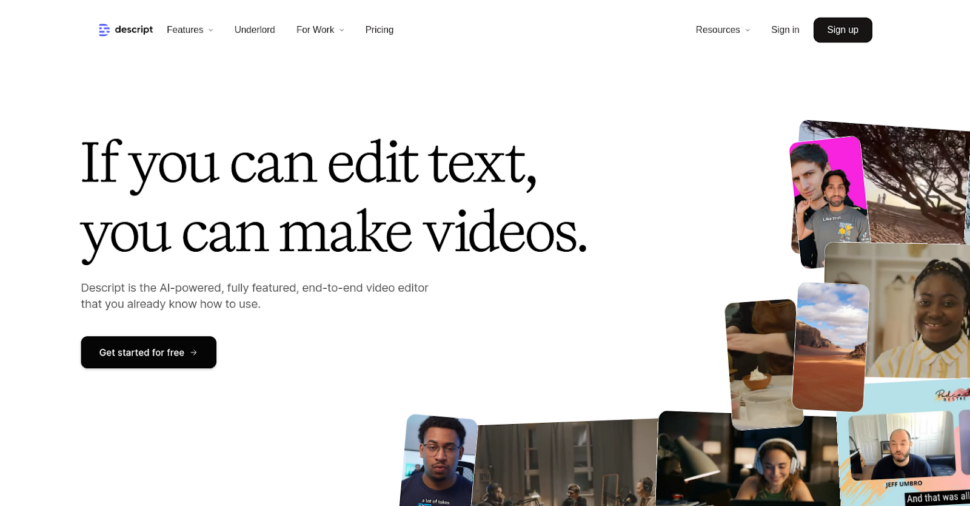
Descript 一体化转录应用程序主页

Descript is best for content creators and podcasters who want to edit audio and video by editing text, without needing advanced skills in Premiere Pro or DaVinci Resolve. Its text-based editing approach is genuinely different from traditional editing tools. Transcription accuracy is solid but not at the level of dedicated transcription platforms.

Descript combines transcription with a full audio and video editing suite, making it an all-in-one tool for podcast production, YouTube content, and short-form video.

Key capabilities:

  • 转录与编辑的无缝整合: Edit your audio or video by editing the transcript. Changes to text automatically update the audio/video timeline.
  • AI-Powered Voiceover Creation with Overdub: Generate realistic voiceovers based on your own voice without additional recording sessions.
  • 轻松协作: Cloud-based platform lets team members view, edit, and comment on projects in real-time regardless of location.

Skip Descript if you need high-accuracy transcription for legal, medical, or research purposes, require multi-language support, or don’t need video editing capabilities alongside transcription.

  • 定价 起价 $19/月

11. Fireflies.ai: Best for AI Meeting Insights and Analysis

Fireflies.ai 是一款人工智能转录工具的主页

Fireflies.ai is best for sales and customer success teams that need conversation intelligence from recorded calls, including talk-time analysis, sentiment tracking, and topic extraction. It integrates with Slack and Zoom for automated meeting capture. Accuracy is moderate, and it is not designed for file-based transcription of non-meeting content.

Fireflies.ai uses natural language processing to identify speakers, summarize key points, and extract actionable insights from voice conversations.

Key capabilities:

  • 自动会议记录: Automatically joins calendar meetings and generates detailed notes, transcripts, and summaries.
  • 对话智能: Analyzes speaker talk time, sentiment, and key topics to provide data-driven insights for improving communication and decision-making.
  • 合作与共享: Create and organize meeting highlights, assign tasks, and share summaries with stakeholders directly within the app.

Skip Fireflies.ai if you need to transcribe pre-recorded media files, require enterprise-grade security compliance, or work with content in languages beyond its supported set.

  • 定价 Starts at $18/month

12. Evernote AI Transcribe: Worth Considering?

Evernote AI Transcribe has appeared in search results for transcription queries, so it is worth a brief assessment for completeness.

Evernote’s transcription feature works best for users already embedded in the Evernote ecosystem who want to capture voice notes and convert them to text without leaving the app. It handles basic single-speaker dictation reasonably well.

Its limitations are significant for professional use: transcription accuracy is lower than dedicated platforms, there are no enterprise security certifications, language support is narrow, and it lacks the AI analysis features (summarization, topic detection, entity recognition) that make tools like Sonix useful beyond basic text conversion. There is no team collaboration layer or integration with video editing or conferencing tools.

Verdict: Evernote AI Transcribe works for personal note capture within the Evernote app. For professional transcription, multi-language support, or team workflows, a dedicated platform delivers meaningfully better results.

Free Transcription Tools Worth Knowing About

Before committing to a paid platform, some users consider free or built-in alternatives. Here is an honest assessment of the three most common options.

Microsoft Word Transcribe is built into Microsoft 365 and handles basic English transcription from uploaded audio files. It supports approximately 300 minutes of transcription per month. Accuracy is acceptable for clean, single-speaker audio but drops noticeably with background noise or multiple speakers. No team collaboration, no AI analysis, and no export to subtitle formats.

谷歌文档语音输入 offers real-time speech-to-text directly inside Google Docs. It requires an active microphone connection and does not accept file uploads, so it only works for live dictation. English-focused with limited support for other languages. No speaker identification, no timestamps, and no post-processing features.

Whisper (OpenAI) is an open-source speech recognition model that delivers strong accuracy across many languages. The catch: it requires technical setup, there is no hosted interface, and running it at scale requires infrastructure investment. It is a solid option for developers building custom workflows, not for teams needing a ready-to-use platform.

These tools work for occasional, low-stakes transcription. For professional accuracy, multi-language support, or team workflows, a dedicated platform like ǞǞǞ delivers significantly better results, with 自动字幕和字幕 included.

Closing Thoughts: What Is the Best Transcription App?

Choosing the right transcription app comes down to your specific workflow requirements. Here is how the tools on this list map to primary use cases.

工具准确度速度语言支持Integration and Features定价和价值平均得分
ǞǞǞ4.84.94.84.74.54.7
描述4.54.64.24.94.64.5
TranscribeMe4.74.54.24.24.44.4
Fireflies.ai4.34.73.84.64.54.3
快乐抄写员4.34.44.94.04.24.3
修订5.04.24.14.34.04.3
特林特4.64.54.04.44.14.3
MeetGeek4.24.33.54.54.74.2
Scribie4.54.33.53.84.84.1
Otter.ai4.24.73.04.64.34.1
龙演讲4.43.93.03.23.53.6

How we scored: Each tool was rated on a 1-5 scale across five dimensions. Accuracy scores reflect real-world testing on the three audio files described in the methodology section. Speed reflects time-to-transcript for a 60-minute file. Language support reflects both the number of supported languages and accuracy across non-English audio. Integration and features reflect the breadth of native integrations and AI analysis capabilities. Pricing and value reflects cost per hour relative to accuracy and feature depth.

Sonix leads across the criteria that matter most for professional use: accuracy, speed, language coverage, and integration depth. Descript is the strongest choice for combined audio editing and transcription. TranscribeMe stands out for confidential content with strict security requirements. Otter.ai excels at live English meeting transcription. Rev remains the go-to for users who need human transcription as a fallback option.

For most professional users, Sonix delivers the best overall package. With transcription pricing starting at $10/hour pay-as-you-go or $5/hour with a subscription, it offers strong value across accuracy, language support, AI analysis, and security.

通过以下方式亲身体验一下 Sonix 立即注册 30 分钟免费试用.无需信用卡。

关于 AI 转录软件的常见问题

什么是 AI 转录软件?

人工智能 转录软件 uses artificial intelligence and machine learning algorithms to convert spoken words into written text automatically. These applications process audio from recordings, video files, and live speech, transforming them into editable text documents. Accuracy typically ranges from 85% to 99%, depending on audio quality and the sophistication of the AI model.

What Is the Most Accurate Free Transcription Tool?

For occasional use, Microsoft Word Transcribe (included in Microsoft 365) and Google Docs Voice Typing offer free real-time transcription in English. For higher accuracy and file-based transcription, Sonix offers 30 minutes of free transcription with no credit card required, with 精度高达 99% across 53+ languages.

Which Transcription App Works Best for Non-English Audio?

Sonix supports transcription in 53+ languages and translation into 54+ languages, making it the strongest choice for multilingual workflows. Happy Scribe covers 120+ languages but at lower accuracy (approximately 85%). Otter.ai is English-only.

Can AI Transcription Apps Handle Multiple Speakers?

Yes. Most professional transcription platforms, including Sonix, Rev, and Descript, offer automatic speaker identification, labeling each speaker separately in the transcript. Sonix and Rev perform well in multi-speaker scenarios. Otter.ai struggles with more than two speakers and frequently misattributes dialogue in group conversations.

人工智能转录应用程序的成本是多少?

Pricing models vary significantly. Pay-as-you-go options range from $0.07/minute (TranscribeMe) to $0.25/minute (Rev AI). Subscription platforms typically run $17 to $80/month depending on volume and features. Sonix offers $10/hour pay-as-you-go or $5/hour with a $22/month subscription, making it one of the most cost-effective options for professional-grade accuracy.

使用人工智能转录一小时音频需要多长时间?

AI transcription platforms typically process one hour of audio in 2 to 10 minutes, depending on the service and audio quality. This is significantly faster than manual transcription, which typically takes 4 to 6 hours per hour of audio. Some services offer real-time transcription for live meetings.

哪些因素会影响人工智能转录的准确性?

Several factors influence accuracy:

  • 音频质量和背景噪音水平
  • 发言者的口音和清晰度
  • 发言人数和重叠发言
  • 技术术语或特定行业的行话
  • 录音设备质量
  • 音频文件格式和压缩

人工智能转录应用程序对敏感内容安全吗?

Professional AI transcription services implement enterprise-grade security measures including end-to-end encryption, secure file storage, and compliance with privacy regulations like GDPR and HIPAA. Not all tools on this list meet these standards. Sonix is SOC 2 Type II certified with AES-256 encryption at rest and TLS encryption in transit. Always review each service’s security documentation before uploading confidential content.

世界上最准确的人工智能转录

Sonix 可在几分钟内转录您的音频和视频,其准确性会让您忘记这是自动化操作。.

极快的速度
经济实惠
安全
免费试用 Sonix
★★★★★ 受到 300 多万用户的喜爱
99% 准确度
35+ 语言
1B+ 誊写小时数
zh_CNChinese