


Dans cet article
Qu'est-ce que l'IA ? logiciel de transcription? Les logiciels de transcription basés sur l'IA utilisent des modèles de reconnaissance vocale pour convertir automatiquement des fichiers audio ou vidéo en texte. Leur taux de précision varie généralement entre 85% et 99%, en fonction de la qualité audio, de la clarté de l'énonciateur et de la plateforme utilisée. Les outils modernes proposent également des fonctionnalités d'identification de l'énonciateur, la prise en charge multilingue et des fonctions d'analyse par IA telles que la synthèse et la détection des thèmes.
Les applications de transcription basées sur l'IA convertissent automatiquement les fichiers audio et vidéo en texte consultable et modifiable, en quelques minutes et dans des dizaines de langues. Nous avons testé plus de 11 plateformes sur des fichiers audio réels afin de vous montrer précisément leurs performances, leurs tarifs et celle qui correspond le mieux à votre flux de travail.
Points clés à retenir :
- Meilleur dans l'ensemble : Sonix, précision allant jusqu'à 99%, plus de 53 langues, sécurité d'entreprise, à partir de $10/heure
- Idéal pour les réunions : Otter.ai, transcription en temps réel, en anglais uniquement, à partir de $16,99/mois
- Le meilleur pour le montage vidéo : Descript, outil de montage audio/vidéo par commande vocale, à partir de $19 par mois
- Le meilleur choix pour la diversité linguistique : Happy Scribe, plus de 120 langues, précision d'environ 851 TP4T, à partir de 1 TP5T17 par mois
- Meilleure option gratuite : Microsoft Word Transcribe, intégré à Microsoft 365, limite de 300 minutes par mois
- Le meilleur choix pour la transcription combinant intervention humaine et IA : Rev, à partir de $0,25/minute pour l'IA, $1,99/minute pour les humains
- Idéal pour la dictée en temps réel : Dragon Speech, achat unique à $699
Réponse rapide : les meilleures applications de transcription en 2026
Meilleur dans l'ensemble : Sonix, précision allant jusqu'à 99%, plus de 53 langues, sécurité d'entreprise, à partir de $10/heure
Idéal pour les réunions : Otter.ai, transcription en temps réel, en anglais uniquement, à partir de $16,99/mois
Le meilleur pour le montage vidéo : Descript, outil de montage audio/vidéo par commande vocale, à partir de $19 par mois
Le meilleur choix pour la diversité linguistique : Happy Scribe, plus de 120 langues, précision d'environ 851 TP4T, à partir de 1 TP5T17 par mois
Meilleure option gratuite : Microsoft Word Transcribe, intégré à Microsoft 365, limite de 300 minutes par mois
Meilleur pour services de transcription humaine: Régime, à partir de $0,25/minute pour l'IA ou $1,99/minute pour l'intervention humaine
Comment nous avons testé ces applications de transcription
Nous avons testé chaque outil à l'aide de trois fichiers audio : un entretien clair avec un seul intervenant (45 minutes, en anglais), l'enregistrement d'un groupe de discussion avec plusieurs intervenants (30 minutes, bruit de fond modéré) et un fichier vidéo bilingue (20 minutes, en anglais et en espagnol). La précision a été mesurée en comparant la transcription brute à une référence vérifiée manuellement, en comptant le nombre d'erreurs par 100 mots.
Les tarifs ont été vérifiés directement sur la page publique de chaque fournisseur en juillet 2026. Les capacités d’intégration ont été testées par rapport aux flux de travail professionnels les plus courants : importation depuis une réunion Zoom, synchronisation avec un espace de stockage dans le cloud et exportation vers un logiciel de montage vidéo. La vitesse a été mesurée en fonction du temps nécessaire à la transcription d’un fichier audio de 60 minutes.
Comparaison des meilleures applications de transcription AI
| Outil | Meilleur pour | Précision | Fixation des prix |
|---|---|---|---|
| Sonix | La meilleure solution globale pour une transcription/traduction précise et rapide | Jusqu'à 99% | À partir de $10/heure ; l'abonnement permet de réduire le coût à $5/heure |
| Loutre.ai | Compte rendu de réunion | Assez élevé | Gratuit pour la version de base ; Pro à partir de $16.99/mois |
| Rev | Transcription humaine + IA | Haut | À partir de $0,25/minute pour l'IA ou $1,99/minute pour un opérateur humain |
| Scribe | Services de transcription humaine | Une grande précision humaine | À partir de $0,80/minute ou $48/heure |
| Scribe heureux | Polyvalence des langues | Environ 85% | À partir de $17 par mois pour deux heures |
| TranscribeMe | Transcription confidentielle | Assez élevé | À partir de $0,07 par minute, soit environ $4,20 par heure |
| Trint | Journalistes et médias d'information | Haut | À partir de $80 par mois pour 7 transcriptions |
| Discours du dragon | Dictée en temps réel | Haut | $699 achat unique |
| MeetGeek | AI applications de prise de notes | Modéré | Modèle freemium |
| Description | Montage audio et vidéo | Assez élevé | À partir de $19/mois |
| Fireflies.ai | Analyse des réunions par l'IA | Modéré | À partir de $18 par mois |
Comment choisir la bonne application de transcription
Tous les outils de transcription ne conviennent pas à tous les processus de travail. Avant de choisir une plateforme, vérifiez que vos besoins correspondent à ces cinq critères.
Exigences de précision
La précision est primordiale lorsque les transcriptions sont intégrées à des dossiers juridiques, à des publications de recherche ou à des médias. Un outil offrant une précision de 85% sur un enregistrement de 60 minutes comporte environ 900 mots erronés, chacun nécessitant une correction manuelle. Pour un usage professionnel, privilégiez les plateformes qui atteignent systématiquement un taux de 95% ou plus sur des enregistrements audio réels, et pas seulement sur des enregistrements de studio sans bruit de fond. Transcription automatisée Les plateformes telles que Sonix sont conçues pour respecter cette norme.
Besoins en matière de langues et de traduction
Si votre équipe travaille dans plusieurs langues, vérifiez à la fois le nombre de langues prises en charge pour la transcription et la qualité de la traduction. Certains outils prennent en charge plus de 120 langues pour la transcription, mais offrent une précision moindre sur les enregistrements audio non anglophones. D’autres, comme Otter.ai, ne fonctionnent qu’en anglais. Sonix prend en charge Plus de 53 langues pour la transcription et plus de 54 pour la traduction, tout en garantissant une grande précision pour chacun d'entre eux. Sociétés de recherche et les équipes médiatiques internationales, en particulier, ont besoin de cette richesse multilingue.
Transcription en temps réel ou à partir d'un fichier ?
Les outils en temps réel (Otter.ai, Fireflies.ai) sont particulièrement adaptés aux réunions en direct où vous avez besoin de notes immédiatement. Les plateformes basées sur des fichiers (Sonix, Rev, Happy Scribe) conviennent mieux aux processus de post-production : entretiens, des podcasts, des extraits de documentaires et des cours enregistrés. Certains outils permettent de faire les deux, mais rarement avec le même niveau de qualité. Déterminez le flux de travail dont vous avez besoin avant de souscrire à un abonnement.
Sécurité et conformité
Les équipes juridiques, médicales et d'entreprise ont besoin de plus qu'une simple politique de confidentialité. Recherchez la certification SOC 2 Type II, le chiffrement AES-256 au repos, le chiffrement TLS en transit et des contrôles d’accès basés sur les rôles. La conformité au RGPD est essentielle pour les données européennes. La conformité à la loi HIPAA est essentielle pour le secteur de la santé. Tous les outils de cette liste ne répondent pas à ces normes. Sonix’s sécurité de niveau entreprise répond à toutes ces exigences.
Intégration à votre infrastructure existante
Le meilleur outil de transcription est celui qui s'intègre parfaitement à votre flux de travail actuel sans créer de friction. Vérifiez s'il propose des intégrations natives avec Zoom, Google Drive, Dropbox et votre logiciel de montage vidéo. Pour les équipes de développeurs, une API ou Serveur MCP Cette connexion vous permet d'intégrer directement les transcriptions dans vos pipelines d'automatisation existants. Sonix’s capacités d'intégration couvrir l'ensemble des principales plateformes de visioconférence, de stockage dans le cloud et de production audiovisuelle.
1. Sonix : Meilleure solution globale pour la transcription et la traduction
Sonix est la solution idéale pour les équipes professionnelles qui ont besoin d'une transcription précise et rapide dans plusieurs langues, avec un niveau de sécurité adapté aux entreprises. Il offre systématiquement une précision allant jusqu'à 99% sur des enregistrements audio réels, prend en charge plus de 53 langues et s'intègre directement aux outils que votre équipe utilise déjà.
Sonix domine le marché de la transcription grâce à la combinaison de la précision de son intelligence artificielle, de la profondeur de ses analyses et de sa conformité aux normes de sécurité. Il prend en charge tous les types d'enregistrements, des entretiens avec un seul intervenant aux enregistrements complexes impliquant plusieurs intervenants, et son éditeur intégré au navigateur permet d'effectuer rapidement des modifications après la transcription, sans avoir à passer d'une application à l'autre.
Sonix est particulièrement performant pour des transcriptions exactes des entretiens, des groupes de discussion et des débats universitaires où la clarté de l'exposé varie et où la terminologie technique est courante.
Ignorer Sonix si : vous n'avez besoin que d'une transcription ponctuelle et peu exigeante de courts fichiers audio en anglais, et vous n'avez aucune exigence en matière de collaboration ou de sécurité. L'essai gratuit de 30 minutes couvre ce cas d'utilisation sans engagement.
Précision de l'IA à la pointe de l'industrie
Sonix's Transcription assistée par IA offre une précision pouvant atteindre 99%, ce qui réduit considérablement le besoin de corrections manuelles. Grâce à des techniques avancées de traitement du langage naturel (NLP) et d'apprentissage automatique, Sonix distingue les locuteurs, reconnaît la terminologie complexe et gère avec précision une grande variété d'accents.
Contrairement aux outils classiques de reconnaissance vocale, Sonix améliore en permanence ses capacités de reconnaissance, garantissant ainsi une précision constante dans divers secteurs, notamment le droit, la médecine et la production audiovisuelle.
Outils d'analyse de l'IA
Sonix's Outils d'analyse de l'IA vont au-delà de la simple transcription pour vous aider à tirer le meilleur parti de vos enregistrements. Ces fonctionnalités comprennent :
- Résumé : Il résume de longues transcriptions en synthèses concises afin que vous puissiez en saisir rapidement les points essentiels.
- Chapitre Création : Segmente automatiquement les transcriptions en sections clairement définies, ce qui accélère la navigation.
- Analyse thématique : Identifie les thèmes, sujets et schémas récurrents dans les transcriptions afin d'obtenir une meilleure compréhension du contenu.
- Analyse des sentiments : Évalue la tonalité émotionnelle du discours, en distinguant les sentiments positifs, négatifs et neutres.
- Détection du sujet : Il classe par catégorie et horodate les différents sujets abordés, ce qui vous aide à comprendre la structure de la conversation.
- Détection d'entités : Identifie et horodate les mentions de personnes, de lieux et d'organisations présentes dans l'ensemble du contenu.
Pour avoir une vue d'ensemble de la manière dont ces fonctionnalités s'intègrent dans les flux de travail de production, consultez notre tour d'horizon de Les meilleurs outils d'IA pour l'audio et la vidéo.
Caractéristiques de sécurité
Sonix's sécurité de niveau entreprise garantit que toutes les données restent chiffrées et protégées, ce qui en fait une solution fiable pour les organisations traitant des informations confidentielles.
- Chiffrement AES-256 pour les données stockées
- Chiffrement TLS pour les transferts de fichiers
- Conformité SOC 2 Type II
- Contrôles d'accès basés sur les rôles
- Authentification à deux facteurs (2FA)
- Tests d'intrusion réguliers
Grâce à ces mesures, Sonix convient aux cabinets d'avocats, aux prestataires de soins de santé et aux entreprises qui exigent le plus haut niveau de protection des données.
Soutien linguistique complet
Avec le soutien de 53+ langues, Sonix permet aux entreprises de transcrire un fichier audio et transcrire une vidéo sur des contenus multilingues sans compromettre la précision. Au-delà de la transcription, la solution de Sonix traduction automatique Il permet aux utilisateurs de convertir des transcriptions dans plusieurs langues, ce qui en fait un outil idéal pour les équipes internationales et les processus de création de contenu à l'échelle mondiale.
Capacités d'intégration transparente
Sonix's capacités d'intégration connectez-vous aux principales plateformes de productivité, de médias et de stockage dans le cloud :
- Dropbox, Google Drive et OneDrive pour l'importation automatique de fichiers
- Salesforce pour l'analyse des conversations liées au CRM
- Adobe Premiere Pro, Final Cut Pro et Avid Media Composer pour la création de sous-titres au sein des logiciels de montage
- Zoom, Microsoft Teams et Webex pour la transcription automatique des réunions
- Serveur MCP à
https://api.sonix.ai/mcppour les assistants IA et les flux de travail d'automatisation destinés aux développeurs
Les équipes peuvent également travailler en collaboration avec ses coéquipiers directement au sein de la plateforme, avec des dossiers partagés, une fonctionnalité de commentaires et des contrôles d'accès intégrés.
Prix Sonix
- Formule standard « paiement à l'utilisation » : 1 TP5T10 par heure pour la transcription et la traduction
- Abonnement Premium : $5 par heure, plus $22 par mois et par utilisateur (le tarif passe alors à $3 par heure)
- Entreprise : Contactez l'équipe commerciale de Sonix pour une tarification personnalisée.
Pour découvrir en détail comment tarification de la transcription Pour comparer les tarifs entre les différentes plateformes, consultez notre guide tarifaire dédié.
Vous souhaitez découvrir la précision et les délais d'exécution rapides du modèle 99% de Sonix ? Inscrivez-vous pour un essai gratuit de 30 minutes dès aujourd'huiAucune carte de crédit n'est requise.
2. Otter.ai : l'outil idéal pour prendre des notes lors de réunions
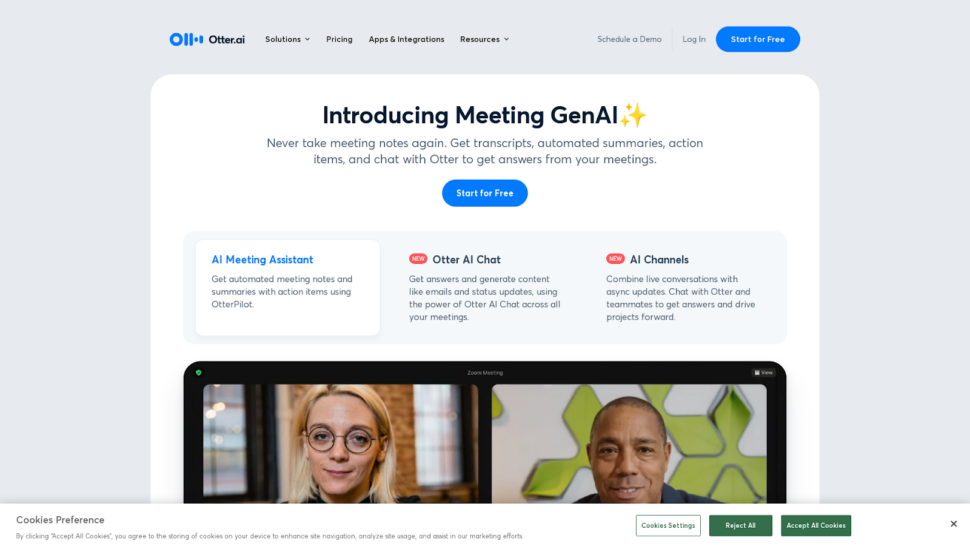
Otter.ai est l'outil idéal pour la transcription en temps réel de réunions en anglais. Il s'intègre directement à Zoom, Google Meet et Microsoft Teams, générant des transcriptions en temps réel au fur et à mesure que les conversations se déroulent. Sa principale limite réside dans la prise en charge linguistique : Otter.ai ne transcrit que l'anglais, ce qui le rend inadapté aux équipes multilingues ou aux contenus internationaux.
La version mobile d'Otter.ai est bien conçue et conviviale ; elle vous permet d'enregistrer, de transcrire et de partager des transcriptions où que vous soyez. Elle s'avère donc très utile pour les journalistes, les chercheurs ou toute personne devant enregistrer des conversations loin de son bureau.
Principales fonctionnalités :
- Reconnaissance vocale : Convertit les mots prononcés en texte en temps réel, au fur et à mesure que vous parlez, et affiche immédiatement les résultats à l'écran.
- Identification de l'orateur : Il distingue les différents intervenants en leur attribuant des identifiants tels que “ Intervenant 1 ” et “ Intervenant 2 ” tout au long de la transcription.
- L'édition collaborative : Permet de corriger le texte directement dans l'application, pendant ou après la transcription, afin que votre transcription finale soit exacte avant que vous ne la partagiez.
Otter.ai présente plusieurs inconvénients qu'il convient de souligner. Sa précision est compromise par le bruit de fond, la terminologie technique et la diversité des accents, ce qui nécessite souvent d'importantes corrections manuelles. La sécurité pose également problème : Otter.ai n'est pas conforme à la norme SOC 2 Type II, ce qui le rend moins adapté au traitement de données sensibles. L'identification des intervenants manque de cohérence dans les conversations impliquant plus de deux personnes.
Nous avons examiné ces questions plus en détail dans notre Examen d'Otter.ai.
Évitez Otter.ai si vous travaillez avec des contenus qui ne sont pas en anglais, vous traitez des données sensibles nécessitant la conformité SOC 2, ou vous avez besoin de transcrire des fichiers préenregistrés à grande échelle.
- Prix : Gratuit pour la version de base ; Pro à partir de $16.99/mois
3. Rev : le meilleur choix pour la transcription combinant intervention humaine et IA
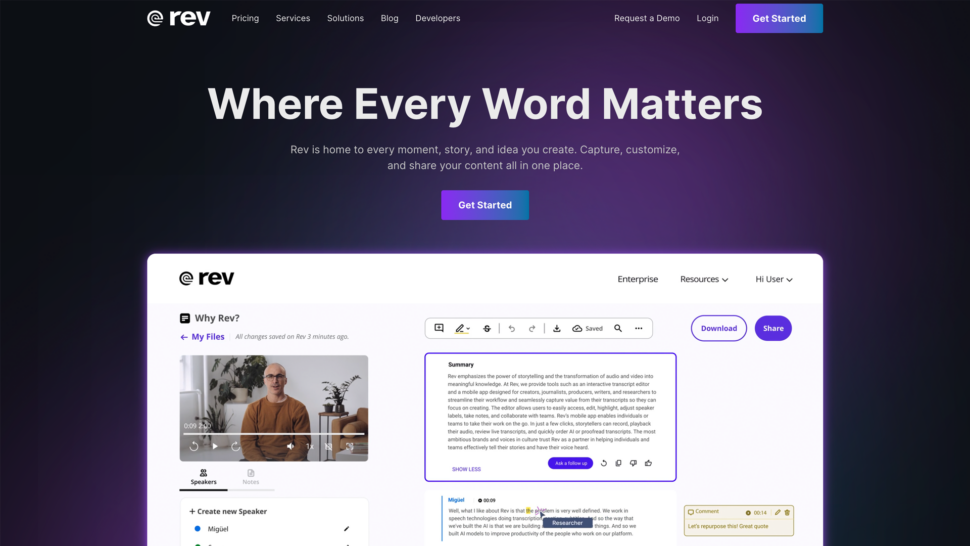
Rev est la solution idéale pour les utilisateurs qui souhaitent pouvoir passer de l'IA à transcription humaine sur la même plateforme. Il garantit des délais d'exécution rapides pour les transcriptions générées par IA et donne accès à des transcripteurs humains professionnels pour les contenus où la précision est indispensable. Son principal inconvénient réside dans son coût : la transcription humaine, à $1,99 par minute, figure parmi les options les plus onéreuses de cette liste.
Rev propose à la fois des transcriptions réalisées par des humains et des transcriptions générées par IA, les fichiers étant généralement traités dans un délai de 12 heures. Son interface est intuitive et facilite la collaboration et le partage.
Principales fonctionnalités :
- Précision et rapidité : Les transcripteurs humains atteignent une précision allant jusqu'à 99% sur des contenus complexes. La transcription assistée par IA est plus rapide et plus abordable, mais sa précision varie en fonction du bruit de fond et des enregistrements impliquant plusieurs locuteurs.
- Tarification flexible : Choisissez entre la transcription humaine ($1,99/minute) et la transcription par IA ($0,25/minute) en fonction de votre budget et de vos exigences en matière de précision.
- Formats de fichiers multiples : Prend en charge un large éventail de formats audio et vidéo, avec des options d'exportation vers Word, PDF et SRT, entre autres.
Bien que la transcription automatisée de Rev revendique une précision de 95%, ses performances réelles varient en fonction du bruit de fond, de la présence de plusieurs intervenants ou de la terminologie propre à un secteur d'activité. Les outils de post-édition et les capacités d'automatisation des flux de travail sont également limités par rapport à des plateformes telles que Sonix.
Consultez notre gamme complète Revue de presse pour obtenir une ventilation détaillée.
Ignorer Rev si vous avez besoin d'une transcription multilingue, d'outils d'analyse avancés basés sur l'IA ou d'une plateforme capable de s'adapter de manière économique à des volumes de travail importants.
- Prix : IA : à partir de $0,25/minute ; humain : à partir de $1,99/minute
4. Scribie : le meilleur choix pour la transcription humaine
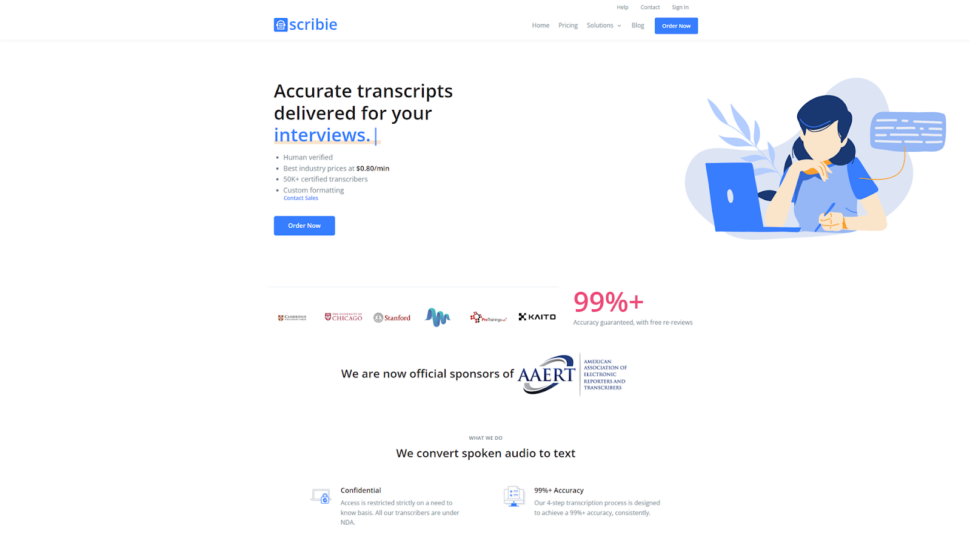
Scribie est la solution idéale pour les utilisateurs soucieux de leur budget qui ont besoin d'une transcription vérifiée par des humains avec des délais d'exécution flexibles. Il propose à la fois des options manuelles et automatisées à des tarifs inférieurs à ceux de la plupart des services de transcription humaine, même si ses fonctionnalités sont plus limitées que celles des alternatives proposant une plateforme complète.
Scribie propose une interface simple et intuitive, facile à utiliser quel que soit le niveau de connaissances techniques de l'utilisateur.
Principales fonctionnalités :
- Des délais d'exécution flexibles : Les délais d'exécution vont de 36 heures à 5 jours. Les délais plus longs permettent de réduire les coûts, ce qui rend Scribie accessible pour les projets non urgents.
- Identification des intervenants multiples : Permet d'identifier plusieurs intervenants dans des fichiers audio et vidéo, ce qui s'avère utile pour les entretiens, les groupes de discussion et les tables rondes.
- Transcriptions mot pour mot et non mot pour mot : Les transcriptions mot pour mot restituent chaque énoncé, y compris les mots de remplissage ; les transcriptions non mot pour mot sont épurées pour en faciliter la lecture.
Ignorez Scribie si que vous ayez besoin d'une transcription en temps réel, d'une analyse avancée par IA, d'une prise en charge multilingue ou de fonctionnalités de sécurité d'entreprise.
- Prix : À partir de $0,80 par minute ou $48 par heure pour la transcription humaine
5. Happy Scribe : le meilleur choix pour l'aide linguistique
Happy Scribe est la solution idéale pour les équipes qui ont besoin de transcriptions dans un très large éventail de langues et qui peuvent se contenter d'un niveau de précision moindre pour la transcription automatisée. Il prend en charge plus de 120 langues, ce qui en fait une solution de choix pour les flux de travail universitaires et médiatiques à l'international. Sa précision automatisée d'environ 85% implique un temps de révision manuelle plus important par rapport aux plateformes offrant une plus grande précision.
Happy Scribe combine la transcription automatisée et la transcription humaine au sein d'une même plateforme, avec un éditeur de sous-titres intégré et des repères temporels interactifs.
Principales fonctionnalités :
- Support multilingue : Prend en charge plus de 120 langues avec une précision comprise entre environ 80 et 851 TP4T sur des enregistrements audio clairs. Particulièrement utile dans les environnements universitaires où les transcriptions multilingues sont courantes.
- Structure des prix : La transcription automatisée est proposée à partir de $17 par mois pour deux heures. À ce tarif, Happy Scribe revient nettement plus cher à l'heure que Sonix ($10 par heure en paiement à l'utilisation) et offre une précision moindre.
- Gestion des fichiers : Une gestion de projet simple, dotée d'un éditeur de sous-titres intégré, même si l'interface peut ralentir avec des fichiers plus volumineux.
Le service de transcription humaine de Happy Scribe est facturé $120 par heure, ce qui en fait l'une des options les plus chères du marché. L'essai gratuit ne propose que 10 minutes de transcription, avec un filigrane sur les fichiers exportés. Les options d'intégration sont limitées par rapport aux alternatives proposant une plateforme complète.
Nous avons examiné ces compromis dans notre analyse détaillée Critique de Happy Scribe.
Ignorez « Happy Scribe » si vous avez besoin d'une précision supérieure à 85%, d'un service de transcription humaine à un prix abordable ou d'intégrations robustes avec vos outils existants.
- Prix : À partir de $17 par mois pour deux heures de transcription automatisée
6. TranscribeMe : le meilleur choix pour la transcription confidentielle
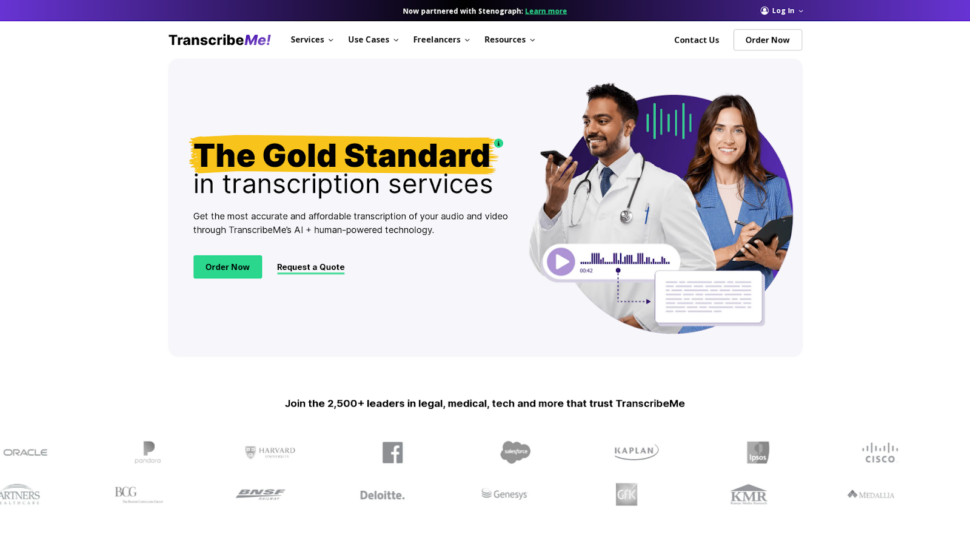
TranscribeMe est la solution idéale pour les utilisateurs qui traitent des contenus sensibles et qui ont besoin de politiques de confidentialité rigoureuses, étayées par des garanties à la fois techniques et contractuelles. Ce service associe l'intelligence artificielle à des transcripteurs humains, dans le respect d'accords de confidentialité stricts et de procédures sécurisées de suppression des fichiers.
TranscribeMe prend en charge plusieurs langues et formats de fichiers, et propose différents délais d'exécution et options tarifaires adaptés aux différentes échéances des projets.
Principales fonctionnalités :
- Plate-forme sécurisée : Des protocoles de chiffrement conformes aux normes du secteur protègent les fichiers audio et les transcriptions lors de leur transmission et de leur stockage.
- Politiques de confidentialité strictes : Les transcripteurs humains signent des accords de confidentialité. Le traitement par IA réduit au minimum l'accès humain aux contenus sensibles.
- Suppression sécurisée des fichiers : Les fichiers audio et les transcriptions sont supprimés des serveurs une fois le projet terminé, ce qui réduit le risque d'accès non autorisé.
Ignorez TranscribeMe si vous avez besoin de fonctionnalités avancées d'analyse par IA, d'une transcription en temps réel ou d'une plateforme conçue pour la collaboration en équipe à grande échelle.
- Prix : À partir de $0,07 par minute, soit environ $4,20 par heure
7. Trint : l'idéal pour les journalistes et les médias d'information
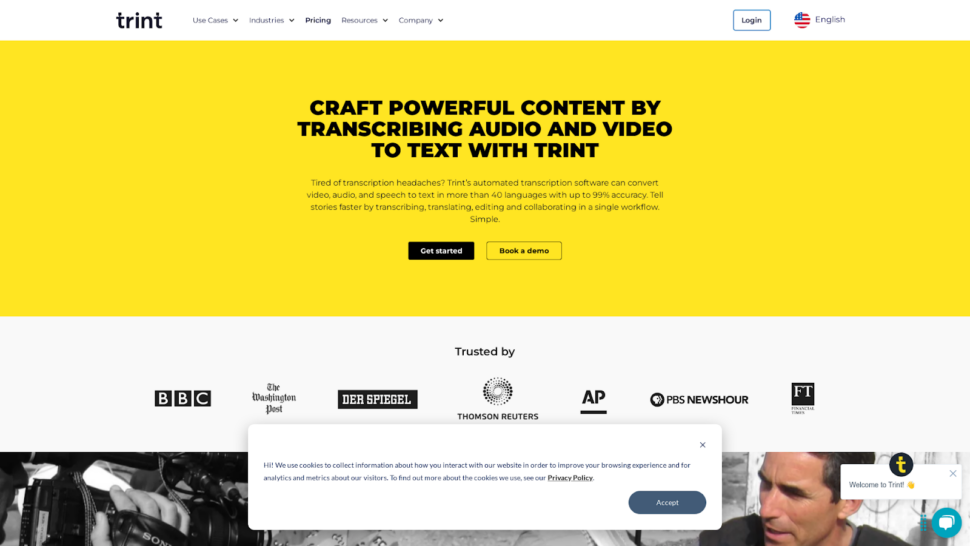
Trint est l'outil idéal pour les journalistes et les équipes médias qui ont besoin d'éditer des transcriptions directement depuis un lecteur audio/vidéo. Son processus d'édition en ligne permet de réduire le temps consacré à la post-production dans les rédactions. En dehors du secteur des médias, son prix et ses fonctionnalités limitées le rendent plus difficile à vendre.
Trint est conçu pour les créateurs de contenu qui travaillent sur des supports internationaux ; il propose une transcription dans plus de 30 langues ainsi qu'une fonctionnalité de traduction automatique pour la publication multilingue. Salles de presse Les utilisateurs travaillant sur des projets audio de grande envergure trouveront ses outils de collaboration très utiles pour le montage en équipe.
Principales fonctionnalités :
- Rationalisation du flux de travail : Modifiez les transcriptions directement dans le lecteur audio/vidéo, ce qui vous évite d'avoir à passer d'une application à l'autre pendant la post-production.
- Caractéristiques de la collaboration : Partagez les transcriptions avec vos collègues, attribuez des rôles et des autorisations, et suivez les modifications apportées par chaque membre de l'équipe.
- Support multilingue : Transcription dans plus de 30 langues avec traduction automatique pour une diffusion internationale des contenus.
La précision de Trint en conditions réelles se rapproche souvent davantage de 90% que des 99% annoncés, ce qui nécessite un travail de correction manuelle important sur les fichiers audio complexes. Son forfait “ illimité ” Advanced Plan comporte des limites d’utilisation équitable non divulguées, et les utilisateurs atteignent fréquemment les plafonds quotidiens de transcription sans disposer d’indications claires sur ces seuils. Les fonctionnalités d’IA sont basiques et se limitent à des résumés, sans analyse approfondie telle que la détection des sentiments ou la reconnaissance d’entités.
Consultez notre gamme complète Revue Trint pour découvrir en détail ses lacunes pour les entreprises et les équipes de recherche.
Ignorer Trint si vous avez besoin d'une tarification transparente, d'analyses avancées basées sur l'IA ou d'une grande précision sur des enregistrements audio techniques ou comportant plusieurs intervenants.
- Prix : A partir de $80/mois pour 7 transcriptions par mois
8. Dragon Speech : l'idéal pour la dictée en temps réel
Dragon Speech est la solution idéale pour les professionnels qui ont besoin d'une dictée en temps réel d'une grande précision, directement dans des applications de bureau, notamment dans les milieux médicaux et juridiques. Il s'adapte progressivement à votre façon de parler et prend en charge le vocabulaire spécifique à chaque secteur d'activité. Sa conception, qui privilégie l'utilisation sur ordinateur de bureau, limite sa mobilité par rapport aux solutions basées sur le cloud.
Dragon Speech, développé par Nuance, est axé sur la conversion de la parole en texte en temps réel, plutôt que sur le traitement de fichiers préenregistrés. Il est particulièrement apprécié dans les cabinets médicaux et cabinets d'avocats et équipes juridiques où la saisie immédiate par dictée dans les documents constitue un élément central du flux de travail.
Principales fonctionnalités :
- Caractéristiques spécialisées : S'adapte progressivement aux habitudes d'élocution de chacun. Prend en charge le vocabulaire propre à chaque secteur d'activité ainsi que les commandes vocales personnalisées pour la mise en forme du texte.
- Intégration professionnelle : Il s'intègre aux applications de bureau courantes, même s'il reste principalement destiné à une utilisation sur ordinateur de bureau et n'offre qu'une prise en charge limitée du cloud ou des appareils mobiles.
- Modèle de tarification : Achat unique à $699 pour Dragon Professional Individual. Une solution économique pour les utilisateurs intensifs qui ont besoin d'une dictée en temps réel fiable sur le long terme.
Ignorer le discours de Dragon si vous devez transcrire des fichiers préenregistrés, travailler dans un environnement basé sur le cloud ou axé sur le mobile, ou avez besoin d'une prise en charge multilingue allant au-delà de la dictée en anglais.
- Prix : $699 achat unique
9. MeetGeek : le meilleur outil pour la prise de notes assistée par IA

MeetGeek est la solution idéale pour les équipes qui souhaitent disposer de comptes-rendus de réunion automatisés et de listes de mesures à prendre, générés directement à partir des enregistrements de visioconférences. Il s'intègre à Zoom, Microsoft Teams et Google Meet pour générer des notes structurées sans intervention manuelle. Sa précision de transcription est moyenne, ce qui le rend moins adapté aux contenus à fort enjeu.
MeetGeek est spécialisé dans l'analyse des réunions plutôt que dans la transcription générale, ce qui en fait une solution idéale pour les équipes commerciales, les chefs de projet et les équipes dispersées qui organisent fréquemment des visioconférences.
Principales fonctionnalités :
- Intégration transparente avec les plates-formes de vidéoconférence : Se connecte à Zoom, Microsoft Teams et Google Meet pour transcrire et résumer automatiquement les réunions.
- Modèles de résumé personnalisables : Définissez le niveau de détail, mettez en avant les points clés et structurez vos résumés de manière à ce qu'ils correspondent au style de communication de votre équipe.
- Caractéristiques de la collaboration : Partagez des résumés, attribuez des tâches et suivez l'avancement au sein de l'application afin d'assurer la cohésion des équipes après les réunions.
Ignorez MeetGeek si vous devez transcrire des fichiers préenregistrés, vous avez besoin d'une grande précision pour des contenus destinés à être publiés ou à usage juridique, ou vous travaillez avec des fichiers audio dans une langue autre que l'anglais.
- Prix : Modèle « freemium » ; formules payantes disponibles
10. Description : Idéal pour le montage audio et vidéo
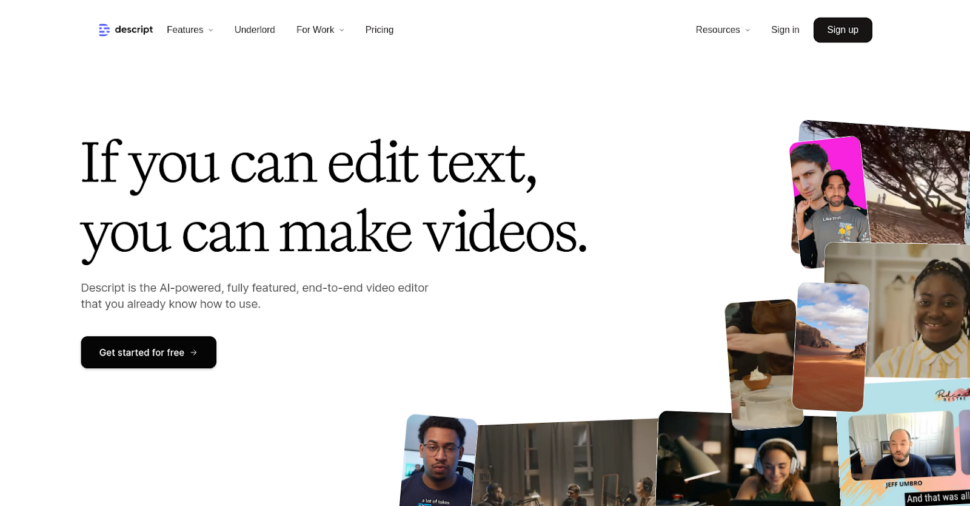
Descript est l'outil idéal pour les créateurs de contenu et les podcasteurs qui souhaitent monter des fichiers audio et vidéo en modifiant du texte, sans avoir besoin de compétences avancées dans Premiere Pro ou DaVinci Resolve. Son approche d'édition textuelle se distingue véritablement des outils d'édition traditionnels. La précision de la transcription est satisfaisante, mais n'atteint pas le niveau des plateformes de transcription spécialisées.
Descript associe la transcription à une suite complète d'outils de montage audio et vidéo, ce qui en fait un outil tout-en-un pour la production de podcasts, de contenu YouTube et de vidéos courtes.
Principales fonctionnalités :
- Intégration transparente de la transcription et de l'édition : Modifiez votre fichier audio ou vidéo en modifiant la transcription. Les modifications apportées au texte se répercutent automatiquement sur la timeline audio/vidéo.
- Création de voix off grâce à l'IA avec Overdub : Créez des voix off réalistes à partir de votre propre voix, sans avoir besoin de sessions d'enregistrement supplémentaires.
- La collaboration facilitée : Grâce à cette plateforme en ligne, les membres de l'équipe peuvent consulter, modifier et commenter les projets en temps réel, où qu'ils se trouvent.
Ignorer la description si vous avez besoin d'une transcription de haute précision à des fins juridiques, médicales ou de recherche, vous avez besoin d'une prise en charge multilingue, ou vous n'avez pas besoin de fonctionnalités de montage vidéo en plus de la transcription.
- Prix : À partir de $19/mois
11. Fireflies.ai : l'outil idéal pour obtenir des informations et des analyses sur les réunions grâce à l'IA

Fireflies.ai est la solution idéale pour les équipes commerciales et de réussite client qui ont besoin d'informations issues de l'analyse des conversations enregistrées, notamment l'analyse de la durée des appels, le suivi des sentiments et l'extraction des thèmes abordés. Il s'intègre à Slack et Zoom pour permettre la transcription automatisée des réunions. Sa précision est moyenne, et il n'est pas conçu pour la transcription de fichiers ne provenant pas de réunions.
Fireflies.ai utilise le traitement du langage naturel pour identifier les interlocuteurs, résumer les points clés et extraire des informations exploitables à partir de conversations vocales.
Principales fonctionnalités :
- Notes de réunion automatisées : Participe automatiquement aux réunions du calendrier et génère des notes détaillées, des transcriptions et des résumés.
- L'intelligence des conversations : Analyse le temps de parole des intervenants, le ton de leurs propos et les thèmes clés afin de fournir des informations fondées sur des données permettant d'améliorer la communication et la prise de décision.
- Collaboration et partage : Créez et organisez les points clés des réunions, attribuez des tâches et partagez des résumés avec les parties prenantes directement depuis l'application.
Évitez Fireflies.ai si vous devez transcrire des fichiers multimédias préenregistrés, vous devez respecter des normes de sécurité de niveau entreprise, ou vous travaillez avec des contenus dans des langues qui ne font pas partie de celles prises en charge.
- Prix : À partir de $18 par mois
12. Evernote AI Transcribe : ça vaut le coup de s'y intéresser ?
Evernote AI Transcribe apparaît dans les résultats de recherche pour les requêtes liées à la transcription ; il convient donc de l'évaluer brièvement par souci d'exhaustivité.
La fonctionnalité de transcription d'Evernote est particulièrement adaptée aux utilisateurs déjà bien intégrés à l'écosystème Evernote qui souhaitent enregistrer des notes vocales et les convertir en texte sans quitter l'application. Elle gère assez bien la dictée de base avec un seul locuteur.
Ses limites sont importantes pour une utilisation professionnelle : la précision de la transcription est inférieure à celle des plateformes spécialisées, il n'existe aucune certification de sécurité d'entreprise, la prise en charge linguistique est restreinte et il ne dispose pas des fonctionnalités d'analyse par IA (synthèse, détection de thèmes, reconnaissance d'entités) qui rendent des outils comme Sonix utiles au-delà de la simple conversion de texte. Il n'y a pas de module de collaboration en équipe ni d'intégration avec des outils de montage vidéo ou de visioconférence.
Verdict : La fonctionnalité « Evernote AI Transcribe » est destinée à la prise de notes personnelles au sein de l'application Evernote. Pour la transcription professionnelle, la prise en charge multilingue ou les workflows d'équipe, une plateforme dédiée offre des résultats nettement supérieurs.
Outils de transcription gratuits à connaître
Avant de s'engager sur une plateforme payante, certains utilisateurs envisagent des alternatives gratuites ou intégrées. Voici une analyse objective des trois options les plus courantes.
Transcription Microsoft Word est intégré à Microsoft 365 et permet d'effectuer une transcription de base en anglais à partir de fichiers audio importés. Il prend en charge environ 300 minutes de transcription par mois. La précision est acceptable pour les enregistrements clairs où un seul locuteur s'exprime, mais elle diminue sensiblement en présence de bruits de fond ou lorsque plusieurs locuteurs s'expriment. Il ne permet pas la collaboration en équipe, ni l'analyse par IA, ni l'exportation vers des formats de sous-titres.
Google Docs Voice Typing Propose une fonctionnalité de reconnaissance vocale en temps réel directement dans Google Docs. Elle nécessite un microphone connecté et ne prend pas en charge le téléchargement de fichiers ; elle ne fonctionne donc que pour la dictée en direct. Principalement axée sur l'anglais, avec une prise en charge limitée des autres langues. Pas d'identification de l'orateur, pas d'horodatage et pas de fonctionnalités de post-traitement.
Whisper (OpenAI) Il s'agit d'un modèle de reconnaissance vocale open source qui offre une grande précision dans de nombreuses langues. Le bémol : il nécessite une configuration technique, il n'existe pas d'interface hébergée, et son exploitation à grande échelle requiert des investissements en infrastructure. C'est une option fiable pour les développeurs qui créent des flux de travail personnalisés, mais elle ne convient pas aux équipes à la recherche d'une plateforme prête à l'emploi.
Ces outils conviennent à des transcriptions ponctuelles et peu exigeantes. Pour une précision professionnelle, une prise en charge multilingue ou des flux de travail en équipe, une plateforme dédiée telle que Sonix donne des résultats nettement meilleurs, avec sous-titres et sous-titres automatisés inclus.
Conclusion : quelle est la meilleure application de transcription ?
Le choix de l'application de transcription la mieux adaptée dépend de vos besoins spécifiques en matière de flux de travail. Voici comment les outils de cette liste correspondent aux principaux cas d'utilisation.
| Outil | Précision | Vitesse | Soutien linguistique | Intégration et fonctionnalités | Prix et valeur | Note moyenne |
|---|---|---|---|---|---|---|
| Sonix | 4.8 | 4.9 | 4.8 | 4.7 | 4.5 | 4.7 |
| Description | 4.5 | 4.6 | 4.2 | 4.9 | 4.6 | 4.5 |
| TranscribeMe | 4.7 | 4.5 | 4.2 | 4.2 | 4.4 | 4.4 |
| Fireflies.ai | 4.3 | 4.7 | 3.8 | 4.6 | 4.5 | 4.3 |
| Scribe heureux | 4.3 | 4.4 | 4.9 | 4.0 | 4.2 | 4.3 |
| Rev | 5.0 | 4.2 | 4.1 | 4.3 | 4.0 | 4.3 |
| Trint | 4.6 | 4.5 | 4.0 | 4.4 | 4.1 | 4.3 |
| MeetGeek | 4.2 | 4.3 | 3.5 | 4.5 | 4.7 | 4.2 |
| Scribe | 4.5 | 4.3 | 3.5 | 3.8 | 4.8 | 4.1 |
| Loutre.ai | 4.2 | 4.7 | 3.0 | 4.6 | 4.3 | 4.1 |
| Discours du dragon | 4.4 | 3.9 | 3.0 | 3.2 | 3.5 | 3.6 |
Notre méthode d'évaluation : Chaque outil a été évalué sur une échelle de 1 à 5 selon cinq critères. Les notes de précision reflètent les résultats obtenus lors de tests en conditions réelles sur les trois fichiers audio décrits dans la section « Méthodologie ». La rapidité correspond au temps nécessaire à la transcription d’un fichier de 60 minutes. La prise en charge linguistique tient compte à la fois du nombre de langues prises en charge et de la précision obtenue sur les fichiers audio non anglophones. L’intégration et les fonctionnalités reflètent l’étendue des intégrations natives et des capacités d’analyse par IA. Le rapport qualité-prix correspond au coût horaire par rapport à la précision et à la richesse des fonctionnalités.
Sonix se distingue sur les critères les plus importants pour un usage professionnel : précision, rapidité, couverture linguistique et niveau d’intégration. Descript est le meilleur choix pour combiner montage audio et transcription. TranscribeMe se distingue pour les contenus confidentiels soumis à des exigences de sécurité strictes. Otter.ai excelle dans la transcription en direct de réunions en anglais. Rev reste la référence pour les utilisateurs qui ont besoin d’une transcription humaine comme solution de secours.
Pour la plupart des utilisateurs professionnels, Sonix offre la meilleure solution globale. Avec tarification de la transcription À partir de $10/heure en paiement à l'utilisation ou de $5/heure avec un abonnement, ce service offre un excellent rapport qualité-prix en termes de précision, de prise en charge linguistique, d'analyse par IA et de sécurité.
Essayez Sonix par vous-même en s'inscrire pour un essai gratuit de 30 minutes dès aujourd'hui. Aucune carte de crédit n'est requise.
Questions fréquemment posées sur le logiciel de transcription AI
Qu'est-ce que le logiciel de transcription AI ?
AI logiciel de transcription utilise l'intelligence artificielle et des algorithmes d'apprentissage automatique pour convertir automatiquement la parole en texte écrit. Ces applications traitent les données audio issues d'enregistrements, de fichiers vidéo et de discours en direct, et les transforment en documents texte modifiables. Le taux de précision varie généralement entre 85% et 99%, en fonction de la qualité audio et de la complexité du modèle d'IA.
Quel est l'outil de transcription gratuit le plus précis ?
Pour une utilisation occasionnelle, Microsoft Word Transcribe (inclus dans Microsoft 365) et la saisie vocale de Google Docs proposent une transcription gratuite en temps réel en anglais. Pour une précision accrue et une transcription à partir de fichiers, Sonix offre 30 minutes de transcription gratuite sans carte bancaire, avec jusqu'à une précision de 99% dans plus de 53 langues.
Quelle application de transcription est la plus efficace pour les fichiers audio non anglophones ?
Sonix prend en charge la transcription dans plus de 53 langues et la traduction dans plus de 54 langues, ce qui en fait le choix le plus judicieux pour les flux de travail multilingues. Happy Scribe couvre plus de 120 langues, mais avec une précision moindre (environ 85%). Otter.ai ne fonctionne qu’en anglais.
Les applications de transcription basées sur l'IA peuvent-elles gérer plusieurs locuteurs ?
Oui. La plupart des plateformes de transcription professionnelles, notamment Sonix, Rev et Descript, proposent une identification automatique des locuteurs, en identifiant séparément chaque locuteur dans la transcription. Sonix et Rev offrent de bons résultats dans les situations impliquant plusieurs locuteurs. Otter.ai rencontre des difficultés dès qu’il y a plus de deux locuteurs et attribue souvent à tort les répliques lors de conversations de groupe.
Combien coûtent les applications de transcription par IA ?
Les modèles tarifaires varient considérablement. Les options de paiement à l'utilisation vont de $0,07 par minute (TranscribeMe) à $0,25 par minute (Rev AI). Les plateformes par abonnement coûtent généralement entre $17 et $80 par mois, en fonction du volume et des fonctionnalités. Sonix propose un tarif à la minute de $10/heure ou un tarif de $5/heure avec un abonnement mensuel de $22, ce qui en fait l'une des options les plus rentables pour une précision de niveau professionnel.
Combien de temps faut-il pour transcrire une heure d'audio à l'aide de l'IA ?
Les plateformes de transcription basées sur l'IA traitent généralement une heure d'enregistrement audio en 2 à 10 minutes, selon le service et la qualité audio. Ce délai est nettement plus court que celui de la transcription manuelle, qui prend généralement entre 4 et 6 heures par heure d'enregistrement audio. Certains services proposent une transcription en temps réel pour les réunions en direct.
Quels sont les facteurs qui influencent la précision de la transcription en IA ?
Plusieurs facteurs influent sur la précision :
- Qualité audio et niveaux de bruit de fond
- Accent et clarté de l'orateur
- Nombre de locuteurs et chevauchement des discours
- Terminologie technique ou jargon spécifique à l'industrie
- Qualité du matériel d'enregistrement
- Format et compression des fichiers audio
Les applications de transcription par IA sont-elles sûres pour les contenus sensibles ?
Les services professionnels de transcription par IA mettent en œuvre des mesures de sécurité de niveau entreprise, notamment un chiffrement de bout en bout, un stockage sécurisé des fichiers et le respect des réglementations en matière de confidentialité telles que le RGPD et la loi HIPAA. Tous les outils figurant dans cette liste ne répondent pas à ces normes. Sonix est certifié SOC 2 Type II et utilise un chiffrement AES-256 au repos et un chiffrement TLS en transit. Consultez toujours la documentation relative à la sécurité de chaque service avant de télécharger du contenu confidentiel.
La transcription par IA la plus précise au monde
Sonix transcrit vos fichiers audio et vidéo en quelques minutes, avec une précision qui vous fera oublier qu'il s'agit d'un système automatisé.


 French
  English
  Spanish
  German
  Russian
  Portuguese
  Dutch
Dutch  Chinese
  Turkish
  Danish