


В этой статье
Что такое ИИ программное обеспечение для транскрипции? Программное обеспечение для транскрипции на основе искусственного интеллекта использует модели распознавания речи для автоматического преобразования аудио- или видеозаписей с речью в текст. Точность обычно колеблется от 85% до 99% в зависимости от качества звука, четкости речи говорящего и используемой платформы. Современные инструменты также предлагают функции идентификации говорящего, многоязычную поддержку и возможности анализа на основе искусственного интеллекта, такие как составление резюме и определение тем.
Приложения для транскрипции на основе искусственного интеллекта автоматически преобразуют аудио- и видеофайлы в текст, который можно искать и редактировать, — всего за несколько минут и на десятках языков. Мы протестировали более 11 платформ на реальных аудиофайлах, чтобы показать вам, как именно они работают, сколько стоят и какая из них лучше всего подходит для вашего рабочего процесса.
Основные выводы:
- Лучший в общем зачёте: Sonix, точность до 99%, более 53 языков, корпоративный уровень безопасности, от $10 в час
- Идеально подходит для встреч: Otter.ai, транскрипция в режиме реального времени, только на английском языке, от $16,99 в месяц
- Лучший вариант для монтажа видео: Descript — текстовый редактор аудио- и видеофайлов, от $19 в месяц
- Лучший вариант для изучения широкого спектра языков: Happy Scribe, более 120 языков, точность примерно 85%, от $17 в месяц
- Лучший бесплатный вариант: Функция «Transcribe» в Microsoft Word, встроенная в Microsoft 365, с ограничением в 300 минут в месяц
- Лучший вариант для транскрипции с участием человека и ИИ: Rev: от $0,25 за минуту для ИИ, $1,99 за минуту для человека
- Лучший вариант для диктовки в режиме реального времени: «Dragon Speech», одноразовая покупка за $699
Краткий ответ: Лучшие приложения для транскрипции в 2026 году
Лучший в общем зачёте: Sonix, точность до 99%, более 53 языков, корпоративный уровень безопасности, от $10 в час
Идеально подходит для встреч: Otter.ai, транскрипция в режиме реального времени, только на английском языке, от $16,99 в месяц
Лучший вариант для монтажа видео: Descript — текстовый редактор аудио- и видеофайлов, от $19 в месяц
Лучший вариант для изучения широкого спектра языков: Happy Scribe, более 120 языков, точность примерно 85%, от $17 в месяц
Лучший бесплатный вариант: Функция «Transcribe» в Microsoft Word, встроенная в Microsoft 365, с ограничением в 300 минут в месяц
Лучшее для услуги по транскрипции речи человека: Число оборотов в минуту: от $0,25/мин (ИИ) или $1,99/мин (человек)
Как мы тестировали эти приложения для транскрипции
Мы протестировали каждый инструмент с использованием трёх аудиофайлов: чистого интервью с одним собеседником (45 минут, на английском языке), записи фокус-группы с участием нескольких собеседников (30 минут, с умеренным фоновым шумом) и двуязычного видеофайла (20 минут, на английском и испанском языках). Точность оценивалась путем сравнения исходной транскрипции с проверенным вручную эталонным текстом, при этом подсчитывалось количество ошибок на каждые 100 слов.
Цены были проверены непосредственно на общедоступных страницах с прайс-листами каждого поставщика по состоянию на июль 2026 года. Возможности интеграции тестировались с учетом наиболее распространенных профессиональных рабочих процессов: импорт записей со встреч в Zoom, синхронизация с облачным хранилищем и экспорт в видеоредактор. Скорость измерялась как время, необходимое для создания транскрипта 60-минутного аудиофайла.
Сравнение лучших приложений для транскрипции с искусственным интеллектом
| Инструмент | Лучшее для | Точность | Ценообразование |
|---|---|---|---|
| Sonix | Лучшее решение для точной и быстрой транскрипции/перевода | До 99% | Стоимость начинается с $10 в час; при оформлении подписки стоимость снижается до $5 в час |
| Выдра.ai | Протокол встречи | Достаточно высокая | Бесплатно для базового уровня; Pro - от $16.99/месяц |
| Rev | Транскрипция с помощью человека + ИИ | Высокий | От $0,25 за минуту при использовании ИИ или $1,99 за минуту при работе с человеком |
| Scribie | Услуги по расшифровке человеческих текстов | Высокая человеческая точность | От $0,80 в минуту или $48 в час |
| Счастливый книжник | Универсальность языка | Примерно 85% | От $17 в месяц за два часа |
| TranscribeMe | Конфиденциальная стенограмма | Достаточно высокая | От $0,07 за минуту или примерно $4,20 за час |
| Тринт | Журналисты и СМИ | Высокий | От $80 в месяц за 7 транскрипций |
| Речь дракона | Диктовка в режиме реального времени | Высокий | $699 одноразовая покупка |
| MeetGeek | AI приложения для ведения заметок | Умеренный | Модель Freemium |
| Описать | Редактирование аудио и видео | Достаточно высокая | От $19/месяц |
| Светлячки.ai | Анализ и анализ совещаний с использованием искусственного интеллекта | Умеренный | От $18 в месяц |
Как выбрать подходящее приложение для транскрипции
Не каждый инструмент для транскрипции подходит для любого рабочего процесса. Прежде чем выбрать платформу, сопоставьте свои требования с этими пятью критериями.
Требования к точности
Точность имеет первостепенное значение, когда стенограммы используются в судебных документах, научных публикациях или средствах массовой информации. Инструмент, обеспечивающий точность 85% при обработке 60-минутной записи, допускает примерно 900 ошибок, каждая из которых требует ручной корректировки. Для профессионального использования выбирайте платформы, которые стабильно достигают показателя 95% или выше при работе с реальными аудиозаписями, а не только с чистыми студийными записями. Автоматизированная транскрипция Такие платформы, как Sonix, созданы в соответствии с этим стандартом.
Потребности в области языка и перевода
Если ваша команда работает с различными языками, обратите внимание как на количество языков транскрипции, так и на качество перевода. Некоторые инструменты поддерживают транскрипцию на более чем 120 языках, но демонстрируют более низкую точность при работе с аудиозаписями на языках, отличных от английского. Другие, например Otter.ai, поддерживают только английский язык. Sonix поддерживает Более 53 языков для транскрипции и более 54 — для перевода, обеспечивая при этом высокую точность по всем из них. Исследовательские фирмы и именно глобальным медиа-командам особенно необходима такая многоязычная глубина.
Транскрипция в реальном времени и транскрипция на основе файлов
Инструменты, работающие в режиме реального времени (Otter.ai, Fireflies.ai), лучше всего подходят для встреч в режиме реального времени, когда записи нужны сразу. Платформы, основанные на работе с файлами (Sonix, Rev, Happy Scribe), лучше подходят для последующей обработки: интервью, подкасты, документальные видеоматериалы и записи лекций. Некоторые инструменты поддерживают обе функции, но редко с одинаковым уровнем качества. Прежде чем выбрать тарифный план, определитесь, какой рабочий процесс вам нужен.
Безопасность и соответствие нормативным требованиям
Юридическим, медицинским и корпоративным подразделениям требуется нечто большее, чем просто политика конфиденциальности. Обратите внимание на сертификацию SOC 2 Type II, шифрование данных в хранении по стандарту AES-256, шифрование данных при передаче по протоколу TLS и контроль доступа на основе ролей. Для данных из Европы важно соблюдение требований GDPR. Для сферы здравоохранения важно соответствие требованиям HIPAA. Не все инструменты из этого списка отвечают этим стандартам. Sonix’s безопасность корпоративного уровня соответствует всем этим требованиям.
Интеграция с вашим существующим стеком
Лучший инструмент для транскрипции — это тот, который органично вписывается в ваш текущий рабочий процесс, не создавая лишних сложностей. Обратите внимание на встроенную интеграцию с Zoom, Google Drive, Dropbox и вашим программным обеспечением для редактирования видео. Для команд разработчиков — API или Сервер MCP Это подключение позволяет напрямую передавать стенограммы в существующие конвейеры автоматизации. Sonix’s интеграционные возможности охватывать все основные платформы для проведения конференций, облачного хранения данных и создания медиаконтента.
1. Sonix: Лучшее общее решение для транскрипции и перевода
Sonix — лучший выбор для профессиональных команд, которым требуется точная и быстрая транскрипция на нескольких языках с обеспечением безопасности корпоративного уровня. Он стабильно обеспечивает точность до 99% при обработке реальных аудиозаписей, поддерживает более 53 языков и напрямую интегрируется с инструментами, которые уже использует ваша команда.
Sonix занимает лидирующие позиции на рынке услуг транскрипции благодаря сочетанию точности искусственного интеллекта, глубины анализа и соответствия требованиям безопасности. Сервис справляется с любыми задачами — от интервью с одним собеседником до сложных записей с участием нескольких собеседников, а его встроенный в браузер редактор позволяет быстро редактировать транскрипции без необходимости переключаться между приложениями.
Sonix особенно силен в точные расшифровки интервью, фокус-группы и научные дискуссии, в которых уровень ясности речи участников может варьироваться, а техническая терминология используется довольно часто.
Пропустить Sonix, если: вам требуется лишь эпизодическая транскрипция коротких аудиофайлов на английском языке с небольшим объемом работы, и у вас нет требований к совместной работе или безопасности. Бесплатная 30-минутная пробная версия позволяет опробовать этот вариант использования без каких-либо обязательств.
Лидирующая в отрасли точность искусственного интеллекта
Соникс Транскрибация с помощью искусственного интеллекта обеспечивает точность до 99%, что значительно сокращает необходимость в ручной корректировке. Благодаря передовым технологиям обработки естественного языка (NLP) и машинного обучения система Sonix различает говорящих, распознает сложную терминологию и с высокой точностью обрабатывает различные акценты.
В отличие от стандартных инструментов преобразования речи в текст, Sonix постоянно совершенствует свои возможности распознавания, обеспечивая стабильную точность в различных отраслях, включая юридическую, медицинскую и медиа-индустрию.
Инструменты анализа искусственного интеллекта
Соникс Инструменты для анализа ИИ выходят за рамки простой транскрипции, чтобы помочь вам извлечь максимальную пользу из ваших записей. К этим возможностям относятся:
- Подведение итогов: Преобразует объемные стенограммы в краткие резюме, чтобы вы могли быстро уловить суть.
- Глава Создание: Автоматически разбивает стенограммы на четко обозначенные разделы, что ускоряет навигацию.
- Тематический анализ: Выявляет повторяющиеся темы, вопросы и закономерности в стенограммах для более глубокого анализа содержания.
- Анализ настроения: Оценивает эмоциональный настрой речи, различая положительные, отрицательные и нейтральные эмоции.
- Обнаружение темы: Классифицирует и проставляет временные метки различным обсуждаемым темам, помогая вам понять структуру разговора.
- Обнаружение сущностей: Распознает упоминания людей, мест и организаций во всём тексте и присваивает им временные метки.
Чтобы получить более полное представление о том, как эти возможности вписываются в производственные рабочие процессы, ознакомьтесь с нашим обзором Лучшие инструменты искусственного интеллекта для работы с аудио и видео.
Особенности безопасности
Соникс безопасность корпоративного уровня гарантирует, что все данные остаются зашифрованными и защищенными, что делает его надежным решением для организаций, работающих с конфиденциальной информацией.
- Шифрование AES-256 для хранящихся данных
- Шифрование TLS при передаче файлов
- Соответствие стандарту SOC 2 Type II
- Контроль доступа на основе ролей
- Двухфакторная аутентификация (2FA)
- Регулярные тесты на проникновение
Благодаря этим мерам решение Sonix подходит для юридических фирм, медицинских учреждений и предприятий, которым требуется самый высокий уровень защиты данных.
Комплексная языковая поддержка
При поддержке 53+ языков, Sonix позволяет компаниям транскрибировать аудиозапись и транскрибировать видео в многоязычном контенте без ущерба для точности. Помимо транскрипции, Sonix автоматизированный перевод позволяет пользователям переводить стенограммы на несколько языков, благодаря чему данное решение отлично подходит для международных команд и процессов работы с контентом на международном уровне.
Возможности бесшовной интеграции
Соникс интеграционные возможности подключайтесь к ведущим платформам для повышения производительности, работы с мультимедиа и облачного хранения данных:
- Dropbox, Google Drive и OneDrive для автоматического импорта файлов
- Salesforce для анализа переписок, связанных с CRM
- Adobe Premiere Pro, Final Cut Pro и Avid Media Composer для создания субтитров в программах для монтажа
- Zoom, Microsoft Teams и Webex для автоматической транскрипции встреч
- Сервер MCP на
https://api.sonix.ai/mcpдля ИИ-помощников и рабочих процессов автоматизации разработки
Команды также могут взаимодействовать с коллегами по команде прямо на платформе, с встроенными функциями общих папок, комментариев и управления правами доступа.
Ценообразование Sonix
- Стандартная система с оплатой по факту: $10 в час на транскрипцию и трансляцию
- Премиум-подписка: $5 в час плюс $22 в месяц на каждого пользователя (при этом ставка снижается до $3 в час)
- Предприятие: Свяжитесь с отделом продаж Sonix для получения индивидуальной цены
Подробное описание того, как ценообразование на услуги транскрипции Для сравнения цен на разных платформах ознакомьтесь с нашим специальным руководством по ценам.
Хотите лично убедиться в точности и быстром выполнении заказов Sonix по модели 99%? Запишитесь на 30-минутную бесплатную пробную версию сегодняКредитная карта не требуется.
2. Otter.ai: лучший вариант для ведения протоколов встреч
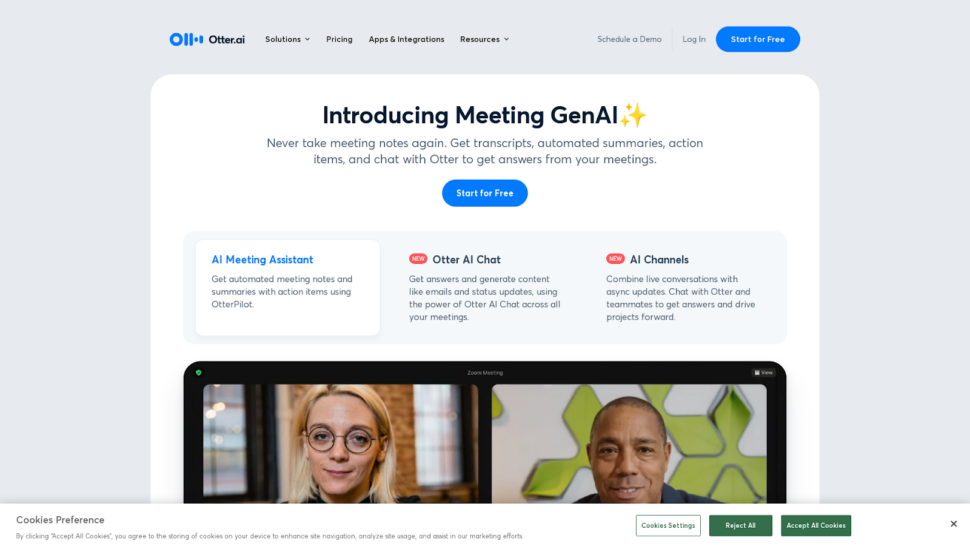
Otter.ai — лучший сервис для транскрибирования встреч на английском языке в режиме реального времени. Сервис напрямую интегрируется с Zoom, Google Meet и Microsoft Teams, создавая стенограммы в режиме реального времени по мере развития разговора. Его основным ограничением является языковая поддержка: Otter.ai транскрибирует только английский язык, что делает его неподходящим для многоязычных команд или международного контента.
Мобильная версия Otter.ai отличается продуманным дизайном и удобством в использовании, позволяя записывать разговоры, создавать стенограммы и делиться ими прямо на ходу. Благодаря этому приложение будет полезно журналистам, исследователям и всем, кому приходится записывать разговоры вне офиса.
Основные возможности:
- Распознавание речи: Преобразует произносимые слова в текст в режиме реального времени по мере того, как вы говорите, и сразу же отображает результаты на экране.
- Идентификация спикера: Различает разных говорящих, присваивая им обозначения типа “Говорящий 1” и “Говорящий 2” по всему тексту стенограммы.
- Совместное редактирование: Позволяет вносить исправления в текст прямо в приложении во время или после транскрипции, благодаря чему окончательный вариант транскрипта будет точным еще до того, как вы его поделитесь.
У Otter.ai есть несколько недостатков, на которые стоит обратить внимание. Точность распознавания снижается при наличии фонового шума, технической терминологии и различных акцентов, что зачастую требует значительных ручных исправлений. Проблемой является и безопасность: Otter.ai не соответствует стандарту SOC 2 Type II, что делает его менее подходящим для работы с конфиденциальными данными. Идентификация говорящих работает нестабильно в разговорах с участием более двух человек.
Более подробно мы рассмотрели эти вопросы в нашем Обзор Otter.ai.
Не используйте Otter.ai, если вы работаете с контентом на языках, отличных от английского, обрабатываете конфиденциальные данные, требующие соответствия стандарту SOC 2, или вам необходимо осуществлять транскрибирование предварительно записанных файлов в больших объемах.
- Ценообразование: Бесплатно для базового уровня; Pro - от $16.99/месяц
3. Rev: Лучший вариант для транскрипции с использованием человеческого труда и ИИ
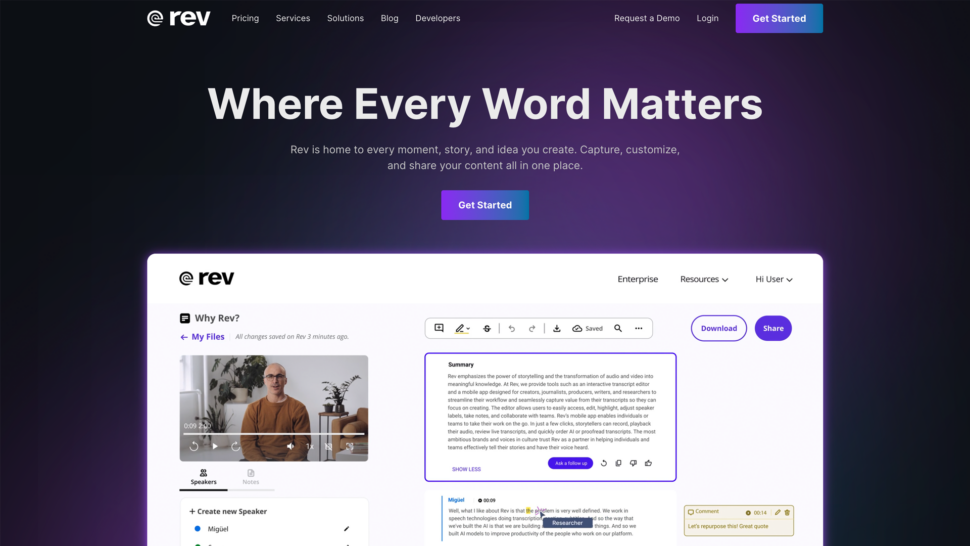
Rev лучше всего подходит для пользователей, которым нужна возможность перейти от ИИ к транскрипция человека на одной и той же платформе. Сервис обеспечивает быстрое выполнение транскрипций с использованием ИИ, а также предоставляет доступ к услугам профессиональных транскрибаторов для материалов, где точность является обязательным условием. Главный недостаток — стоимость: транскрипция, выполняемая людьми, по цене $1,99 за минуту является одним из самых дорогих вариантов в этом списке.
Rev предлагает как транскрипции, выполненные людьми, так и транскрипции, созданные с помощью искусственного интеллекта; обработка файлов обычно занимает не более 12 часов. Интерфейс сервиса интуитивно понятен и позволяет легко сотрудничать и обмениваться файлами.
Основные возможности:
- Точность и скорость: Транскрибаторы-люди обеспечивают точность до 99% при работе со сложным контентом. Транскрипция на основе искусственного интеллекта выполняется быстрее и обходится дешевле, однако её точность зависит от уровня фонового шума и наличия нескольких говорящих в записи.
- Гибкое ценообразование: Выберите между транскрипцией, выполняемой человеком ($1,99 за минуту), и транскрипцией с помощью ИИ ($0,25 за минуту) в зависимости от вашего бюджета и требований к точности.
- Несколько форматов файлов: Поддерживает широкий спектр аудио- и видеоформатов с возможностью экспорта в форматы Word, PDF и SRT.
Хотя автоматическая транскрипция Rev заявляет о точности 95%, реальные показатели зависят от уровня фонового шума, количества говорящих или отраслевой терминологии. Инструменты для постобработки и возможности автоматизации рабочего процесса также ограничены по сравнению с такими платформами, как Sonix.
Ознакомьтесь с полной версией Рецензия для получения подробной разбивки.
Пропустить Rev, если вам нужна многоязычная транскрипция, передовые инструменты анализа на базе искусственного интеллекта или платформа, которая позволяет экономично масштабироваться для обработки больших объемов данных.
- Ценообразование: ИИ — от $0,25/минуту; человек — от $1,99/минуту
4. Scribie: лучший сервис для транскрипции, выполняемой людьми
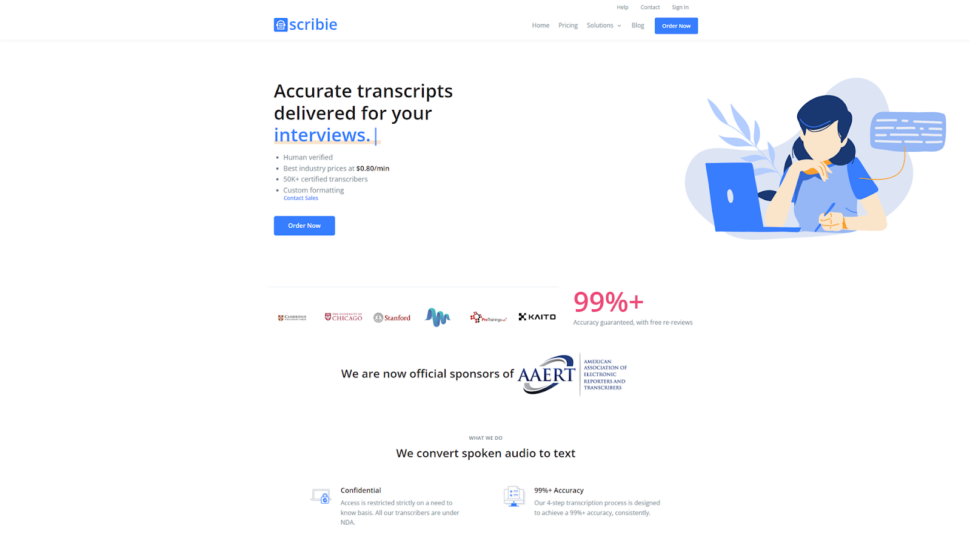
Scribie — лучший выбор для пользователей, которые следят за своим бюджетом и которым нужна транскрипция, проверенная специалистами, с гибкими сроками выполнения. Сервис предлагает как ручную, так и автоматическую транскрипцию по тарифам, ниже чем у большинства сервисов, предоставляющих услуги транскрипции с участием операторов, хотя набор его функций более ограничен, чем у полнофункциональных альтернатив.
Scribie предлагает понятный интерфейс, которым легко пользоваться независимо от уровня технической подготовки.
Основные возможности:
- Гибкие сроки выполнения заказов: Сроки выполнения варьируются от 36 часов до 5 дней. Более длительные сроки выполнения позволяют снизить затраты, благодаря чему услуги Scribie становятся доступными для несрочных проектов.
- Идентификация нескольких спикеров: Позволяет маркировать выступления нескольких участников в аудио- и видеофайлах; эта функция полезна при проведении интервью, фокус-групп и панельных дискуссий.
- Дословные и не дословные стенограммы: В дословных стенограммах фиксируются все высказывания, включая слова-заполнители; в не дословных стенограммах текст редактируется для удобства чтения.
Пропустите Скриби, если вам нужна транскрипция в режиме реального времени, расширенный анализ с использованием искусственного интеллекта, поддержка нескольких языков или функции безопасности корпоративного уровня.
- Ценообразование: От $0,80 за минуту или $48 за час за транскрипцию текста, набранного человеком
5. Happy Scribe: лучший вариант для языковой поддержки
Happy Scribe лучше всего подходит для команд, которым требуется транскрипция на очень широком спектре языков и которые готовы смириться с более низкой точностью автоматической транскрипции. Система поддерживает более 120 языков, что делает её отличным выбором для международных академических и медийных рабочих процессов. Уровень точности автоматического перевода, составляющий примерно 85%, означает, что по сравнению с платформами с более высокой точностью на ручную правку уходит больше времени.
Happy Scribe объединяет автоматическую и ручную транскрипцию на одной платформе, предлагая встроенный редактор субтитров и интерактивные временные метки.
Основные возможности:
- Многоязычная поддержка: Поддерживает более 120 языков с точностью примерно 80–85% при четком звуке. Особенно полезно в академической среде, где часто приходится работать с транскрипциями на разных языках.
- Структура ценообразования: Стоимость автоматической транскрипции начинается с $17 в месяц за два часа. При таком тарифе Happy Scribe обходится значительно дороже в расчете на час, чем Sonix ($10 в час по модели «оплата по факту»), и обеспечивает более низкую точность.
- Управление файлами: Простое управление проектами со встроенным редактором субтитров, хотя при работе с длинными файлами интерфейс может работать медленнее.
Стоимость услуги ручной транскрипции от Happy Scribe составляет $120 в час, что делает её одним из самых дорогих вариантов на рынке. Бесплатная пробная версия предоставляет всего 10 минут транскрипции с водяным знаком на экспортированных файлах. Возможности интеграции ограничены по сравнению с альтернативными платформами с полным набором функций.
Мы рассмотрели эти компромиссы в нашем подробном Обзор Happy Scribe.
Пропустите «Happy Scribe», если вам нужна точность выше 85%, доступная по цене ручная транскрипция или надежная интеграция с вашими существующими инструментами.
- Ценообразование: От $17 в месяц за два часа автоматической транскрипции
6. TranscribeMe: лучший сервис для конфиденциальной транскрипции
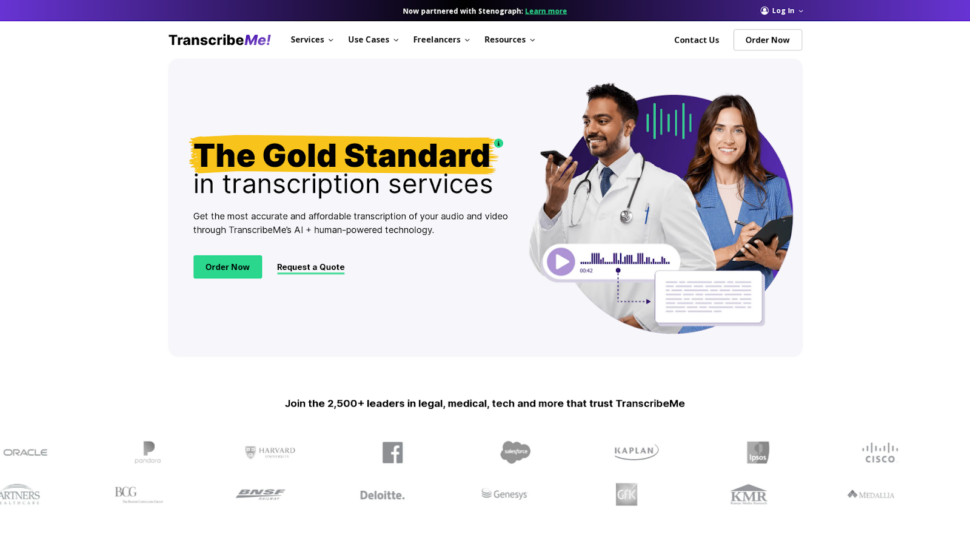
TranscribeMe — лучший выбор для пользователей, работающих с конфиденциальным контентом и нуждающихся в надежных правилах конфиденциальности, подкрепленных как техническими, так и договорными мерами защиты. В этой системе сочетаются технологии искусственного интеллекта и работа транскрибаторов-людей, при этом соблюдаются строгие соглашения о неразглашении и применяются меры по безопасному удалению файлов.
TranscribeMe поддерживает множество языков и форматов файлов, а также предлагает различные сроки выполнения заказов и варианты тарифов, подходящие для проектов с разными сроками сдачи.
Основные возможности:
- Безопасная платформа: Протоколы шифрования, соответствующие отраслевым стандартам, обеспечивают защиту аудиофайлов и стенограмм во время передачи и хранения.
- Строгая политика конфиденциальности: Человеческие транскрибаторы подписывают соглашения о неразглашении. Обработка с помощью ИИ сводит к минимуму доступ людей к конфиденциальному контенту.
- Безопасное удаление файлов: Аудиофайлы и стенограммы удаляются с серверов после завершения проекта, что снижает риск несанкционированного доступа.
Не используйте TranscribeMe, если вам нужны расширенные функции анализа на основе искусственного интеллекта, транскрипция в режиме реального времени или платформа, созданная для масштабной совместной работы в команде.
- Ценообразование: От $0,07 за минуту или примерно $4,20 за час
7. Trint: лучший вариант для журналистов и новостных агентств
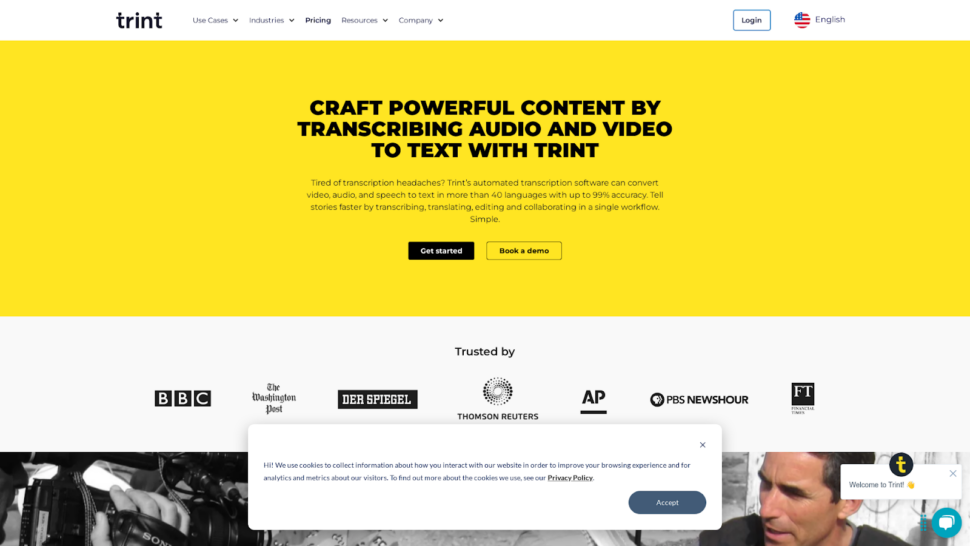
Trint — лучший выбор для журналистов и медиа-команд, которым необходимо редактировать стенограммы прямо в аудио- или видеоплеере. Благодаря возможности редактирования в режиме реального времени этот инструмент сокращает время на постпродакшн в новостных редакциях. За пределами медиа-сферы его ценовая политика и ограниченные функциональные возможности затрудняют его продажу.
Trint разработан для авторов контента, работающих с материалами на иностранных языках, и предлагает транскрипцию на более чем 30 языках, а также функцию автоматического перевода для публикации материалов на нескольких языках. Залы новостей Пользователи, работающие с большими объемами аудиоматериалов, оценят инструменты для совместной работы, которые упростят редактирование в команде.
Основные возможности:
- Оптимизированный рабочий процесс: Редактируйте транскрипты прямо в аудио- или видеоплеере, что избавляет от необходимости переключаться между приложениями на этапе постпродакшна.
- Совместные особенности: Делитесь стенограммами с коллегами, назначайте роли и права доступа, а также отслеживайте изменения, внесённые каждым членом команды.
- Многоязычная поддержка: Транскрипция на более чем 30 языках с автоматизированным переводом для распространения контента по всему миру.
Точность Trint при работе с реальными данными зачастую ближе к показателю 90%, а не к заявленному 99%, что требует значительной ручной доработки сложных аудиозаписей. Его “неограниченный” тарифный план Advanced Plan содержит нераскрытые ограничения по принципу добросовестного использования, и пользователи часто достигают суточных лимитов транскрипции, не имея четких указаний относительно пороговых значений. Функции искусственного интеллекта носят базовый характер и ограничиваются созданием резюме без более глубокого анализа, такого как определение тональности или распознавание сущностей.
Ознакомьтесь с полной версией Обзор Trint чтобы узнать подробно, в чём заключаются его недостатки для корпоративных и исследовательских команд.
Пропустить Тринт, если вам нужна прозрачная ценовая политика, расширенный анализ с использованием искусственного интеллекта или высокая точность при обработке технического аудио или аудиозаписей с участием нескольких говорящих.
- Ценообразование: От $80 в месяц за 7 транскрипций в месяц
8. Dragon Speech: лучший вариант для диктовки в режиме реального времени
Dragon Speech — лучший выбор для профессионалов, которым требуется высокоточная диктовка в режиме реального времени непосредственно в настольные приложения, особенно в медицинской и юридической сферах. Со временем система адаптируется к особенностям вашей речи и поддерживает специализированную отраслевую лексику. Её дизайн, ориентированный в первую очередь на настольные компьютеры, ограничивает мобильность по сравнению с облачными альтернативами.
Программа Dragon Speech, разработанная компанией Nuance, предназначена для преобразования речи в текст в режиме реального времени, а не для обработки заранее записанных файлов. Она особенно популярна в медицинских учреждениях и юридические фирмы и юридические подразделения где непосредственный набор текста в документы является основным рабочим процессом.
Основные возможности:
- Специализированные функции: Со временем адаптируется к индивидуальным особенностям речи. Поддерживает отраслевую лексику и настраиваемые голосовые команды для форматирования текста.
- Профессиональная интеграция: Интегрируется с распространенными настольными приложениями, хотя по-прежнему в основном ориентирован на настольные платформы и имеет ограниченную поддержку облачных и мобильных устройств.
- Модель ценообразования: Единовременная покупка версии Dragon Professional Individual по цене $699. Выгодное решение для активных пользователей, которым на длительный срок требуется надежная система диктовки в режиме реального времени.
Пропустить «Речь дракона», если вам необходимо транскрибировать заранее записанные файлы, работать в облачной среде или в среде, ориентированной на мобильные устройства, либо требуется поддержка нескольких языков помимо английского при диктовке.
- Ценообразование: $699 одноразовая покупка
9. MeetGeek: лучший вариант для ведения заметок с помощью ИИ

MeetGeek — лучший выбор для команд, которым нужны автоматически сгенерированные отчеты о встречах и список задач, извлеченные непосредственно из записей видеоконференций. Он интегрируется с Zoom, Microsoft Teams и Google Meet, позволяя создавать структурированные заметки без ручной работы. Точность транскрипции у него средняя, поэтому он менее подходит для контента, от которого зависит многое.
MeetGeek специализируется на анализе данных встреч, а не на транскрипции общего назначения, благодаря чему эта платформа идеально подходит для отделов продаж, менеджеров проектов и удаленных команд, которые часто проводят видеоконференции.
Основные возможности:
- Бесшовная интеграция с платформами для видеоконференций: Интегрируется с Zoom, Microsoft Teams и Google Meet для автоматической транскрипции и составления сводок встреч.
- Настраиваемые шаблоны резюме: Определите степень детализации, выделите ключевые моменты и структурируйте резюме в соответствии со стилем общения вашей команды.
- Совместные особенности: Делитесь сводками, назначайте задачи и отслеживайте ход работы прямо в приложении, чтобы обеспечить слаженную работу команд после совещаний.
Пропустите MeetGeek, если вам необходимо транскрибировать заранее записанные файлы, требуется высокая точность при работе с публикуемыми или юридическими материалами, либо вы работаете с аудиозаписями на языках, отличных от английского.
- Ценообразование: Модель «фримиум»; доступны платные тарифные планы
10. Описание: Лучший вариант для редактирования аудио и видео
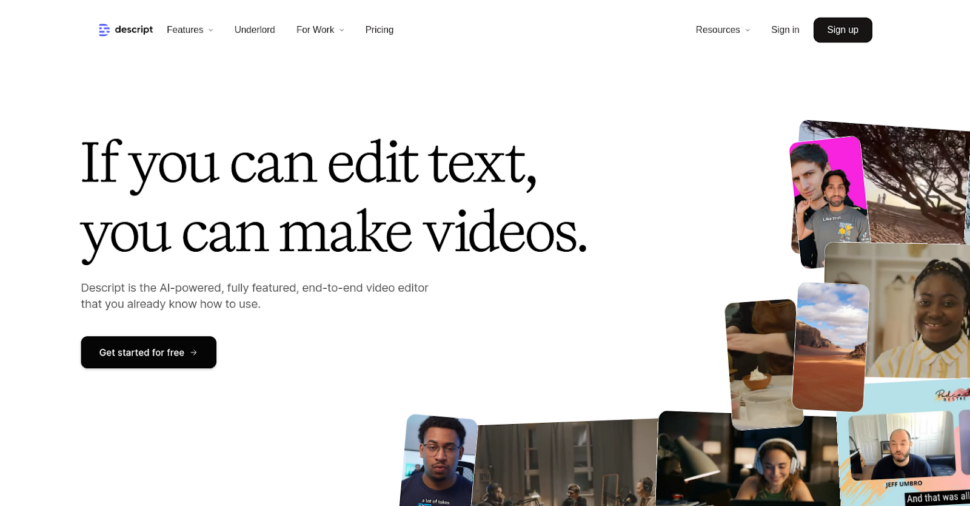
Descript — лучший выбор для авторов контента и подкастеров, которые хотят редактировать аудио и видео с помощью текстового редактирования, не обладая при этом продвинутыми навыками работы в Premiere Pro или DaVinci Resolve. Его подход к редактированию на основе текста действительно отличается от традиционных инструментов редактирования. Точность транскрипции высокая, но не достигает уровня специализированных платформ для транскрипции.
Descript сочетает в себе функцию транскрипции с полным набором инструментов для редактирования аудио и видео, что делает его универсальным инструментом для создания подкастов, контента для YouTube и короткометражных видеороликов.
Основные возможности:
- Бесшовная интеграция транскрипции и редактирования: Отредактируйте аудио- или видеозапись, внеся изменения в стенограмму. Изменения в тексте автоматически отражаются на временной шкале аудио- или видеозаписи.
- Создание голосового сопровождения с помощью искусственного интеллекта с помощью Overdub: Создавайте реалистичные голосовые комментарии на основе вашего собственного голоса без дополнительных сеансов записи.
- Сотрудничество стало легким: Облачная платформа позволяет членам команды просматривать, редактировать и комментировать проекты в режиме реального времени независимо от их местонахождения.
Пропустить описание, если вам требуется высокоточная транскрипция для юридических, медицинских или научных целей, необходима поддержка нескольких языков или вам не нужны функции редактирования видео в дополнение к транскрипции.
- Ценообразование: От $19/месяц
11. Fireflies.ai: лучший инструмент для анализа и вывода итогов встреч с помощью ИИ

Fireflies.ai — лучший выбор для отделов продаж и поддержки клиентов, которым требуется анализ записей разговоров, включая оценку продолжительности разговоров, отслеживание тональности и выделение тем. Сервис интегрируется со Slack и Zoom для автоматической записи встреч. Точность записи находится на среднем уровне, и сервис не предназначен для транскрибирования материалов, не связанных со встречами, на основе файлов.
Fireflies.ai использует технологии обработки естественного языка для идентификации говорящих, составления резюме ключевых моментов и извлечения полезных выводов из голосовых разговоров.
Основные возможности:
- Автоматизированные записи совещаний: Автоматически присоединяется к встречам в календаре и создает подробные заметки, стенограммы и сводки.
- Разговорный интеллект: Анализирует время выступления докладчика, его тональность и основные темы, чтобы предоставить основанные на данных выводы, способствующие улучшению коммуникации и принятию решений.
- Сотрудничество и совместное использование: Создавайте и систематизируйте основные моменты встреч, назначайте задачи и делитесь сводками с заинтересованными сторонами прямо в приложении.
Пропустите Fireflies.ai, если вам необходимо транскрибировать заранее записанные медиафайлы, обеспечить соответствие требованиям безопасности корпоративного уровня или работать с контентом на языках, не входящих в набор поддерживаемых языков.
- Ценообразование: От $18 в месяц
12. Evernote AI Transcribe: стоит ли обратить на него внимание?
Сервис Evernote AI Transcribe появился в результатах поиска по запросам, связанным с транскрипцией, поэтому для полноты картины стоит провести его краткую оценку.
Функция транскрипции в Evernote наиболее эффективна для пользователей, уже интегрированных в экосистему Evernote, которые хотят записывать голосовые заметки и преобразовывать их в текст, не выходя из приложения. Она достаточно хорошо справляется с простым диктовкой одного говорящего.
Его ограничения существенны для профессионального использования: точность транскрипции ниже, чем у специализированных платформ, отсутствуют сертификаты безопасности корпоративного уровня, поддержка языков ограничена, а также отсутствуют функции анализа на основе ИИ (составление резюме, определение тем, распознавание сущностей), которые делают такие инструменты, как Sonix, полезными не только для базового преобразования текста. Отсутствует уровень совместной работы в команде, а также интеграция с инструментами для редактирования видео или проведения конференций.
Вердикт: Функция Evernote AI Transcribe предназначена для создания личных заметок в приложении Evernote. Для профессиональной транскрипции, поддержки нескольких языков или организации командной работы специализированная платформа обеспечивает значительно лучшие результаты.
Бесплатные инструменты для транскрипции, о которых стоит знать
Прежде чем остановить свой выбор на платной платформе, некоторые пользователи рассматривают бесплатные или встроенные альтернативы. Ниже приводится объективная оценка трёх наиболее распространённых вариантов.
Транскрипция в Microsoft Word встроена в Microsoft 365 и обеспечивает базовую транскрипцию английской речи из загруженных аудиофайлов. Ежемесячный лимит транскрипции составляет примерно 300 минут. Точность транскрипции приемлема для чистых аудиозаписей с одним говорящим, но заметно снижается при наличии фонового шума или нескольких говорящих. Не предусмотрены возможности совместной работы в команде, анализ с помощью ИИ и экспорт в форматы субтитров.
Голосовой набор текста в Документах Google предлагает функцию преобразования речи в текст в режиме реального времени непосредственно в Google Docs. Для работы требуется подключенный микрофон; загрузка файлов не поддерживается, поэтому функция предназначена только для диктовки в режиме реального времени. Ориентирована на английский язык с ограниченной поддержкой других языков. Не предусмотрены функции идентификации говорящего, временных меток и последующей обработки.
Whisper (OpenAI) — это модель распознавания речи с открытым исходным кодом, обеспечивающая высокую точность на многих языках. Но есть один нюанс: она требует технической настройки, не имеет хостингового интерфейса, а для её масштабного использования необходимы инвестиции в инфраструктуру. Это надежный вариант для разработчиков, создающих собственные рабочие процессы, но не подходит для команд, которым нужна готовая к использованию платформа.
Эти инструменты подходят для эпизодической транскрипции с небольшим объемом работы. Если же требуется профессиональная точность, поддержка нескольких языков или организация совместной работы в команде, лучше воспользоваться специализированной платформой, такой как Sonix дает значительно лучшие результаты, причем автоматические субтитры и титры включено.
Заключительные мысли: какое приложение для транскрипции лучше всего?
Выбор подходящего приложения для транскрипции зависит от конкретных требований вашего рабочего процесса. Ниже приведено сопоставление инструментов из этого списка с основными сценариями использования.
| Инструмент | Точность | Скорость | Языковая поддержка | Интеграция и функции | Ценообразование и стоимость | Средний балл |
|---|---|---|---|---|---|---|
| Sonix | 4.8 | 4.9 | 4.8 | 4.7 | 4.5 | 4.7 |
| Описать | 4.5 | 4.6 | 4.2 | 4.9 | 4.6 | 4.5 |
| TranscribeMe | 4.7 | 4.5 | 4.2 | 4.2 | 4.4 | 4.4 |
| Светлячки.ai | 4.3 | 4.7 | 3.8 | 4.6 | 4.5 | 4.3 |
| Счастливый книжник | 4.3 | 4.4 | 4.9 | 4.0 | 4.2 | 4.3 |
| Rev | 5.0 | 4.2 | 4.1 | 4.3 | 4.0 | 4.3 |
| Тринт | 4.6 | 4.5 | 4.0 | 4.4 | 4.1 | 4.3 |
| MeetGeek | 4.2 | 4.3 | 3.5 | 4.5 | 4.7 | 4.2 |
| Scribie | 4.5 | 4.3 | 3.5 | 3.8 | 4.8 | 4.1 |
| Выдра.ai | 4.2 | 4.7 | 3.0 | 4.6 | 4.3 | 4.1 |
| Речь дракона | 4.4 | 3.9 | 3.0 | 3.2 | 3.5 | 3.6 |
Как мы выставляли оценки: Каждый инструмент оценивался по шкале от 1 до 5 по пяти критериям. Оценки точности отражают результаты реальных испытаний на трех аудиофайлах, описанных в разделе «Методология». Показатель «Скорость» отражает время, необходимое для создания транскрипта 60-минутного файла. Показатель «Языковая поддержка» отражает как количество поддерживаемых языков, так и точность распознавания аудиозаписей на языках, отличных от английского. Показатели «Интеграция и функционал» отражают широту встроенных интеграций и возможности анализа с помощью искусственного интеллекта. Показатель «Цена и соотношение цены и качества» отражает стоимость часа работы с учётом точности и глубины функционала.
Sonix лидирует по критериям, которые наиболее важны для профессионального использования: точность, скорость, языковой охват и глубина интеграции. Descript — лучший выбор для комбинированного редактирования аудио и транскрипции. TranscribeMe отлично подходит для конфиденциального контента со строгими требованиями к безопасности. Otter.ai превосходно справляется с транскрипцией английских встреч в режиме реального времени. Rev по-прежнему остается лучшим выбором для пользователей, которым нужна транскрипция, выполненная человеком, в качестве резервного варианта.
Для большинства профессиональных пользователей Sonix представляет собой оптимальное комплексное решение. Благодаря ценообразование на услуги транскрипции Стоимость начинается от $10 в час при оплате по факту использования или $5 в час при подписке; сервис обеспечивает отличное соотношение цены и качества в плане точности, языковой поддержки, анализа на основе искусственного интеллекта и безопасности.
Попробуйте Sonix сами, используя подпишитесь на 30-минутную бесплатную пробную версию сегодня. Кредитная карта не требуется.
Часто задаваемые вопросы о программном обеспечении для транскрипции AI
Что такое программное обеспечение для транскрипции AI?
AI программное обеспечение для транскрипции использует алгоритмы искусственного интеллекта и машинного обучения для автоматического преобразования устной речи в письменный текст. Эти приложения обрабатывают аудиосигналы из записей, видеофайлов и речи в реальном времени, преобразуя их в редактируемые текстовые документы. Точность обычно колеблется от 85% до 99% в зависимости от качества аудиосигнала и сложности модели искусственного интеллекта.
Какой бесплатный инструмент для транскрипции является самым точным?
Для эпизодического использования приложения Microsoft Word Transcribe (входит в состав Microsoft 365) и функция «Голосовой ввод» в Google Docs предлагают бесплатную транскрипцию в режиме реального времени на английском языке. Для более высокой точности и транскрипции на основе файлов сервис Sonix предоставляет 30 минут бесплатной транскрипции без необходимости указания данных кредитной карты, при этом точность до 99% на более чем 53 языках.
Какое приложение для транскрипции лучше всего подходит для аудиозаписей на языках, отличных от английского?
Sonix поддерживает транскрипцию на более чем 53 языках и перевод на более чем 54 языка, что делает его оптимальным выбором для многоязычных рабочих процессов. Happy Scribe охватывает более 120 языков, но с более низкой точностью (примерно 85%). Otter.ai работает только с английским языком.
Могут ли приложения для транскрипции на основе ИИ обрабатывать речь нескольких говорящих?
Да. Большинство профессиональных платформ для транскрипции, в том числе Sonix, Rev и Descript, предлагают функцию автоматической идентификации говорящих, отдельно помечая каждого из них в транскрипте. Sonix и Rev хорошо справляются с ситуациями, когда говорит несколько человек. Otter.ai испытывает трудности при наличии более двух говорящих и часто неправильно приписывает реплики в групповых беседах.
Сколько стоят приложения для искусственного интеллекта для транскрипции?
Модели ценообразования значительно различаются. Стоимость услуг с оплатой по факту варьируется от $0,07 за минуту (TranscribeMe) до $0,25 за минуту (Rev AI). Стоимость платформ с подпиской обычно составляет от $17 до $80 в месяц в зависимости от объема и набора функций. Sonix предлагает тариф по факту использования по цене $10 за час или $5 за час при подписке за $22 в месяц, что делает его одним из самых экономичных вариантов для получения профессионального уровня точности.
Сколько времени займет расшифровка часа аудиозаписи с помощью искусственного интеллекта?
Платформы транскрипции на базе искусственного интеллекта обычно обрабатывают один час аудиозаписи за 2–10 минут, в зависимости от сервиса и качества звука. Это значительно быстрее, чем ручная транскрипция, на которую, как правило, уходит от 4 до 6 часов на каждый час аудиозаписи. Некоторые сервисы предлагают транскрипцию в режиме реального времени для встреч, проходящих в прямом эфире.
Какие факторы влияют на точность транскрипции искусственного интеллекта?
На точность влияют несколько факторов:
- Качество звука и уровень фонового шума
- Акцент и четкость диктора
- Количество выступающих и перекрытие речи
- Техническая терминология или отраслевой жаргон
- Качество записывающего оборудования
- Формат и сжатие аудиофайлов
Безопасны ли приложения искусственного интеллекта для транскрипции конфиденциальной информации?
Профессиональные сервисы транскрипции на базе ИИ применяют меры безопасности корпоративного уровня, включая сквозное шифрование, безопасное хранение файлов и соблюдение нормативных требований в области конфиденциальности, таких как GDPR и HIPAA. Не все инструменты из этого списка соответствуют этим стандартам. Сервис Sonix имеет сертификат SOC 2 Type II, обеспечивает шифрование данных в хранилище с помощью алгоритма AES-256 и шифрование данных при передаче с помощью протокола TLS. Перед загрузкой конфиденциального контента всегда ознакомьтесь с документацией по безопасности каждого сервиса.
Самая точная в мире транскрипция с помощью искусственного интеллекта
Sonix расшифрует ваше аудио и видео за считанные минуты - с точностью, которая заставит вас забыть о том, что это автоматический процесс.


 Russian
  English
  Spanish
  German
  French
  Portuguese
  Dutch
Dutch  Chinese
  Turkish
  Danish