
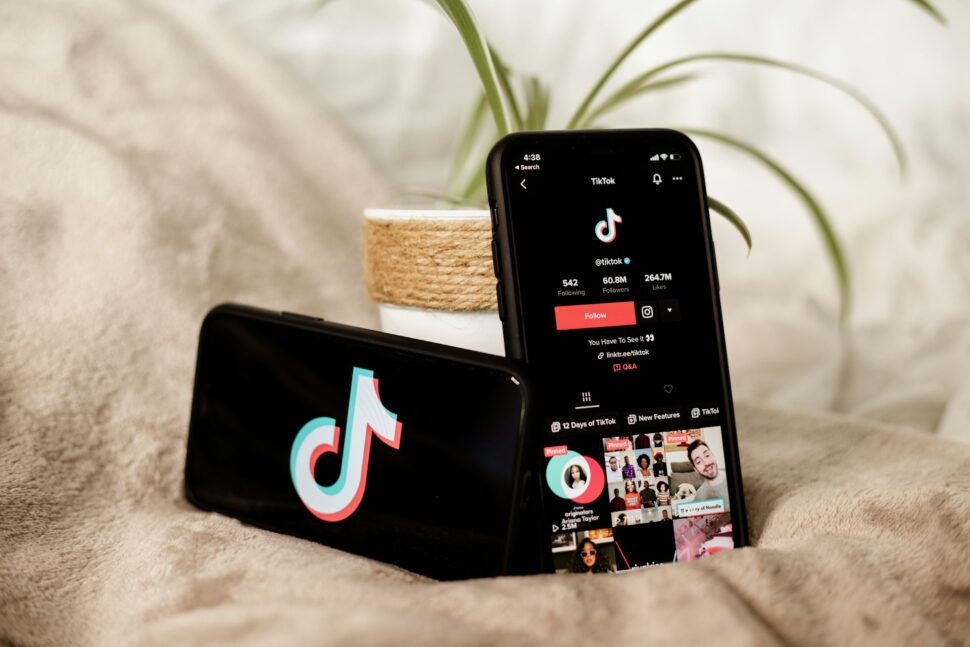
Remember when transcribing a single TikTok video meant playing it back a dozen times, typing frantically, and still missing half the words? Those days are over. Modern automated transcription tools can transform your TikTok audio into accurate, editable text in minutes—not hours. Whether you’re a content creator repurposing videos for blog posts, a researcher analyzing viral trends, or a business building accessible content, automatic transcription eliminates the tedious manual work so you can focus on what actually matters: creating great content.
Key Takeaways
- TikTok’s native auto-captions support multiple languages for free, but don’t allow transcript exports for repurposing
- Third-party AI platforms deliver high accuracy on clear audio, with premium services reaching 99%+
- Automatic transcription reduces processing time significantly compared to manual transcription—from 30 minutes to under 3 minutes per video
- Adding captions to TikToks can increase engagement according to platform accessibility data
- Sonix supports 53+ languages for global content distribution
- API solutions enable bulk processing of 100+ videos for enterprise-scale analysis
Why Transcribe Your TikTok Videos?
TikTok’s algorithm loves engagement, and transcripts unlock multiple pathways to get it. But beyond vanity metrics, transcription solves real business problems that creators and companies face daily.
Accessibility isn’t optional anymore
According to the World Health Organization, over 5% of the world’s population – or 430 million people – require rehabilitation to address their disabling hearing loss. Without captions, you’re excluding millions of potential viewers—and potentially running afoul of accessibility compliance requirements that educational institutions and media companies must follow.
Search engines can’t watch videos
Google indexes text, not audio. Your brilliant TikTok insights remain invisible to search traffic unless you convert them to written content. Transcripts make your videos discoverable through organic search, driving significant traffic when repurposed as blog content.
Content repurposing multiplies your effort
One transcribed TikTok becomes:
- A blog post or newsletter segment
- LinkedIn article content
- Email marketing copy
- Podcast show notes
- Training documentation
- Social media quotes and snippets
For newsrooms racing against deadlines, research firms analyzing interviews, and production companies managing subtitle workflows, manual transcription creates bottlenecks that automatic tools eliminate entirely.
Understanding the Benefits of Automatic TikTok Transcription
Automatic transcription uses AI speech recognition to convert spoken words into text—no human typist required. The technology has matured dramatically, making what once required expensive professional services accessible to anyone with an internet connection.
Speed That Actually Makes a Difference
According to research published in the Journal of Web Semantics, manual transcription typically takes approximately four times the duration of the audio content. A 60-second TikTok might seem manageable, but multiply that across 50 videos per month, and you’re looking at 8-10 hours of tedious work. AI transcription processes the same content in minutes, regardless of whether you have one video or fifty.
Accuracy You Can Trust
Modern AI transcription achieves high accuracy for clear audio with standard accents. Premium platforms like Sonix push this to 99%+ through advanced language models and custom vocabulary training. The remaining cleanup takes minutes rather than hours.
Cost Efficiency for Any Budget
Professional human transcription can be expensive, often costing significantly more per minute than AI alternatives. AI platforms like Sonix charge $10 per hour or less—representing substantial cost reduction while maintaining professional-quality results.
Choosing the Best TikTok Transcript Generator
Not all transcription tools serve the same purpose. Your choice depends on volume, accuracy requirements, and how you plan to use the transcripts.
What to Look For
When evaluating TikTok transcription solutions, prioritize
- Export formats — TXT, DOCX, SRT, and VTT for different use cases
- Language support — Essential for global content or multilingual creators
- Speaker identification — Critical for interview-style content
- Editing capabilities — In-browser tools save time on corrections
- Integration options — Connections to your existing workflow tools
- Collaboration features — Team workspaces for agencies and production companies
Platform Comparison at a Glance
- TikTok Native Auto-Captions: Free and instant, supporting multiple languages. Perfect for casual creators who only need on-video captions. Limitation: no transcript export.
- Professional AI Platforms: Sonix offers professional-grade accuracy with full export capabilities, supporting 53+ languages. Pricing starts at $10 per hour with transparent pay-as-you-go options or subscription plans starting at $22/month.
- API Solutions: Supadata and similar services provide programmatic access for developers processing hundreds of videos automatically. Best for research firms and SaaS applications.
Step-by-Step: How to Automatically Transcribe TikTok Audio to Text
Method 1: TikTok’s Built-in Auto-Captions (Free)
The fastest path to captioned TikToks requires no external tools:
- Create or upload your video in the TikTok app
- Tap the “Captions” button on the right sidebar
- Wait 5-30 seconds for AI processing
- Edit any errors by tapping individual caption lines
- Post your video with embedded captions
This method works well for quick content but offers limited customization and no way to export the transcript for other uses.
Method 2: Professional Platforms (Recommended for Business)
For creators and businesses needing exportable, editable transcripts:
- Download your TikTok video using the app’s save feature or share menu
- Upload to your transcription platform — most accept MP4 files directly
- Select your language from available options (53+ languages on Sonix)
- Review the automated transcript in the browser-based editor
- Make corrections using playback sync to catch errors quickly
- Export in your preferred format — DOCX for blogs, SRT for subtitles, TXT for archives
The entire process takes just minutes for most TikTok-length videos. Platforms like Sonix offer word-level timestamps that sync perfectly with video editing software.
Method 3: API Integration (For Developers)
Bulk processing requires programmatic access:
- Obtain API credentials from your chosen provider
- Send video URLs or files via HTTP requests
- Receive JSON responses with transcripts, timestamps, and metadata
- Parse and store results in your application database
API solutions handle 100+ requests per day on free tiers, with enterprise plans supporting unlimited volume.
Enhancing TikToks with AI Transcription and Captions
Transcription isn’t the end goal—it’s the starting point for making your content work harder.
Automatic Subtitle Generation
Once you have a transcript, converting it to automated subtitles takes seconds. Proper subtitle files (SRT or VTT format) include:
- Timecodes synced to spoken words
- Line breaks optimized for readability
- Duration limits preventing text overload
- Styling options for font, color, and positioning
Videos with captions see higher engagement because viewers can watch without sound—crucial for mobile users scrolling in public spaces.
AI-Powered Content Analysis
Advanced platforms go beyond basic transcription to extract insights automatically:
- Theme and topic identification across multiple videos
- Keyword extraction for SEO optimization
- Sentiment analysis for brand monitoring
- Key moment highlighting for creating clips
- Summary generation for quick content review
These AI analysis features transform hours of video content into actionable intelligence—exactly what research firms and market analysts need when tracking TikTok trends at scale.
Translate Your TikToks: Reaching a Global Audience
TikTok’s audience spans 150+ countries. Limiting your content to one language leaves massive reach on the table.
Multi-Language Transcription
Premium platforms support dozens of languages for both transcription and translation:
- Transcribe in the original language first for maximum accuracy
- Translate transcripts to target languages automatically
- Generate localized subtitles without hiring translators
- Maintain timing sync across language versions
A single TikTok can become accessible to Spanish, French, German, Japanese, and Portuguese speakers—multiplying your potential audience by 5x or more.
Translation Workflow Best Practices
For professional results:
- Transcribe the original audio with speaker labels intact
- Review and correct any errors before translating
- Use automated translation for initial drafts
- Have native speakers review high-stakes content
- Export localized subtitle files for each language version
Production companies and online course creators rely on this workflow to reach global audiences without hiring translation teams for every project.
Optimizing Your Transcripts for TikTok and Beyond
Raw transcripts need polish before publication. Smart editing transforms AI output into professional content.
Cleaning Up AI Transcriptions
Even 99% accuracy leaves room for errors. Common issues to fix:
- Filler words — Remove “um,” “uh,” and verbal tics
- Proper nouns — Correct brand names, people, and places
- Technical terms — Verify industry-specific vocabulary
- Punctuation — Add proper sentence structure
- Speaker labels — Ensure correct attribution in interviews
Most browser-based editors let you play audio while editing, syncing corrections to exact timestamps. This makes cleanup significantly faster than working from a static document.
Repurposing Strategies
Maximize your transcription investment:
- Blog posts — Expand transcript highlights into full articles
- Email newsletters — Pull quotable moments for subscriber content
- Social quotes — Create shareable text graphics from key lines
- Training materials — Build internal documentation from how-to videos
- SEO content — Embed transcripts on video landing pages for search visibility
Team collaboration features enable multiple editors to work simultaneously, essential for agencies managing client content at scale.
Transcription Software For Legal Professionals
Legal professionals have unique transcription needs that go beyond basic speech-to-text conversion. Accurate documentation, secure handling of sensitive information, and compliance with industry regulations are paramount.
Key Requirements for Legal Transcription
When selecting transcription software for legal work, prioritize:
- High accuracy rates — 99%+ for depositions, court proceedings, and client interviews
- Speaker identification — Clear attribution for multi-party conversations
- Timestamps — Precise time-coding for reference and citation
- Security compliance — Encryption, access controls, and audit trails
- Searchable archives — Quick retrieval of specific testimony or statements
- Export flexibility — Multiple formats for court filings and case management systems
Why Sonix Serves Legal Teams
Sonix meets the rigorous demands of legal transcription with SOC 2 Type II compliance, AES-256 encryption, and role-based access controls. Legal firms trust Sonix for:
- Deposition transcription with speaker labels
- Client interview documentation
- Court proceeding analysis
- Evidence review and citation
- Case research and precedent analysis
The platform’s custom vocabulary training ensures accurate handling of legal terminology, case names, and jurisdictional language. Team collaboration features allow multiple attorneys to review and annotate transcripts simultaneously, streamlining case preparation.
For firms handling confidential matters, Sonix provides enterprise-grade security without sacrificing speed or accuracy—critical when deadlines loom and case outcomes depend on thorough documentation.
Why Sonix Makes TikTok Transcription Effortless
While free tools handle basic captioning, businesses processing serious video volume need enterprise-grade reliability. Sonix delivers exactly that—fast, accurate transcription without the complexity.
What Sets Sonix Apart
- Speed meets accuracy. Sonix processes audio faster than real-time, delivering transcripts in minutes with accuracy rates that minimize editing time. Custom dictionaries teach the AI your industry terminology, brand names, and specialized vocabulary.
- 53 languages, one platform. From English and Spanish to Japanese and Arabic, Sonix handles multilingual content without switching tools. Built-in translation converts transcripts for global distribution automatically.
- Security that enterprises trust. SOC 2 Type II compliance, AES-256 encryption, and role-based access controls protect sensitive content. Legal firms, medical researchers, and production companies rely on Sonix for confidential material.
- Collaboration without chaos. Shared workspaces, commenting, and permission controls let teams work together seamlessly. No more emailing transcript files back and forth.
- Integrations that fit your workflow. Connect with Zoom, Google Drive, Dropbox, and video editing platforms. Automated imports eliminate manual upload steps.
- Transparent pricing. Pay-as-you-go at $10/hour or subscribe for $22/month with included hours. No hidden fees, no surprise charges.
For creators outgrowing TikTok’s native tools and businesses needing reliable transcription infrastructure, Sonix transforms audio and video content into searchable, shareable, actionable text.
Frequently Asked Questions
Can I transcribe my TikTok videos for free?
Yes, TikTok’s built-in auto-captions are completely free and support multiple languages. However, you cannot export these transcripts for repurposing. Sonix provides 30 minutes free for testing professional transcription features. For ongoing use, paid subscriptions start at $10-22 per month.
How accurate are automatic TikTok transcriptions?
Accuracy depends on audio quality and the platform used. TikTok’s native captions work well for basic needs. Professional AI platforms like Sonix deliver 99%+ accuracy for clear audio through advanced language models and custom vocabulary training. Background noise, heavy accents, and overlapping speakers reduce accuracy regardless of platform.
Can I add captions to my TikTok videos using the transcription?
Absolutely. Transcription platforms export subtitle files in SRT and VTT formats that work with any video editor. You can hardcode subtitles directly into videos for distribution. For TikTok specifically, the native auto-caption feature adds captions automatically during upload—no separate transcription step required.
Is it possible to translate my TikTok videos for global audiences?
Yes. Platforms supporting multiple languages can transcribe in one language and translate to others automatically. Sonix covers 53 languages for both transcription and translation. The workflow involves transcribing the original audio, correcting any errors, translating the transcript, and exporting localized subtitle files for each target language.
How does Sonix handle privacy and security for my TikTok video content?
Sonix maintains SOC 2 Type II compliance with enterprise-grade security controls. All data is encrypted in transit (TLS 1.2/1.3) and at rest (AES-256). Role-based access controls and SSO/SAML support enable granular permissions for team workspaces. Users can delete files permanently at any time, and Sonix follows GDPR-aligned data handling practices for international compliance.
World's Most Accurate AI Transcription
Sonix transcribes your audio and video in minutes — with accuracy that'll make you forget it's automated.

 English
  Spanish
  German
  French
  Russian
  Portuguese
  Dutch
Dutch  Chinese
  Turkish
  Danish