


Neste artigo
Resposta rápida: As melhores ferramentas de IA capazes de ouvir áudio (2026)
Aqui estão as sete melhores ferramentas de IA para áudio e vídeo em 2026, que abrangem transcrição, edição, limpeza de áudio e análise de voz empresarial.
- O melhor em termos de precisão de transcrição: Sonix, carregue um ficheiro de áudio ou vídeo e obtenha uma transcrição pesquisável em Mais de 53 línguas
- Ideal para a edição de vídeo baseada em texto: Descreva e edite áudio e vídeo através da edição da transcrição
- O melhor para melhorar a qualidade do áudio: Auphonic, redução automática de ruído e nivelamento de volume
- A melhor opção para a análise de voz em empresas: IBM Watson, conversão de voz em texto com PLN e análise de sentimentos
- Ideal para vídeos rápidos nas redes sociais: Clipchamp, conversão de texto em voz com IA e criação rápida de vídeos
- O melhor para transformar texto em vídeo: Lumen5, vídeo gerado por IA a partir de conteúdo escrito
- O melhor para edição de vídeo profissional: Adobe Premiere Pro, edição automatizada com ferramentas baseadas em IA
O que significa a IA “ouvir” áudio?
Quando a IA “ouve” áudio, processa o sinal falado e converte-o em texto utilizando reconhecimento automático da fala (ASR). Em seguida, ferramentas avançadas aplicam uma segunda camada de IA, detetando temas, resumindo o conteúdo, identificando os oradores ou extraindo entidades-chave, para tornar o áudio pesquisável e útil. Sonix, o IBM Watson e plataformas semelhantes combinam ambas as etapas num único fluxo de trabalho.
Existe uma distinção importante entre as ferramentas que se limitam a transcrever (converter a fala em texto) e as que também analisam (extraem significado desse texto). A transcrição, por si só, proporciona-lhe um registo escrito. A análise proporciona-lhe resumos, temas, sentimentos e entidades nomeadas com base nos quais pode agir. As ferramentas de áudio com IA mais úteis fazem ambas as coisas.
Principais conclusões
- As ferramentas de IA que “ouvem” o áudio utilizam o ASR para converter a fala em texto e, em seguida, aplicam camadas adicionais de IA para análise, resumo e pesquisa.
- Sonix é a melhor opção para equipas que precisam de precisão transcrição automática além de análises com IA numa única plataforma, com suporte para mais de 53 idiomas.
- O Descript e o Adobe Premiere Pro são as melhores opções quando a edição de vídeo constitui o fluxo de trabalho principal.
- O Auphonic é a escolha ideal para melhorar a qualidade do áudio sem necessidade de edição manual.
- O IBM Watson é adequado para equipas empresariais que necessitam de processamento de voz em grande escala com PLN.
- O Clipchamp e o Lumen5 abordam a criação de vídeos para redes sociais e marketing.
- A escolha da ferramenta certa depende da sua necessidade principal: transcrição, edição, limpeza ou criação.
Que IA consegue ouvir áudio e transcrevê-lo?
IA para transcrição automatizada ouve um ficheiro de áudio falado, converte a fala em texto e atribui uma marca temporal a cada palavra, para que possa pesquisar, editar e partilhar o conteúdo. As melhores ferramentas vão mais além, incorporando identificação do orador, deteção de tópicos e análise de sentimentos na transcrição bruta.
Sonix é a principal recomendação para a maioria das equipas. Basta carregar qualquer ficheiro de áudio ou vídeo e o Sonix devolve uma transcrição com marcação temporal e identificação dos interlocutores em Mais de 53 línguas. O editor integrado no navegador permite-lhe pesquisar, corrigir e exportar sem ter de mudar de ferramenta. No topo da transcrição, Análise de IA da Sonix As ferramentas detetam temas, extraem entidades e geram resumos automaticamente.
Para equipas empresariais com necessidades de processamento de voz em grande escala, o IBM Watson oferece conversão de voz em texto com processamento de linguagem natural e análise de sentimentos integrados.
Ferramentas como o ScreenApp e o SpeakAI também oferecem funcionalidades de perguntas e respostas em áudio, permitindo que os utilizadores carreguem um ficheiro e façam perguntas diretamente sobre o conteúdo. É importante ter em conta esta categoria em crescimento: o Sonix abrange a mesma área através da sua camada de análise de IA e da pesquisa no navegador.
A IA consegue resumir ficheiros de áudio?
Sim. Resumo de áudio com IA extraia automaticamente os pontos-chave, os títulos dos capítulos, as ações a realizar e os temas de uma transcrição, para que não tenha de ouvir a gravação na íntegra para encontrar o que é importante.
Sonix's resumos automáticos Esta funcionalidade faz isto em conjunto com qualquer transcrição que gerar. Carregue uma gravação de uma reunião, um episódio de podcast, uma entrevista de investigação ou uma palestra, e o Sonix apresenta um resumo estruturado juntamente com a transcrição completa. Também pode utilizar os títulos dos capítulos e a deteção de tópicos para aceder diretamente ao segmento relevante.
O NoteGPT é uma alternativa gratuita que se centra especificamente na síntese de áudio e que vale a pena conhecer se o orçamento for a principal limitação. Para equipas que necessitam de síntese, a par de transcrição precisa, tradução e colaboração em equipa, o Sonix abrange todo o fluxo de trabalho numa única plataforma.
Casos de utilização comuns: resumos de reuniões, análises de entrevistas, notas de aulas, notas de podcasts e reutilização de conteúdos.
1. Sonix
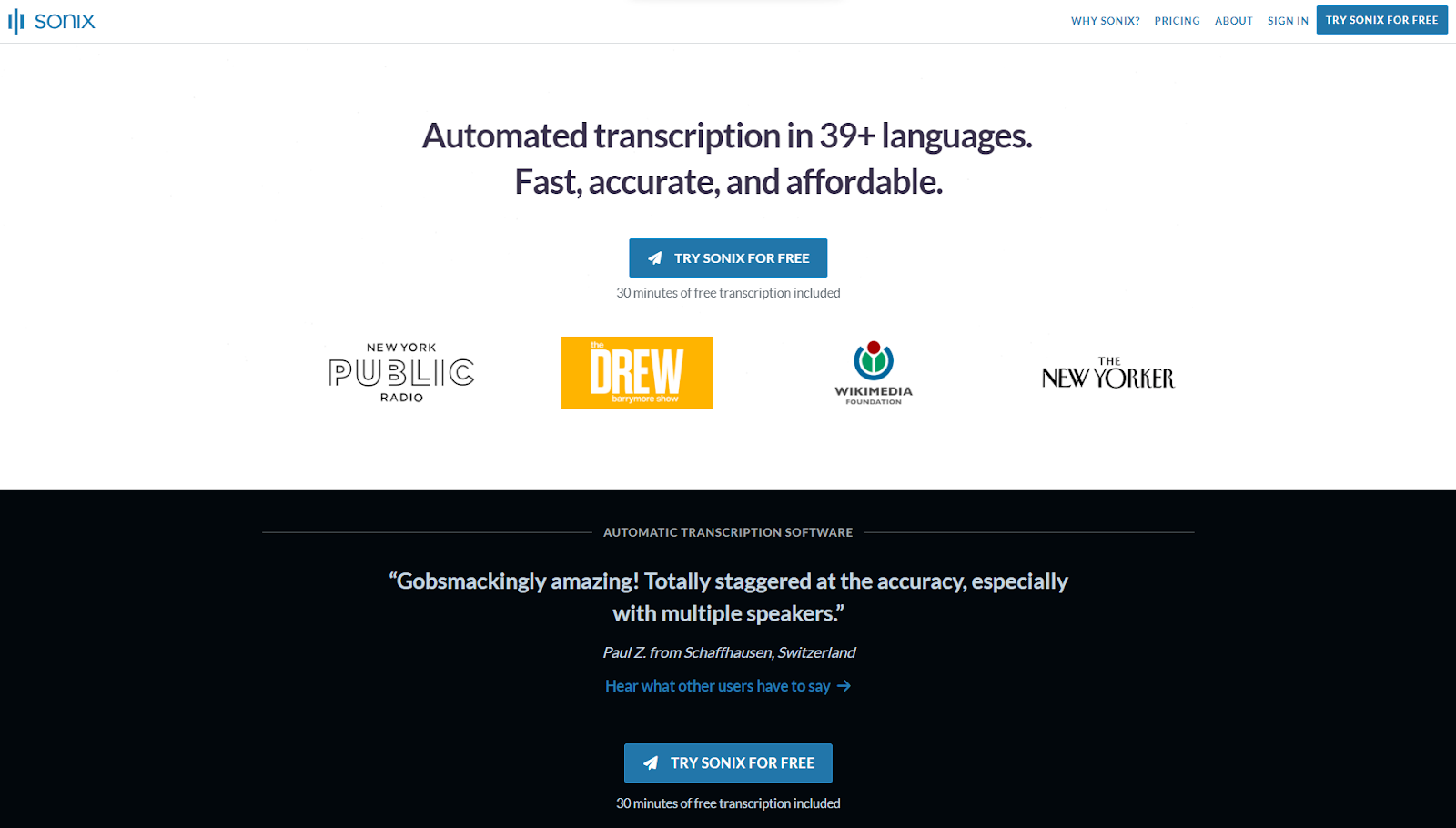
Sonix é um software de transcrição, tradução e resumo baseado em IA. É a melhor ferramenta de IA para transcrição, graças à sua elevada taxa de precisão e à sua interface intuitiva. O Sonix utiliza reconhecimento automático de voz (ASR) inteligente, concebido especificamente para a conversão de voz em texto, tornando-o mais preciso e mais fácil de utilizar do que as ferramentas de IA de uso geral. O fluxo de trabalho é simples: carregue um ficheiro, receba uma transcrição com marcação temporal, edite no navegador e exporte no formato da sua preferência.
Características
Transcrição rápida e precisa
O Sonix fornece transcrição rápida e precisa em condições ideais. Para equipas que lidam com grandes volumes de conteúdos de áudio ou vídeo, isto reduz o tempo dedicado à transcrição manual e garante que a informação essencial é registada com o mínimo de erros.
O editor integrado no navegador sincroniza-se com o áudio ou o vídeo, pelo que as correções são rápidas. Quer esteja a trabalhar com reuniões, documentos jurídicos ou conteúdos multimédia, o Sonix ajuda as equipas a documentar a informação com precisão e a avançar.
Ferramentas de análise de IA
Análise de IA da Sonix As ferramentas vão além da transcrição, revelando informações úteis a partir das suas transcrições. As funcionalidades incluem análise temática e de sentimentos, criação automática de capítulos, deteção de entidades e resumos automáticos.
Para as organizações que lidam com grandes volumes de ficheiros multimédia, estas ferramentas reduzem o tempo de revisão manual e ajudam as equipas a extrair informações úteis sem terem de ouvir todas as gravações na íntegra.
Opções de segurança
O Sonix fornece segurança de nível empresarial para todos os utilizadores. Para equipas que lidam com informações confidenciais, o Sonix oferece armazenamento seguro de ficheiros, encriptação SSL e conformidade com a norma SOC 2 Tipo II. Os dados estão protegidos tanto em repouso como em trânsito.
A autenticação de dois fatores e o suporte a SSO/SAML garantem que apenas o pessoal autorizado possa aceder aos ficheiros. Estes protocolos tornam o Sonix uma excelente opção para equipas jurídicas, médicas e empresariais com requisitos rigorosos em matéria de privacidade de dados.
Suporte a vários idiomas
Com suporte para mais de Mais de 53 línguas, o Sonix permite que os utilizadores de todo o mundo transcrever áudio na sua língua materna. O Sonix também suporta tradução automática para mais de 54 idiomas, tornando-o prático para equipas que trabalham em várias regiões e mercados.
Integrações com o Zoom, o Adobe Premiere e outras aplicações
O Sonix oferece integrações com o Zoom, o Adobe Premiere e outras aplicações, incluindo o Final Cut Pro, o Google Drive, o Dropbox e as principais plataformas de videoconferência. Estas integrações permitem aos profissionais de comunicação social editar transcrições diretamente nas suas ferramentas habituais, reduzindo a necessidade de alternar entre tarefas durante a pós-produção.
A Sonix também opera um servidor do Protocolo de Contexto de Modelo (MCP) em https://api.sonix.ai/mcp, permitindo que assistentes de IA como o Claude e o Cursor naveguem pela sua biblioteca multimédia, contextualizem transcrições e exportem ficheiros sem necessidade de copiar e colar. Disponível nos planos pagos para titulares de contas e produtores. Isto torna o Sonix a única ferramenta desta lista que permite que o seu assistente de IA ouça em seu nome.
Ferramentas de colaboração para equipas
O Sonix oferece funcionalidades de colaboração que permitem que as equipas trabalhem em conjunto em projetos de transcrição. Os utilizadores podem partilhar transcrições, fazer edições, adicionar comentários e acompanhar as alterações. Isto é particularmente útil para jornalistas, investigadores, e equipas de produção que trabalham em projetos de grande dimensão, nos quais várias pessoas precisam de aceder aos mesmos ficheiros.
Preços para Sonix
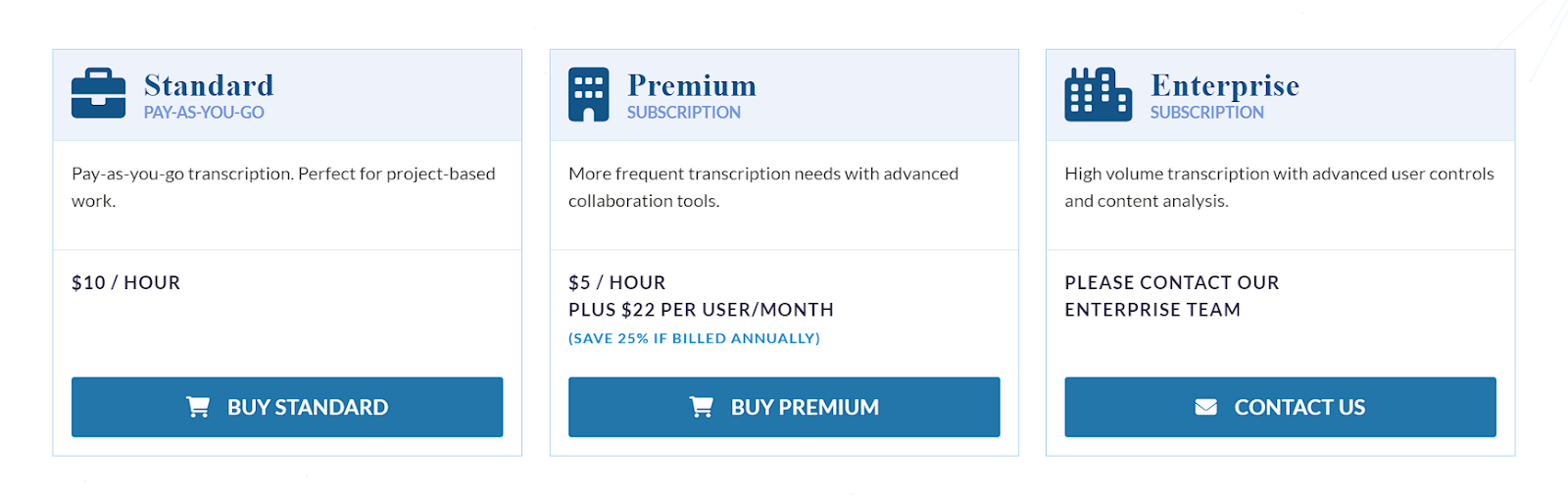
A Sonix oferece um modelo de pagamento à medida que se utiliza, a partir de $10 por hora de transcrição, com planos de subscrição disponíveis para utilizadores mais frequentes a partir de $22 por mês (o que reduz a tarifa por hora para $5).
Está interessado em experimentar os serviços de áudio e vídeo com IA da Sonix? Inscrever-se hoje para um teste gratuito de 30 minutos. Não é necessário cartão de crédito.
2. Descrição
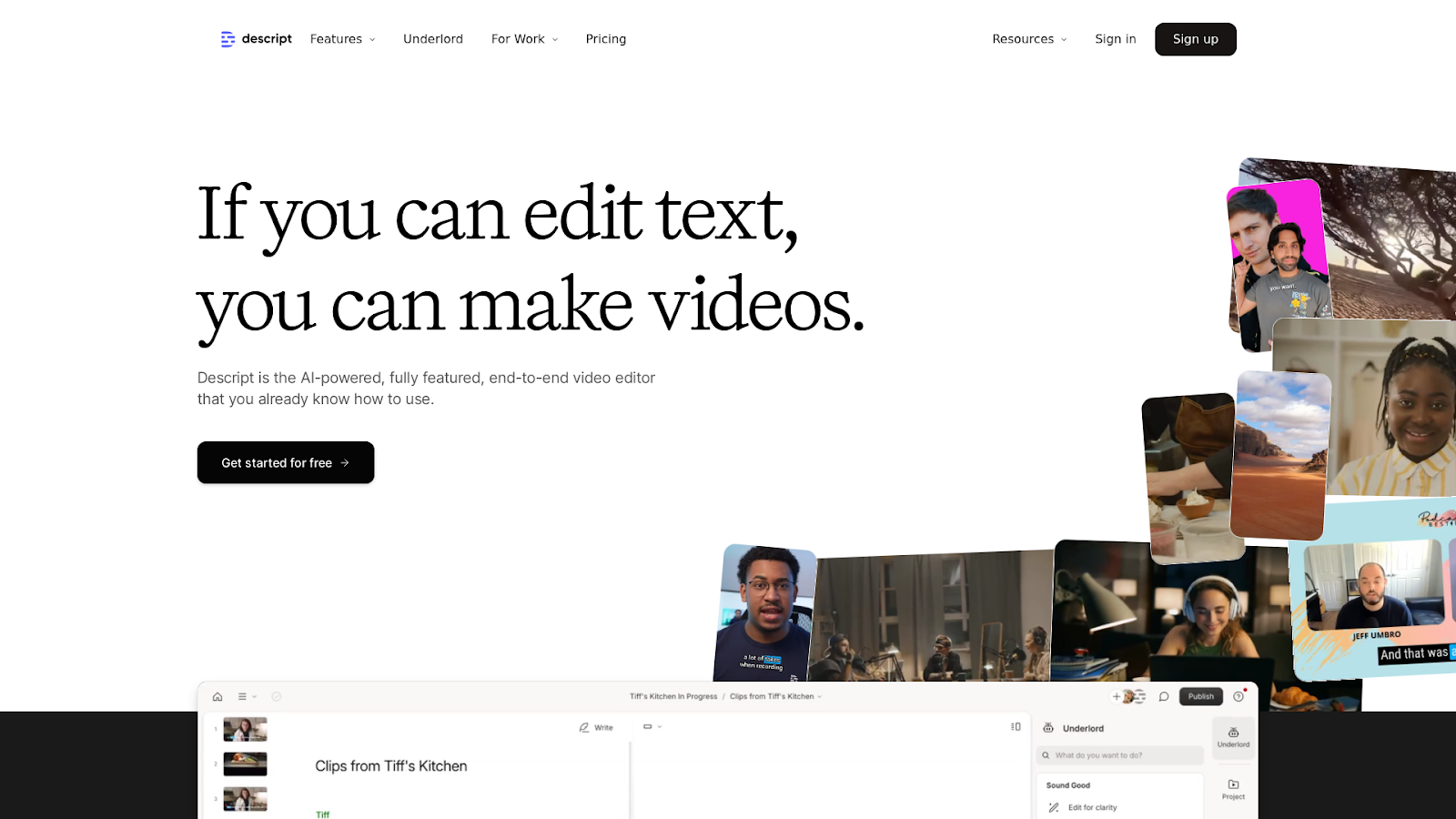
Descrição é uma ferramenta multifuncional, baseada em IA, para edição de áudio e vídeo. Permite aos utilizadores editar conteúdos através da manipulação de texto, tornando-a acessível tanto a profissionais como a principiantes. As funcionalidades mais destacadas do Descript incluem a edição de áudio e vídeo baseada em texto, a transcrição assistida por IA e ferramentas como a remoção de palavras de preenchimento, a correção do contacto visual e o aprimoramento do som de estúdio.
As suas funcionalidades de colaboração tornam-no ideal para equipas e abrange todo o fluxo de trabalho, desde a gravação até à publicação.
Características
- Edição baseada em texto: edite áudio e vídeo através da edição da transcrição
- Transcrição com base em IA
- Som de estúdio com redução de ruído AI
- Correção do contacto visual com IA
- Remoção de palavras de preenchimento
- Ecrã verde alimentado por IA
Melhores utilizações
O Descript é ideal para criadores de conteúdos nas áreas do podcasting, da produção de vídeo e das redes sociais. A sua facilidade de utilização é adequada para criadores independentes, enquanto as suas ferramentas de colaboração funcionam bem para equipas. Com funcionalidades integradas de transcrição e gravação de ecrã, também é adequado para webinars, vídeos de formação e conteúdos promocionais.
Fixação de preços
Os planos pagos da Descript começam em $19 por mês para o plano para amadores.
3. Adobe Premiere Pro

O Adobe Premiere Pro é uma plataforma profissional de edição de vídeo com uma funcionalidade integrada de conversão de voz em texto que utiliza IA para gerar automaticamente legendas e transcrições a partir da faixa de áudio do seu vídeo. Para além da transcrição, as suas ferramentas baseadas em IA automatizam a correção de cor, o aprimoramento de áudio e os gráficos animados, permitindo que os editores se concentrem em decisões criativas em vez de tarefas repetitivas.
Características
- Conversão de voz em texto com tecnologia de IA para legendas e transcrições automáticas
- Edição e correção de cor automatizadas
- Modelos de animação gráfica
- Ferramentas de melhoria de áudio
- Integração perfeita com outros produtos Adobe
Melhores utilizações
Concebido para criadores e editores de vídeo que necessitam de uma ferramenta profissional capaz de realizar, num único ambiente, tanto a transcrição assistida por IA como a edição de vídeo em grande escala.
Fixação de preços
O Adobe Premiere Pro utiliza um modelo de preços baseado em subscrição, com preços a partir de $22,99 por mês para particulares, com descontos para equipas e estudantes.
4. Lumen5
O Lumen5 é uma ferramenta de criação de vídeos baseada em IA que transforma conteúdo escrito em vídeo. A plataforma analisa o seu texto e gera automaticamente um guião de vídeo, que pode depois editar e personalizar. O Lumen5 também disponibiliza uma variedade de modelos de vídeo e imagens de arquivo para o ajudar a produzir vídeos cativantes rapidamente.
Características
- Geração de guiões de vídeo com base em IA a partir de texto
- Modelos de vídeo pré-desenhados
- Extensa biblioteca de imagens de arquivo e música
- Interface simples do tipo «arrastar e largar» para personalização
Melhores utilizações
Uma excelente opção para profissionais de marketing, blogueiros e criadores de conteúdos nas redes sociais que pretendem transformar conteúdos escritos em vídeo sem precisarem de possuir competências avançadas de edição.
Fixação de preços
O Lumen5 oferece um plano gratuito com funcionalidades básicas. Os planos pagos começam em $29 por mês, com exportações de maior resolução e mais opções de personalização nos níveis premium.
5. Aufónico
O Auphonic é uma ferramenta baseada em IA que melhora automaticamente a qualidade das gravações de áudio. O software ajusta os níveis de volume, reduz o ruído de fundo e melhora a qualidade geral do som sem necessidade de edição manual. Também oferece ferramentas de ajuste fino para os utilizadores que pretendam ter mais controlo antes da exportação.
Características
- Nivelamento automático do volume
- Redução do ruído de fundo
- Melhoria da qualidade do som
- Ferramentas de edição e afinação de áudio
Melhores utilizações
Ideal para podcasters, locutores e qualquer pessoa que trabalhe com gravações de áudio e queira melhorar a qualidade do som sem ter de passar horas a fazer edições manuais.
Fixação de preços
A Auphonic oferece um nível gratuito com horas de processamento limitadas. Os planos pagos começam em $13 por mês para horas de processamento adicionais e recursos avançados.
6. IBM Watson

O IBM Watson é um conjunto de ferramentas de IA desenvolvido pela IBM para aplicações que incluem o processamento de áudio e vídeo. O Watson oferece transcrição de voz para texto, processamento de linguagem natural e análise de sentimentos. Também é capaz de processar conteúdos de vídeo para o reconhecimento de objetos, deteção de cenas e reconhecimento de emoções.
Características
- Transcrição de fala para texto
- Processamento de linguagem natural e análise de sentimentos
- Deteção de objectos e cenas em conteúdos de vídeo
- Reconhecimento de emoções a partir de áudio e vídeo
Melhores utilizações
Ideal para aplicações de nível empresarial nas áreas da análise de meios de comunicação, atendimento ao cliente e moderação de conteúdos, onde é necessário o processamento de dados de áudio e vídeo em grande escala.
Fixação de preços
O IBM Watson oferece preços personalizados com base nos serviços específicos e no volume utilizado, sendo que alguns serviços disponibilizam um modelo de pagamento à medida que se utiliza ou um nível gratuito para utilização limitada.
7. Clipchamp
O editor de vídeo com IA do Clipchamp permite aos utilizadores criar rapidamente conteúdos de vídeo de alta qualidade, bastando para isso selecionar um estilo e carregar fotografias ou vídeos. A sua funcionalidade de conversão de texto em voz gera vozes de IA realistas em várias línguas, tornando-o prático para vídeos nas redes sociais, promocionais e empresariais.
Características
- Editor de vídeo alimentado por IA para criar vídeos curtos
- Funcionalidade de composição automática para a criação de conteúdos de vídeo cativantes
- Conversão de texto em voz com vozes de IA realistas em vários idiomas
- Vozes personalizáveis com altura, ritmo e tom ajustáveis
- Apresentação de diapositivos e criação de vídeos de viagens com modelos de vídeo fáceis
Melhores utilizações
O Clipchamp é a escolha ideal para criadores de conteúdo, profissionais de marketing e empresas que pretendem produzir vídeos rápidos e profissionais para o YouTube, o TikTok e as redes sociais, sem necessidade de conhecimentos técnicos avançados.
Fixação de preços
O Clipchamp oferece um plano gratuito com funcionalidades básicas. Os planos pagos começam em $11,99 por mês, desbloqueando funcionalidades premium, como exportações em alta definição e uma biblioteca de conteúdos de arquivo mais vasta.
Como escolher a ferramenta de áudio com IA mais adequada para o seu fluxo de trabalho
A escolha da ferramenta certa depende do que pretende, acima de tudo, alcançar. Utilize este quadro de decisão:
- Se a sua principal necessidade for a transcrição e a análise: Sonix. Preciso transcrição automática em mais de 53 idiomas, análise por IA, colaboração em equipa e segurança de nível empresarial numa única plataforma.
- Se a sua principal necessidade for a edição de vídeo a partir de texto: Descript. Edite os seus ficheiros de áudio e vídeo através da edição da transcrição, sem necessidade de utilizar uma linha temporal.
- Se a sua principal necessidade for melhorar a qualidade do áudio: Auphonic. Redução automática de ruído e nivelamento de volume com configuração mínima.
- Se a sua principal necessidade for o processamento de voz à escala empresarial: IBM Watson. Conversão de voz em texto com PLN, análise de sentimentos e preços personalizados para utilização em grande escala.
- Se a sua principal necessidade for a criação rápida de vídeos para redes sociais: Clipchamp ou Lumen5. Ambos permitem uma produção rápida de vídeos com base em modelos, sem necessidade de conhecimentos avançados de edição.
- Se a sua principal necessidade for a edição profissional de vídeo com assistência de IA: Adobe Premiere Pro. Edição com todas as funcionalidades, incluindo conversão de voz em texto integrada e ferramentas de cor e áudio baseadas em IA.
| Ferramenta | Características principais | Melhor utilização | Fixação de preços |
|---|---|---|---|
| Sonix | Transcrição, tradução, resumo e análise por IA de alta precisão | O melhor para transcrição e tradução de media | $10/hora (pagamento à medida que se utiliza); $22+/mês (a tarifa por hora desce para $5) |
| Descrição | Edição de vídeo com IA através da manipulação de texto | Ótimo para editores de vídeo principiantes | A partir de $19/mês |
| Adobe Premiere Pro | Edição automatizada, conversão de voz em texto, animação gráfica, correção de cor | Ideal para edição de vídeo profissional | A partir de $22,99 por mês |
| Lumen5 | Vídeo gerado por IA a partir de texto, modelos, imagens de arquivo | Ideal para redes sociais e vídeos de marketing | Plano gratuito; planos pagos a partir de $29 por mês |
| Aufónico | Nivelamento automático de áudio, redução de ruído, melhoramento de som | Ideal para podcasters e trabalhos de locução | Nível gratuito; planos pagos a partir de $13/mês |
| IBM Watson | Conversão de voz em texto, PNL, análise de conteúdo de vídeo | O melhor para análise de dados e media a nível empresarial | Preços personalizados |
| Clipchamp | Editor de vídeo com IA, conversão de texto em voz, modelos personalizáveis | Ideal para a criação de conteúdos para as redes sociais | Plano gratuito; planos pagos a partir de $11,99 por mês |
Considerações finais
A melhor ferramenta de IA para ouvir ficheiros de áudio e extrair valor desses ficheiros depende do seu fluxo de trabalho. Para uma transcrição precisa, suporte multilingue, análise por IA e colaboração em equipa, Experimentar o Sonix gratuitamente e veja como funciona com as suas gravações. Não é necessário cartão de crédito e os primeiros 30 minutos são por nossa conta.
Experimente o Sonix com uma avaliação gratuita hoje mesmo e veja como isso pode transformar a forma como trabalha com conteúdos de áudio e vídeo.
Ferramentas de IA para áudio e vídeo: Perguntas frequentes
O que significa para a IA «ouvir» áudio?
Quando a IA “ouve” um ficheiro de áudio, processa o sinal falado e converte-o em texto através do reconhecimento automático de voz (ASR). Em seguida, ferramentas avançadas aplicam uma segunda camada de IA para detetar temas, identificar oradores, resumir o conteúdo e extrair entidades-chave. O resultado é um ficheiro de áudio totalmente pesquisável, partilhável e utilizável sem necessidade de revisão manual.
Que IA pode ouvir áudio?
Ferramentas de IA como Sonix e o IBM Watson foram concebidos para ouvir áudio e transcrever áudio em texto. Estas plataformas utilizam reconhecimento de voz avançado para converter a linguagem falada em texto escrito com elevada precisão. A Sonix também aplica uma análise de IA à transcrição, identificando automaticamente temas, resumos e entidades.
A IA consegue resumir ficheiros de áudio?
Sim. Ferramentas como o Sonix utilizam resumos automáticos para extrair automaticamente pontos-chave, títulos de capítulos e ações a realizar a partir de uma transcrição. Isto é útil para reuniões, entrevistas, palestras e episódios de podcasts em que é necessário conhecer os pontos mais importantes sem ter de ouvir a gravação na íntegra. O NoteGPT é uma alternativa gratuita dedicada especificamente à síntese de áudio.
Que IA pode adicionar som ao vídeo?
Existem várias ferramentas de IA que permitem adicionar som aos vídeos, gerando narrações, música de fundo ou efeitos sonoros. O Clipchamp oferece uma funcionalidade de conversão de texto em voz baseada em IA que cria narrações realistas em vários idiomas e tons de voz, facilitando a adição de narração ou diálogo sem recorrer a locutores profissionais.
A IA pode editar áudio?
Sim. A IA consegue editar áudio realizando tarefas como a redução de ruído, o nivelamento do volume e a melhoria da qualidade do som. O Auphonic utiliza a IA para melhorar automaticamente as gravações de áudio, removendo o ruído de fundo, ajustando os níveis de volume e equilibrando as frequências sonoras, o que permite poupar bastante tempo em comparação com a edição manual.
Existe uma IA capaz de fazer vídeos?
Ferramentas baseadas em IA, como o Lumen5 e o Clipchamp, permitem criar vídeos automaticamente a partir de conteúdo escrito ou de ficheiros carregados. Estas plataformas utilizam IA para gerar guiões de vídeo, sugerir layouts e incorporar elementos visuais relevantes, permitindo aos utilizadores produzir vídeos profissionais sem necessidade de competências avançadas de edição. Ambas são ideais para conteúdos de redes sociais, vídeos promocionais e apresentações simples.
A transcrição com IA mais exacta do mundo
O Sonix transcreve o seu áudio e vídeo em minutos - com uma precisão que o fará esquecer que é automatizado.


 Portuguese
  English
  Spanish
  German
  French
  Russian
  Dutch
Dutch  Chinese
  Turkish
  Danish