










Accurately convert
Spanish FLAC files to text

Sonix automatically transcribes your Spanish FLAC files to text in minutes. Access industry-leading artificial intelligence and the days of manually transcribing your Spanish FLAC files are long gone. Spanish speech to text: Sonix has been independently reviewed the most accurate Spanish automated transcription, translation, and subtitling platform.

Your free trial starts today and includes 30 minutes free

Thousands of Sonix customers convert their Spanish FLAC files to text

ESPN uses automated transcription by Sonix to create Spanish FLAC files to text
CIBC uses automated transcription by Sonix to create Spanish FLAC files to text
Google uses automated transcription by Sonix to create Spanish FLAC files to text
CNBC uses automated transcription by Sonix to create Spanish FLAC files to text
NBC Universal uses automated transcription by Sonix to create Spanish FLAC files to text
ABC News uses automated transcription by Sonix to create Spanish FLAC files to text
Microsoft uses automated transcription by Sonix to create Spanish FLAC files to text
Quartz uses automated transcription by Sonix to create Spanish FLAC files to text
University of Arizona uses automated transcription by Sonix to create Spanish FLAC files to text
Yale University uses automated transcription by Sonix to create Spanish FLAC files to text
Stanford University uses automated transcription by Sonix to create Spanish FLAC files to text
What's the best way to convert Spanish FLAC files to text?

Use Sonix to quickly convert
Spanish FLAC files to text

Follow these six easy steps to quickly and easily convert your Spanish FLAC files to text:

1

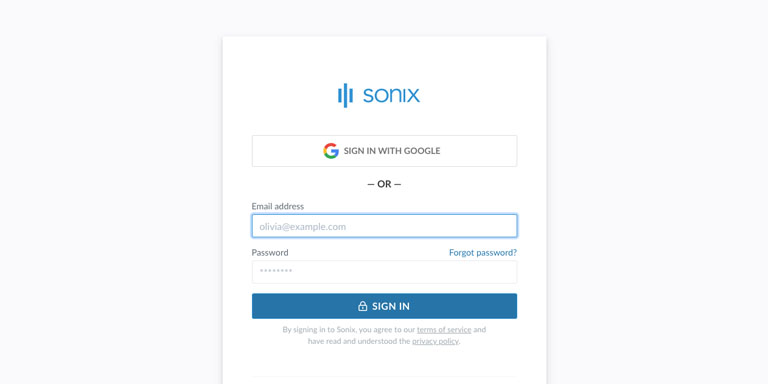
Log into your Sonix account

If you don't have one, you can sign up for Sonix's free account—30 minutes of free transcription/translation.

Log into your Sonix account
2

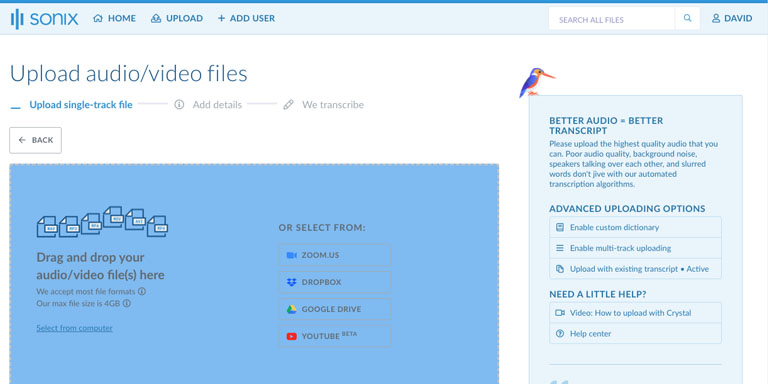
Upload your Spanish FLAC file

In Sonix, click “Upload” and locate the Spanish FLAC file on your computer.

Upload your Spanish FLAC file to Sonix
3

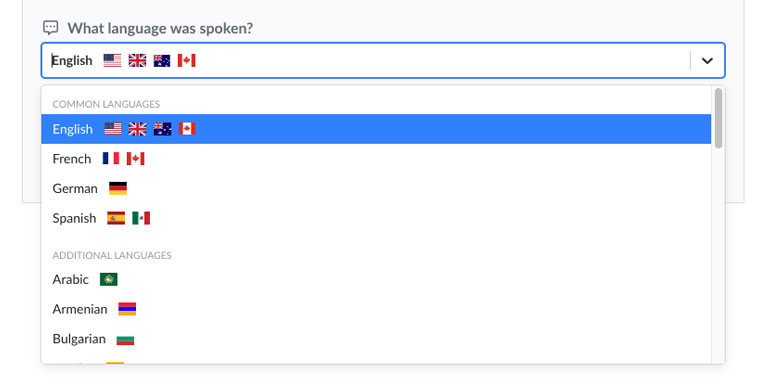
Choose language: Spanish

Select Spanish in the dropdown that asks 'What language was spoken?.' Then, click the “Transcribe” button.

Tell Sonix the language that was spoken in your file: Spanish
4

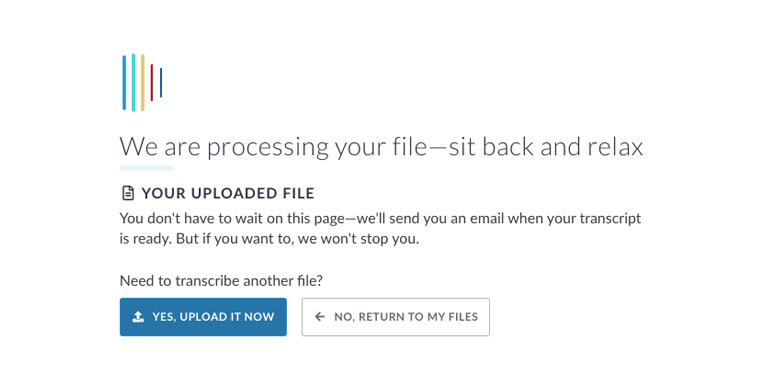
Sonix transcribes your FLAC file

Sonix automatically transcribes your Spanish FLAC file and converts it to Spanish text.

Sonix will use its advanced transcription algorithms to convert your Spanish FLAC file to text
5

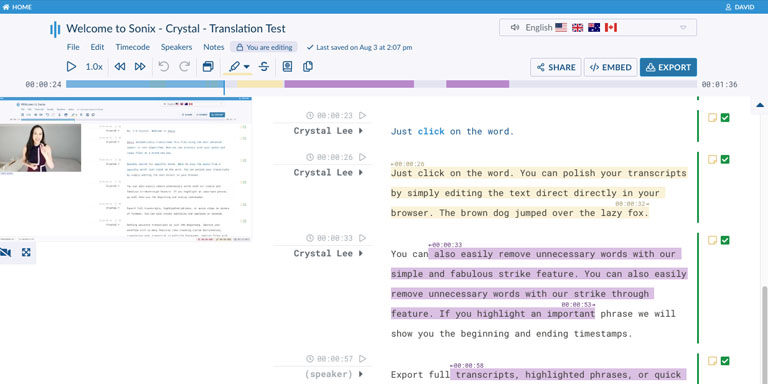
Polish your Spanish transcript

Edit your Spanish transcript by typing directly into your browser to correct any words that were not transcribed perfectly.

Use the Sonix AudioText Editor to polish your Spanish transcript
6

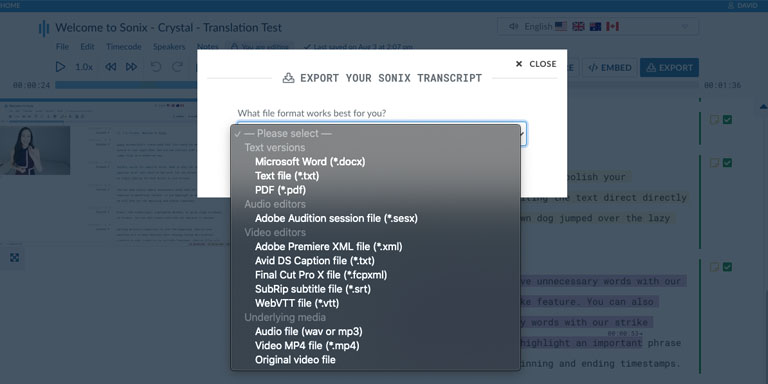
Export Spanish text

Export the Spanish text to any format you want including MS Word, PDF, subtitles, or a simple text file.

Export the Spanish transcript to MS Word, PDF, Subtitles, or as a text file.

All done!

All done! You have now successfully converted your Spanish FLAC file to text!

Tips & FAQ

Frequently asked questions

How to improve the accuracy of your Spanish transcripts?

Start by improving the quality of the Spanish FLAC file that you upload to Sonix. Please use high quality recording equipment, recording in a quiet environment, and ensure that your speakers are speaking clearly to ensure that your transcript is as accurate as possible.

Any advice for the Spanish FLAC file that I upload?

Yes, please do not over-compress or over-filter the audio track of your Spanish FLAC file. By uploading a high quality version of your audio, we can give you the best level of accuracy.

Customer Reviews

Trusted by professionals worldwide

4.98 rating from 211 reviews

The accuracy of the AI voice recognition is amazing! Sonix is by far the most accurate of the 5 or 6 services that I tested.
BB
Bill B.
Phoenix, AZ USA
I love how easy it is – it saves me so much time transcribing – I can just pull out the main points of interest from the transcrip...
NJ
Noreena J.
Windsor, Canada
Sonix is a very user-friendly platform, and they are very transparent about what is included in the monthly fee... It's transcribe...
CM
Chrissy M.
Portland, OR, USA
Sonix is by far the best transcription tool I have ever used.
MA
Mic A.
Ikeja, Nigeria
Convert Spanish FLAC files to text with Sonix

Start converting Spanish FLAC files to text
today

Sonix uses advanced transcription and translation algorithms to convert your Spanish FLAC files to text both fast and accurate.

99% accuracy. Every word matters.

AI transcription and translation in 53+ languages.

30 minutes free
No credit card
Cancel anytime