 by
by Creating accurate transcripts from YouTube videos has become a critical need for content creators, marketers, researchers, and educators. Whether you need to repurpose video content into blog posts, improve SEO rankings, create study materials, or make your content accessible to a wider audience, having reliable transcription software saves countless hours of manual work.
The challenge? With dozens of YouTube transcript generators available, finding one that delivers consistent accuracy while fitting your workflow can be overwhelming. Some tools prioritize speed over precision, while others offer impressive features but come with steep learning curves or pricing.
This guide breaks down the top YouTube video transcript generators, comparing their accuracy rates, language support, export options, and pricing structures. By the end, you’ll have the information you need to select the right tool for your specific needs.
What Is a YouTube Transcript Generator?
A YouTube transcript generator is software that converts the spoken audio from YouTube videos into written text. These tools use automatic speech recognition (ASR) technology combined with machine learning algorithms to identify words, distinguish between speakers, and produce formatted transcripts.
While YouTube does have a (somewhat shallow) transcript generator add-on itself as well, modern transcript generators go beyond simple text conversion. Advanced platforms can identify multiple speakers, add timestamps, detect sentiment, and even translate content into different languages. This makes them valuable for:
- Content Repurposing: Transform video content into blog posts, social media snippets, email newsletters, and documentation.
- SEO Optimization: Search engines can’t watch videos, but they can index text. Transcripts make your video content searchable.
- Accessibility: Provide captions and subtitles for viewers who are deaf or hard of hearing, or who prefer reading.
- Research and Analysis: Researchers can search, annotate, and analyze video content more efficiently with text transcripts.
- Language Learning: Students can read along while watching educational content in foreign languages.
Best YouTube Video Transcript Generators: At a Glance
|
Tool |
Best For | Accuracy | Pricing |
|---|---|---|---|
| Sonix | Overall best; multilingual content | Up to 99% | $10/hour; $5/hour + $22/user (subscription) |
| Rev | Human + AI transcription | 95-99% | $0.25/min or $15/hour AI; $2/min or $120/hour human |
| Otter.ai | Real-time meeting transcription | ~85% | Free basic; Pro from $16.99/month |
| Trint | Journalists & media professionals | ~95% | Individual plan starts at $100/month |
| Descript | Video/podcast editing | ~93% | Free limited; from $24/month |
| Happy Scribe | Subtitle creation | ~85% | Pay-as-you-go model: $12/hour. Subscription tiers start at $12/month. Human transcription starts at $120/hour |
| Temi | Budget-friendly option | ~90% | $0.25/minute or $15/hour |
| YouTube Auto | Quick, free extraction | Variable, mostly on the lower end | Free |
| Fireflies.ai | Meeting insights | ~90% | Free basic; paid plans start from $18/month |
| TranscribeMe | High-security needs | ~95% |
Starting at $0.79/minute or ~$50/hour |
10 Best YouTube Video Transcript Generators in 2026
- Sonix
- Rev
- Otter.ai
- Trint
- Descript
- Happy Scribe
- Temi
- YouTube’s Built-in Transcripts
- Fireflies.ai
- TranscribeMe
1. Sonix — Best Overall YouTube Transcript Generator
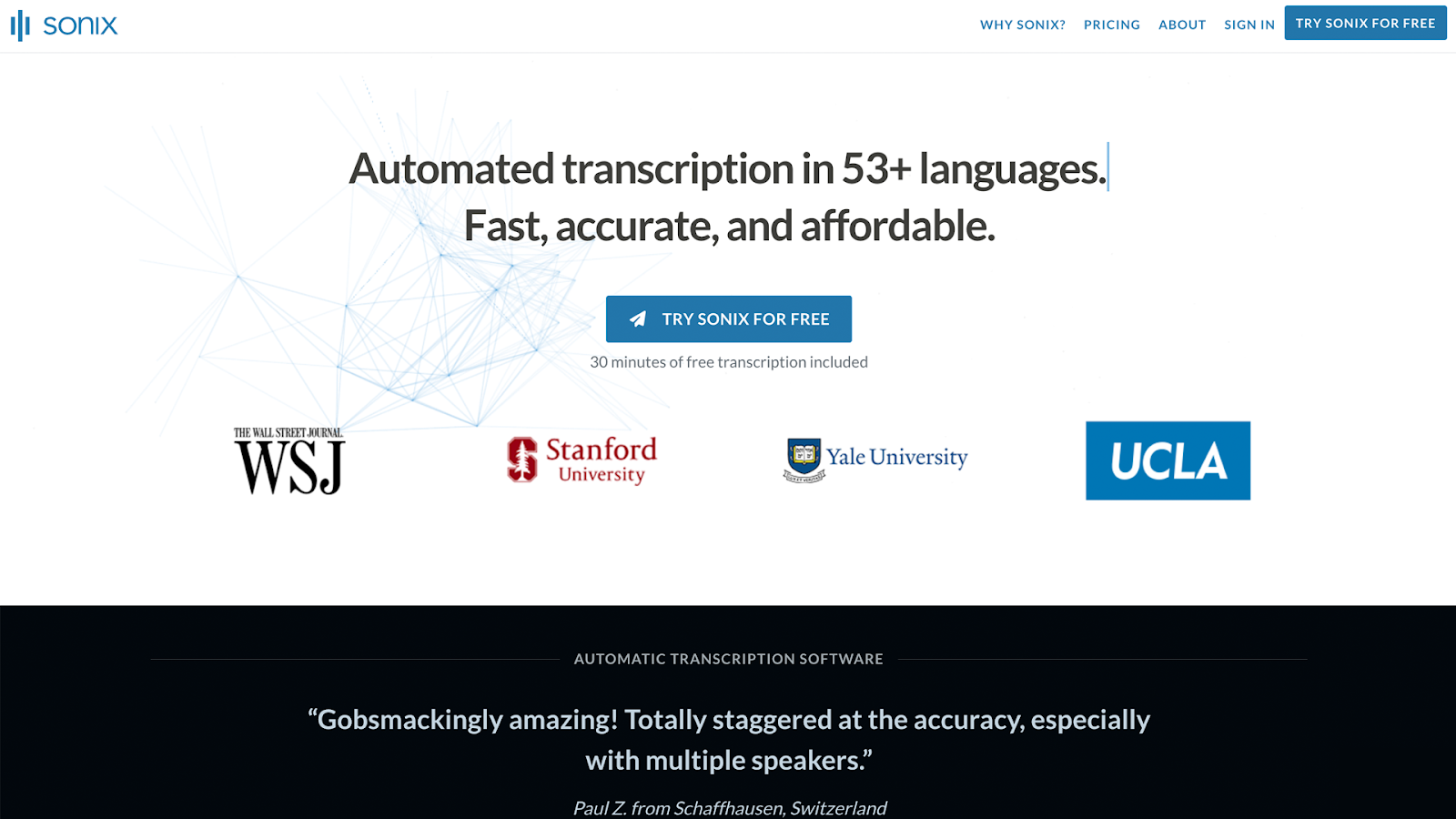
Sonix stands out as the best choice for transcribing YouTube videos, combining industry-leading accuracy with extensive features that serve content creators, researchers, journalists, and businesses alike.
With support for 53+ languages and accuracy rates consistently hitting 99%, Sonix eliminates the frustration of spending hours correcting machine-generated transcripts.
What sets Sonix apart is its purpose-built design for transcription. Unlike tools that treat transcription as a secondary feature, Sonix’s entire platform centers on converting audio and video to text with precision. This focus shows in everything from the ASR (Automatic Speech Recognition) engine to the collaborative editing interface.
Key Features of Sonix
Here are some features of Sonix that make it the premier transcription tool when working with YouTube videos:
Unmatched 99% Accuracy
Sonix delivers up to 99% transcription accuracy, even in challenging audio environments. Whether you’re dealing with multiple speakers, technical jargon, or background noise, our AI is trained to handle it all with minimal need for editing. Compared to tools that struggle with real-world conditions, Sonix consistently provides cleaner, more usable transcripts right out of the gate.
Global-Ready Multi-Language Support
With support for over 53 languages and dialects, Sonix is built for international teams, researchers, and content creators. You can transcribe and translate audio and video content without switching platforms or sacrificing accuracy. Whether you’re conducting interviews in Spanish or producing research in Arabic, Sonix keeps quality consistent across languages.
Powerful AI Analysis Tools
Sonix doesn’t just convert speech to text. We help make your content easier to understand. Our platform includes AI-powered features like summaries, sentiment analysis, topic segmentation, and thematic detection. These features are especially valuable for legal teams, researchers, and businesses that need insights from hours of recordings without wasting time.
Enterprise-Grade Security
Security is non-negotiable, especially for legal, medical, or corporate data. Sonix meets SOC 2 Type 2 standards, encrypts all data during upload and storage, and offers features like two-factor authentication and permission controls. No human ever sees your files unless you request it, and user data is never used to train AI.
Subtitle and Caption Export
Need to subtitle videos for social media, education, or training? Sonix makes it easy. Export to formats like SRT and VTT, or burn captions directly into video. Our tools make sure your subtitles are perfectly timed and professionally formatted, saving you hours of manual work.
Seamless Integrations
Sonix integrates seamlessly with tools like Zoom, Adobe Premiere, Final Cut Pro, Google Drive, and Dropbox. Whether you’re a creative professional or part of a legal or academic team, you can transcribe and edit content without interrupting your existing workflow.
Pricing
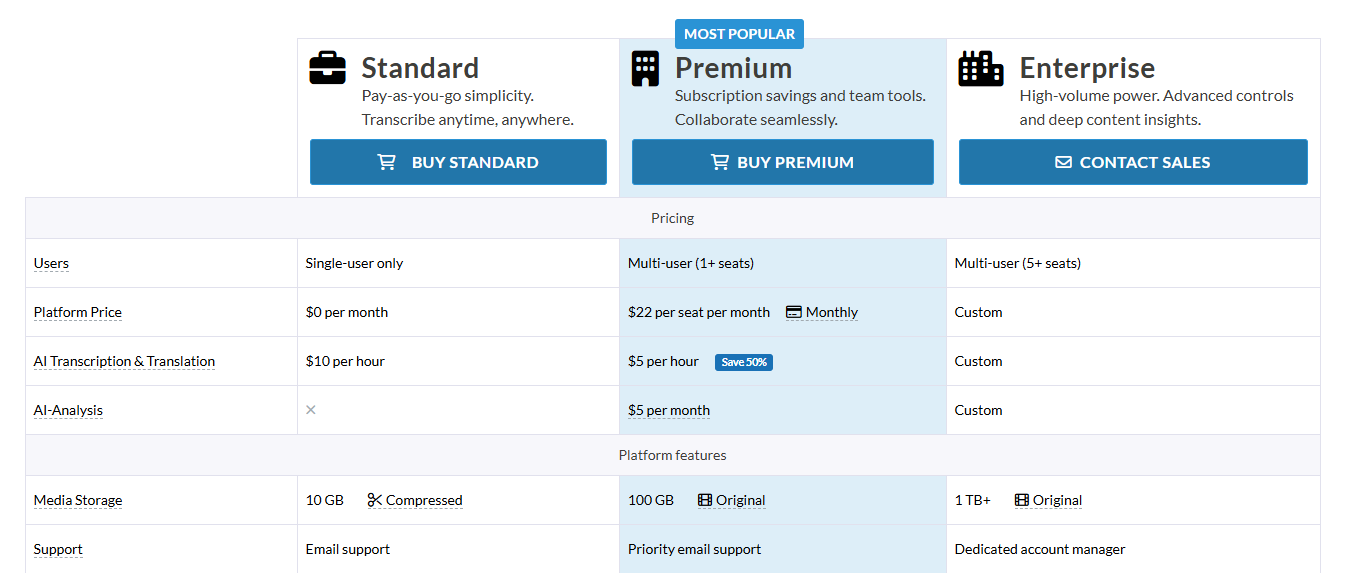
- Standard Pay-As-You-Go: $10 per hour of transcription
- Premium Subscription: $5 per hour plus $22 monthly base per user
- Enterprise: Custom pricing with dedicated support
Pros
- Highest accuracy in the industry (99%)
- Extensive language support (50+ languages)
- Fast turnaround, hours of video can be processed in minutes
- Bank-level security protocols
- AI analysis features
- Clean, intuitive editing interface
Cons
- No mobile app available at the moment
2. Rev — Best for Premium Human Transcription
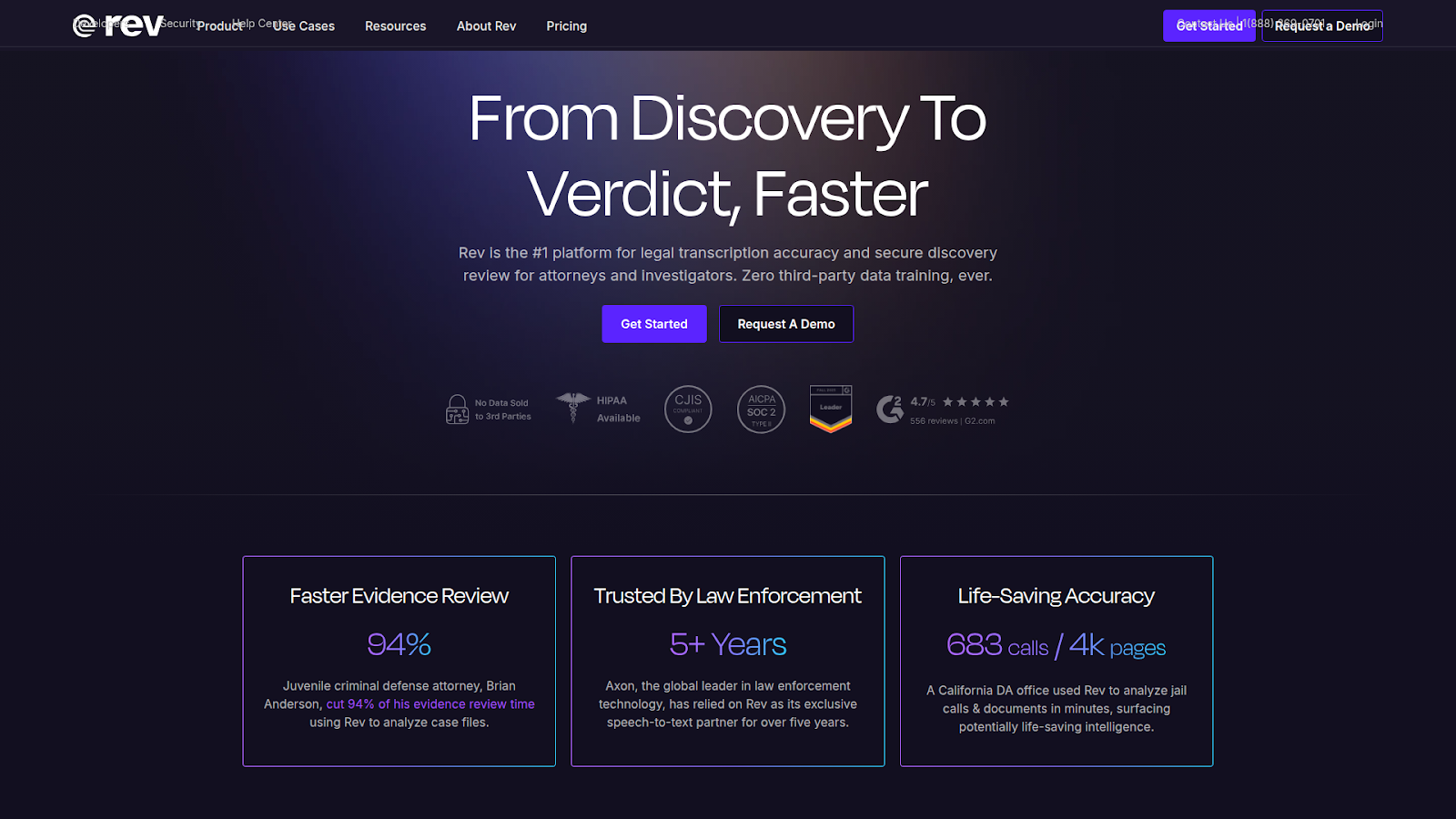
Rev has established itself as a trusted name in transcription by offering both AI-powered and human transcription services. This flexibility makes it useful for users who need different accuracy levels depending on the project. For straightforward YouTube videos with clear audio, their automated service works well. For critical content requiring near-perfect accuracy, their human transcriptionists deliver.
We tested Rev’s transcription platform and found that while the service works, the pricing doesn’t really match what you get in terms of features. One issue we noticed was the speaker identification feature, which struggled to accurately tell different speakers apart in our tests. For a complete breakdown of Rev’s strengths and weaknesses, check out our detailed Rev review.
Features
- Dual Service Options: Rev provides both AI transcription at $0.25 per minute with 90-95% accuracy and human transcription at $1.99 per minute with 99% accuracy. The platform uses advanced automatic speech recognition technology combined with professional human transcriptionists for higher-tier services.
- Interactive Editor and Features: The platform includes a web-based editor that synchronizes media playback with text, supports speaker identification, and allows for collaborative editing. Users can add custom glossaries to improve accuracy for industry-specific terminology.
- Pricing Structure: Rev operates on both pay-as-you-go and subscription models, giving users the flexibility to choose what pricing model works best for their specific situation.
Pricing
Rev features both a pay-as-you-go model, alongside a tiered subscription model.
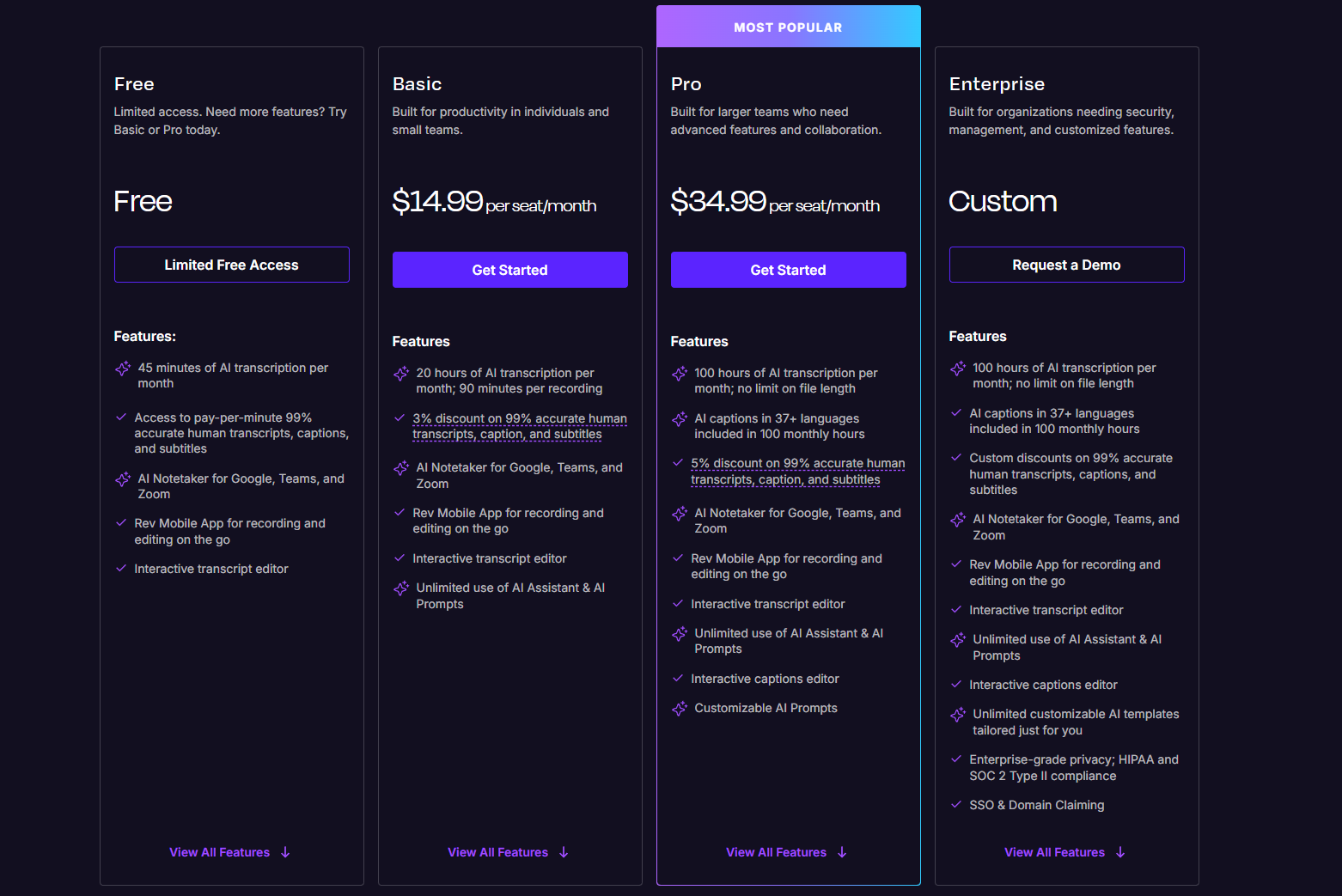
- Free Tier: 45 minutes of transcription per month
- Basic Tier: $14.99 per seat/month for 20 hours of transcription
- Pro Tier: $34.99 per seat/month for 100 hours of transcription
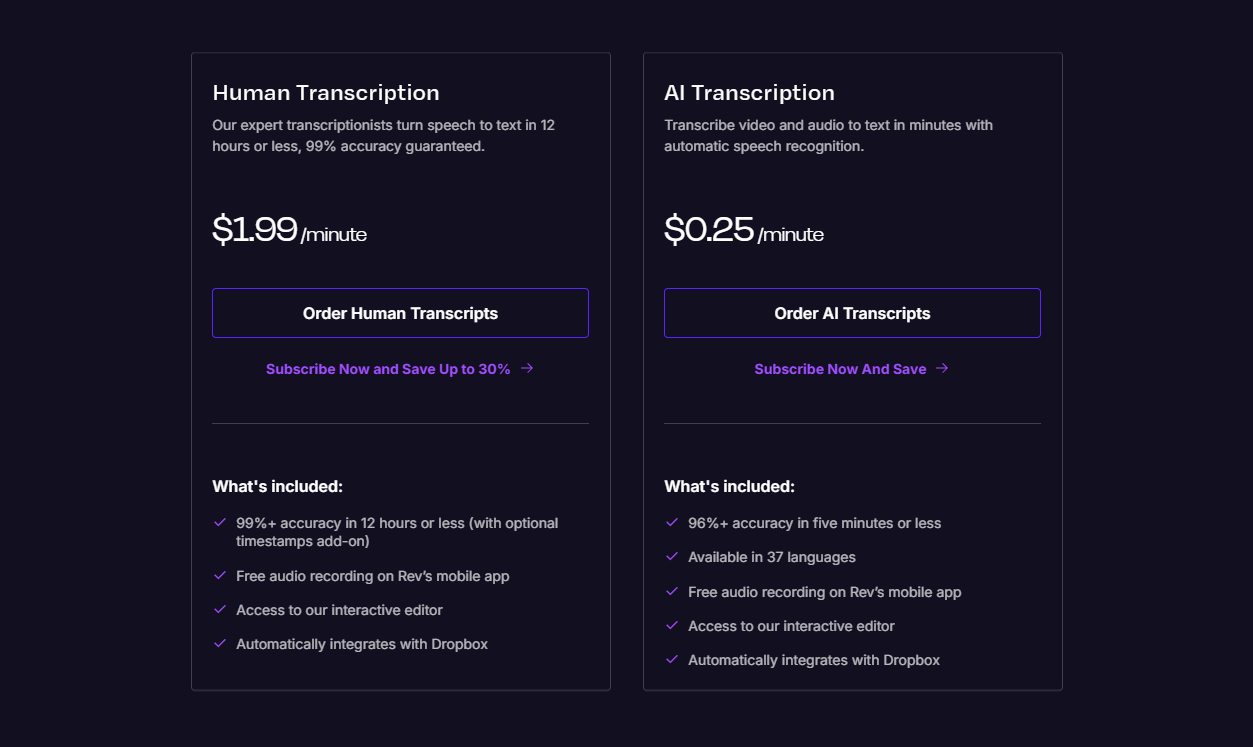
- AI Transcription: $0.25 per minute ($15/hour)
- Human Transcription: $1.99 per minute ($120/hour)
Pros
- Choice between AI and human transcription
- SOC 2 Type II compliant security
- Good accuracy for clear audio
Cons
- Human transcription is expensive ($120/hour)
- Human transcription has 12-48-hour turnaround and delays are not uncommon
- Speaker identification on the AI side is largely inconsistent
- AI transcription alone doesn’t match Sonix’s accuracy
Looking for alternatives? See our Rev alternatives guide.
3. Otter.ai — Best for Real-Time Meeting Transcription
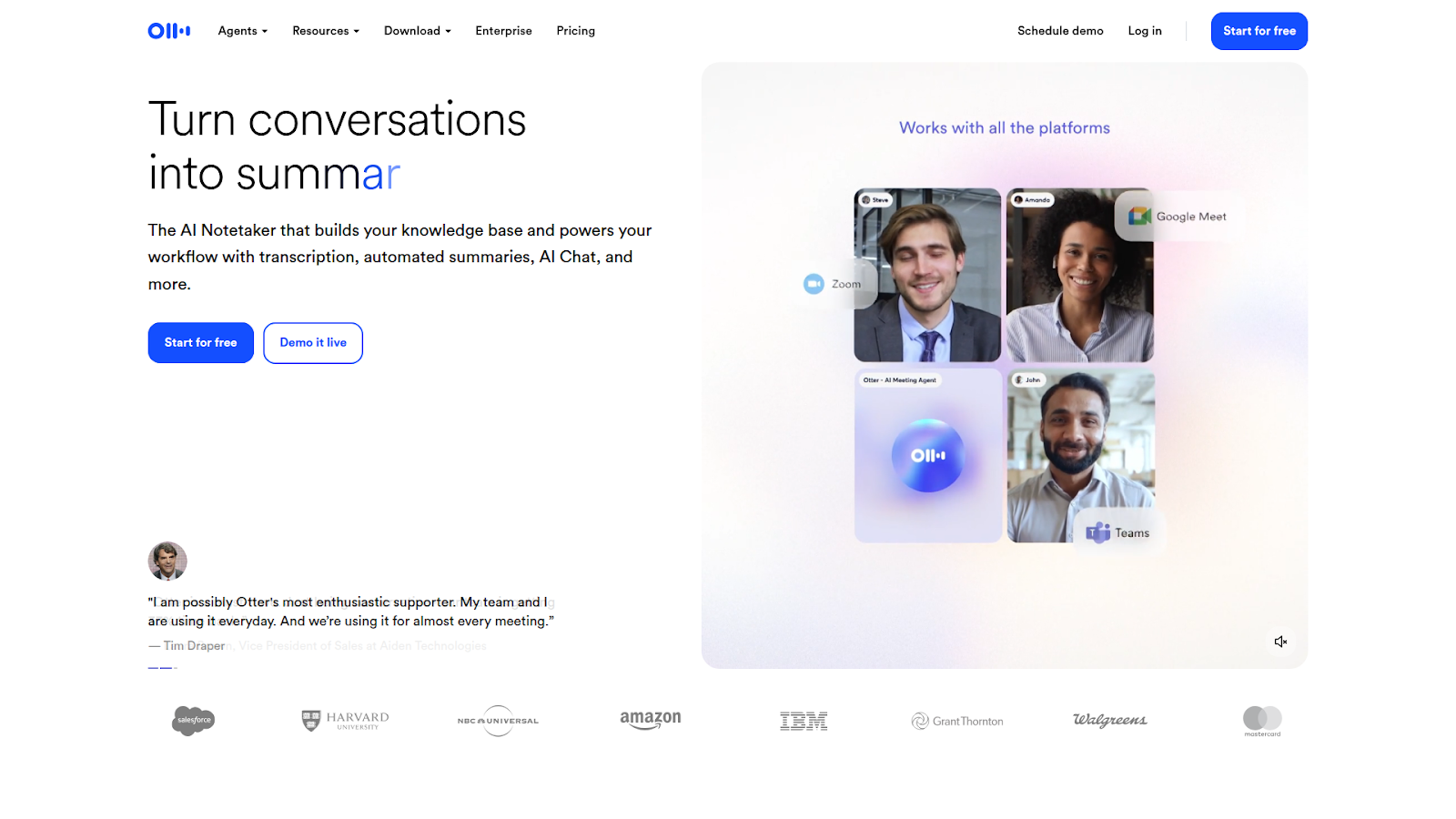
Otter.ai specializes in real-time transcription for meetings and conversations. Its strength lies in live transcription during Zoom, Google Meet, and Microsoft Teams calls, automatically generating notes as people speak. For YouTube transcription specifically, Otter can process uploaded files, though this isn’t its primary use case.
The platform offers speaker identification and AI-generated meeting summaries, making it popular among business professionals who need quick access to conversation highlights.
Otter.ai is limited to English-only transcription, which restricts its use for multilingual teams. While reasonably accurate, Otter’s accuracy is still marginally below industry-standard platforms like Sonix. We covered all of this and more in our Otter review.
Features
- AI Meeting Assistant: Otter.ai functions as an automated meeting notetaker that joins Zoom, Google Meet, and Microsoft Teams calls to transcribe conversations in real-time. The platform supports up to 85% accuracy for clear audio and includes speaker identification features.
- AI-Powered Features: The service generates automated summaries, action items, and allows searchable transcripts through AI Chat functionality. Users can create custom vocabularies with up to 800 terms on higher-tier plans to improve accuracy for specialized terminology.
- Free and Paid Plans: Otter offers a free plan with 300 monthly transcription minutes and paid plans starting at $16.99/month. The platform supports English transcription with a 30-minute per conversation limit on the free tier.
Pricing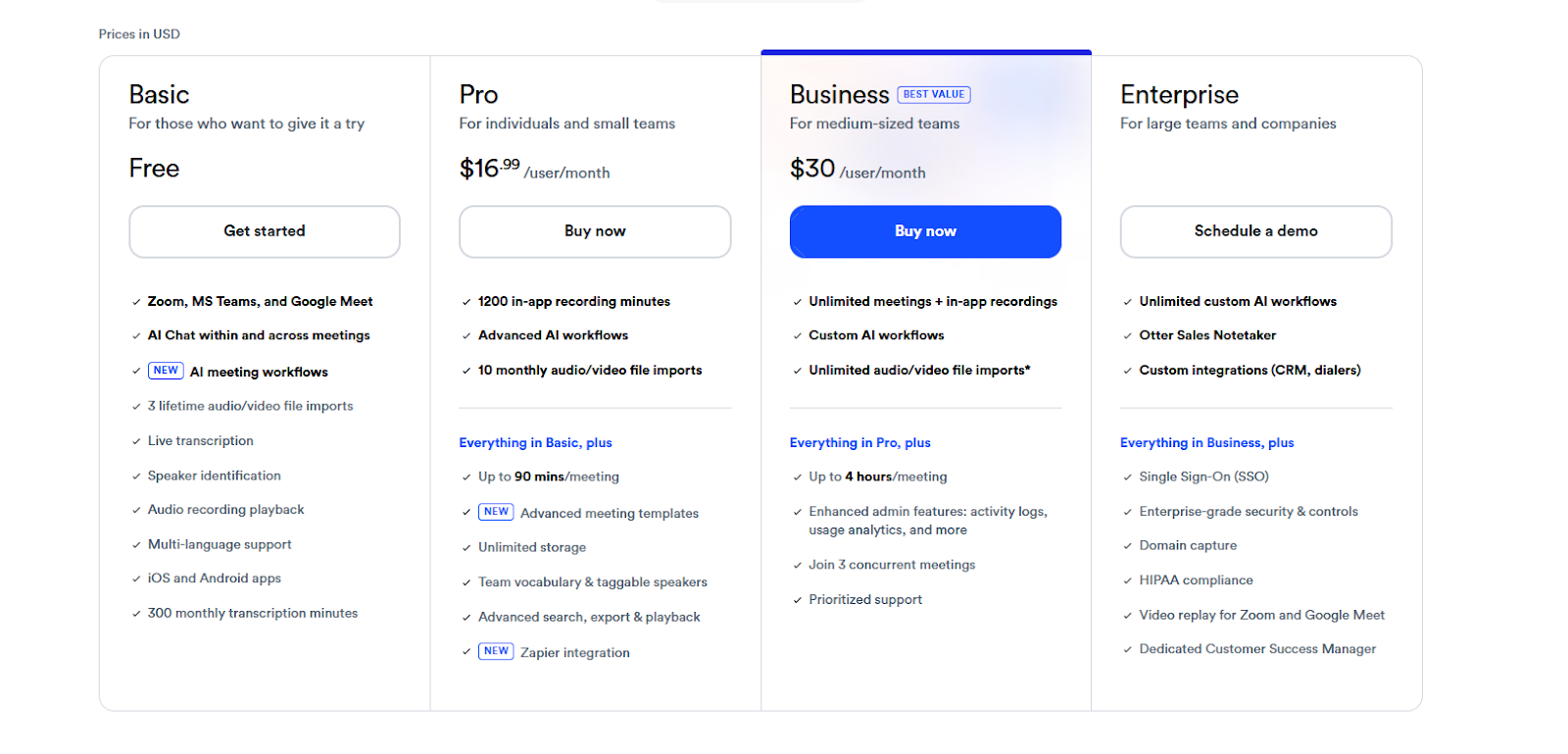
- Basic (Free): 300 monthly minutes, 30 minutes per conversation limit
- Pro: $16.99/month for 1,200 minutes
- Business: $30/month for 6,000 minutes
Pros
- Strong real-time meeting transcription
- Free tier available
- Good collaboration features
Cons
- English only, with no support for other languages
- Lower accuracy (~85%) compared to Sonix
- Better suited for meetings than YouTube video processing
- Free plan has strict limitations
Need multilingual support? Check out Otter.ai alternatives.
4. Trint — Best for Journalists and Media Teams
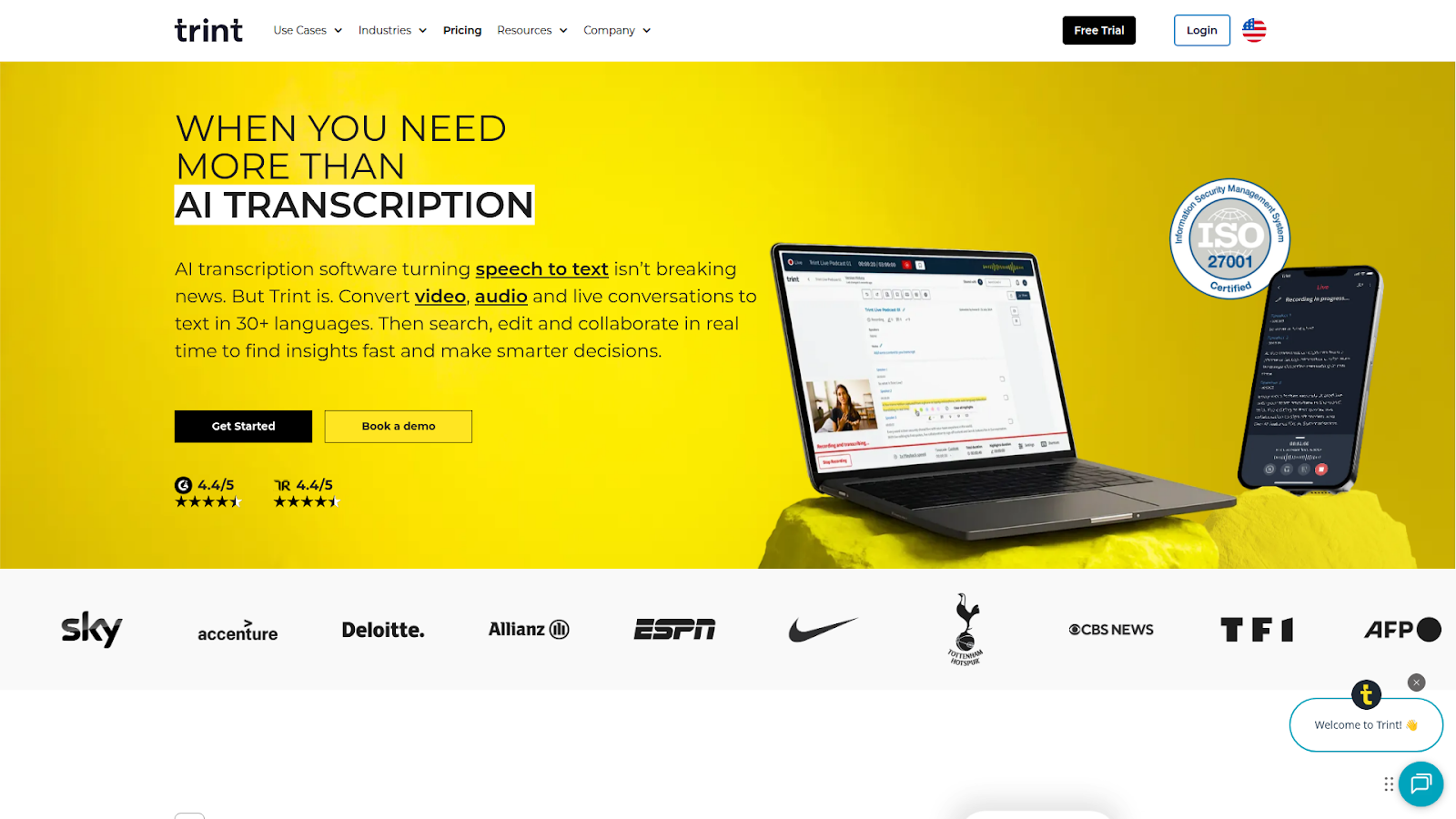
Trint was built specifically for journalists and media professionals who need fast, searchable transcripts. The platform emphasizes workflow efficiency, allowing teams to collaborate on transcripts, verify quotes, and export content for publication. Trint supports 50+ languages and offers real-time transcription during live recording.
Its collaborative editing features make it practical for newsroom environments where multiple team members need access to the same content.
Features
- Multi-Language Support: Trint supports transcription in 50+ languages with claimed accuracy up to 99%, though our testing shows accuracy closer to 87-90% depending on audio quality. The platform includes automatic speaker detection and real-time collaboration capabilities.
- Live and Recorded Transcription: The service offers both file upload transcription and live transcription features for real-time events. Users can transcribe content through desktop and mobile apps with instant translation capabilities into 50+ languages.
- Editor and Collaboration Tools: Trint includes an integrated editor with playback controls, search functionality, and team collaboration features. The platform supports multiple export formats, including XML, MP4, SRT, and VTT for various use cases.
Pricing
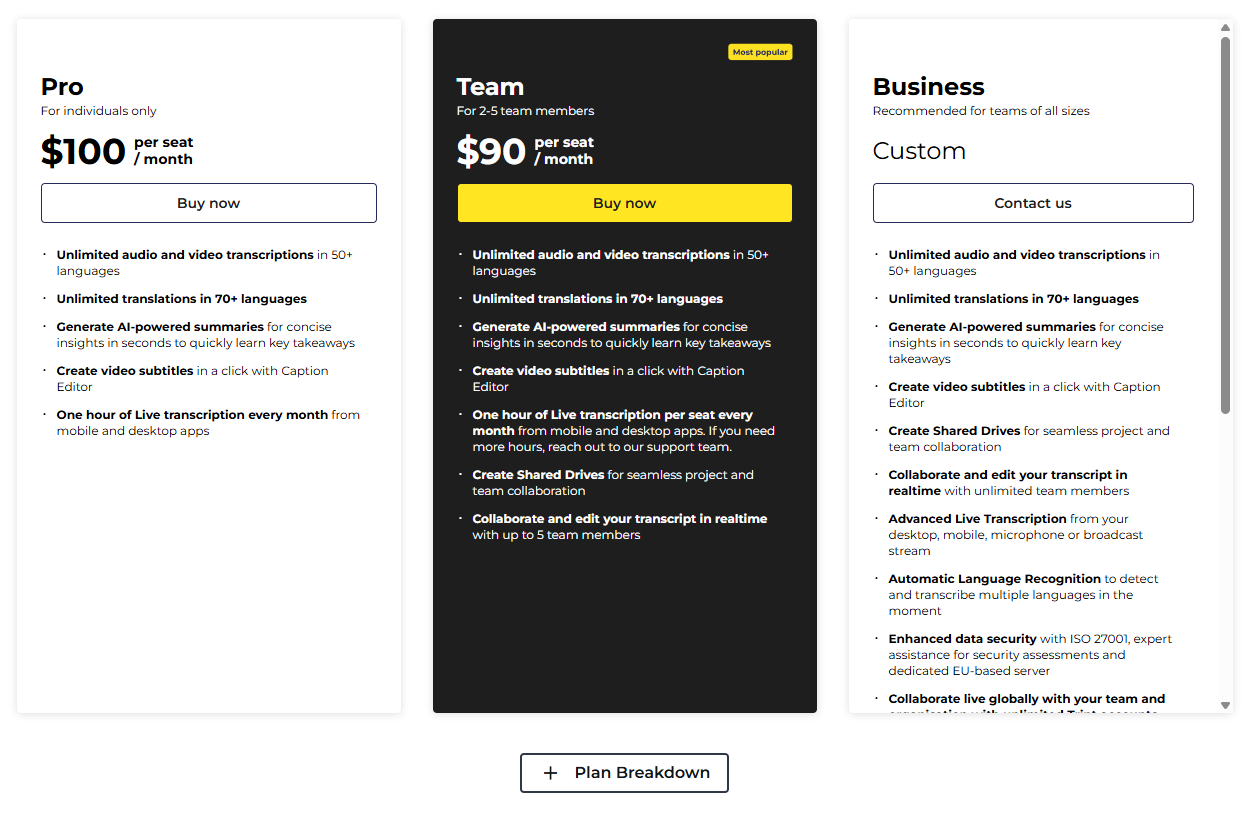
- Pro: $100/month
- Team: $90/seat/month
- Business: Custom pricing
Pros
- Purpose-built for journalism workflows
- Strong collaboration features
- 50+ languages supported
Cons
- Expensive starting price ($100/month)
- Accuracy is not as high as Sonix
- May be overkill for non-media use cases
5. Descript — Best for AI Video/Podcast Editing
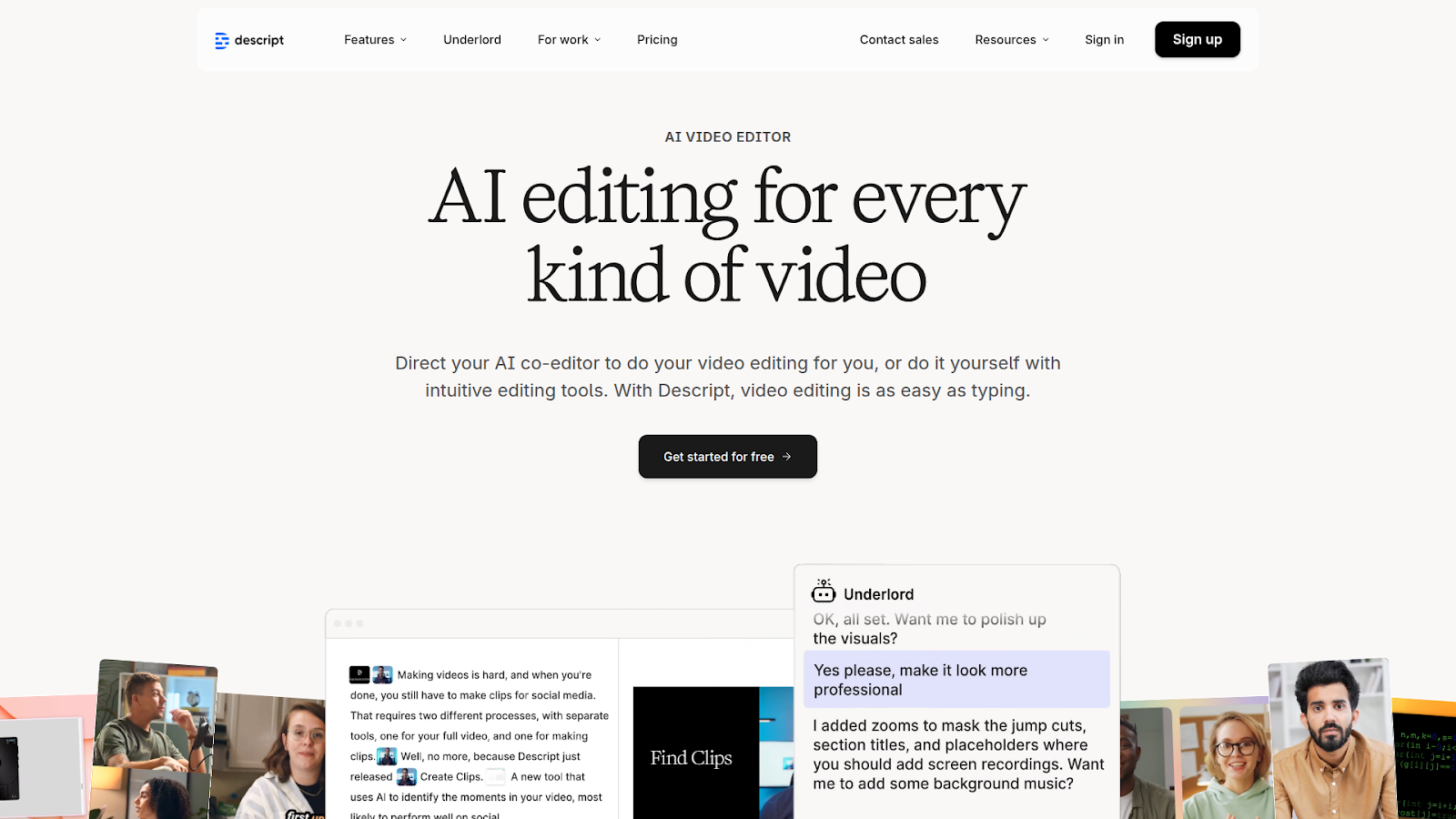
Descript takes a unique approach by combining transcription with audio and video editing. Instead of editing on a timeline, you edit the text transcript, and the video automatically adjusts. This makes it popular among podcasters and YouTubers who want to remove filler words, cut sections, or rearrange content without traditional editing skills.
For users who need both transcription AND editing capabilities, Descript offers value. For transcription alone, dedicated tools like Sonix typically deliver better accuracy and features.
Features
- Text-Based Editing: Descript combines transcription with video/audio editing, allowing users to edit media files by editing the transcript text directly. The platform achieves up to 93% transcription accuracy and supports 30+ languages for transcription.
- AI-Powered Features: The service includes automated filler word removal, AI voice cloning (Overdub), and Studio Sound for audio enhancement. Users can generate captions that automatically sync with video content and translate transcripts into multiple languages.
- Integrated Workflow: Descript functions as an all-in-one platform for recording, transcription, editing, and publishing. The free plan includes 1 hour of transcription per month, with paid plans starting at various price points for extended features.
Pricing
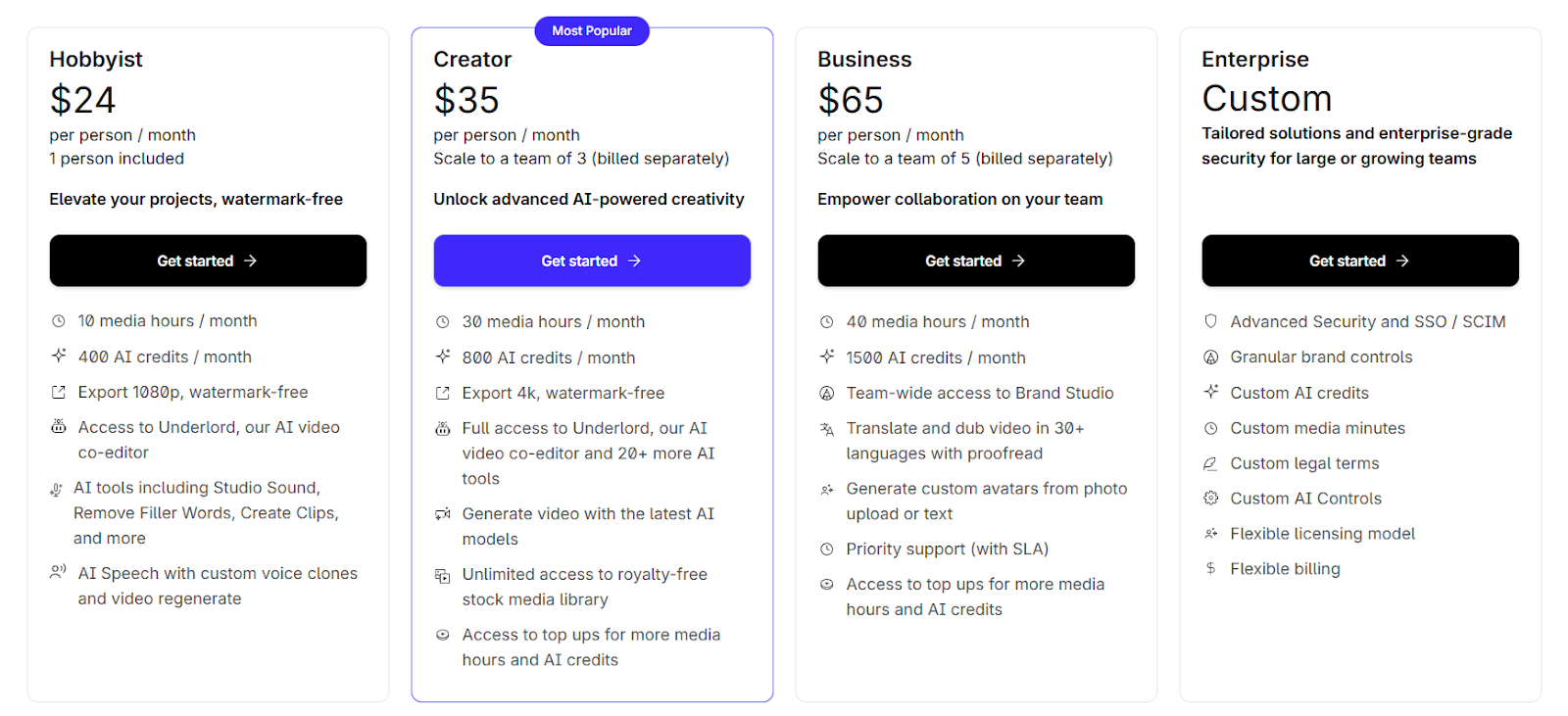
- Hobbyist: $24/month for 10 media hours/month
- Creator: $35/month for 30 media hours/month
- Business: $65/month for 40 media hours/month
Pros
- Unique text-based video editing
- Good for content creators who also need editing
- Free tier available
Cons
- Transcription is secondary to editing features
- Lower accuracy (~93%) than dedicated transcription tools
- Can be complex for users who only need transcription
Want transcription without the editing complexity? See Descript alternatives.
6. Happy Scribe — Best for Subtitle Creation
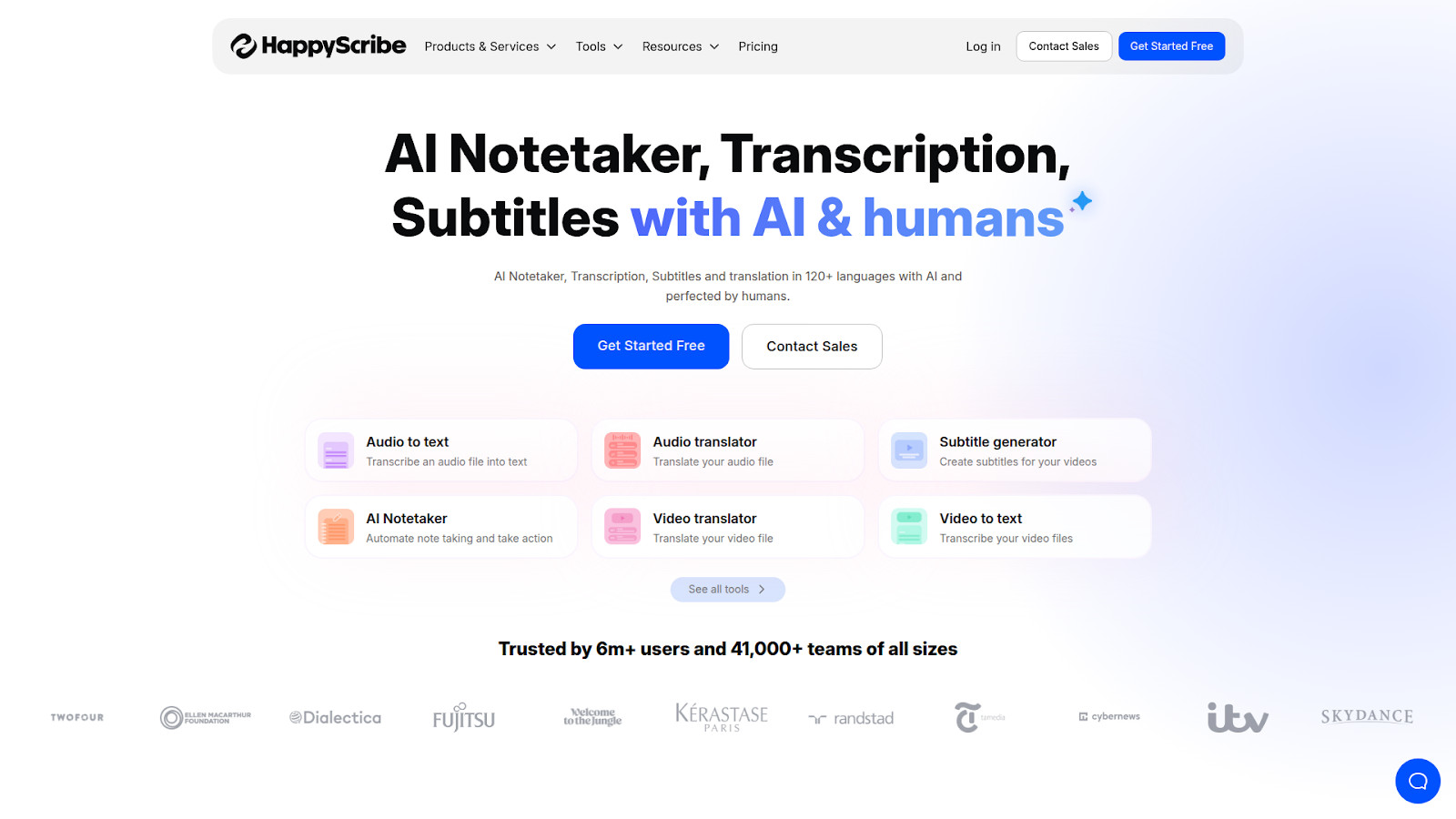
Happy Scribe is a transcription and subtitle solution supporting 120+ languages. The platform offers both AI-generated and human-reviewed transcription options, with particular strength in creating SRT, VTT, and other subtitle formats for video content.
For YouTube creators focused primarily on adding subtitles to their videos, Happy Scribe offers a straightforward workflow. For high-accuracy transcription needs, dedicated tools perform better.
Features
- Dual Transcription Services: Happy Scribe provides AI transcription with 85% accuracy and human transcription with 99% accuracy at $2/minute. The platform supports transcription and subtitling in 120+ languages and dialects.
- AI Notetaker Integration: The service includes an AI meeting notetaker that integrates with Google Meet, Microsoft Teams, and Zoom. Users can generate summaries, highlights, and action items through the AI Assistant feature.
- Interactive Editor: Happy Scribe includes an online editor with synchronized audio playback, speaker identification, and timestamp features. The platform offers export options in multiple formats, including TXT, DOCX, SRT, and VTT.
Pricing
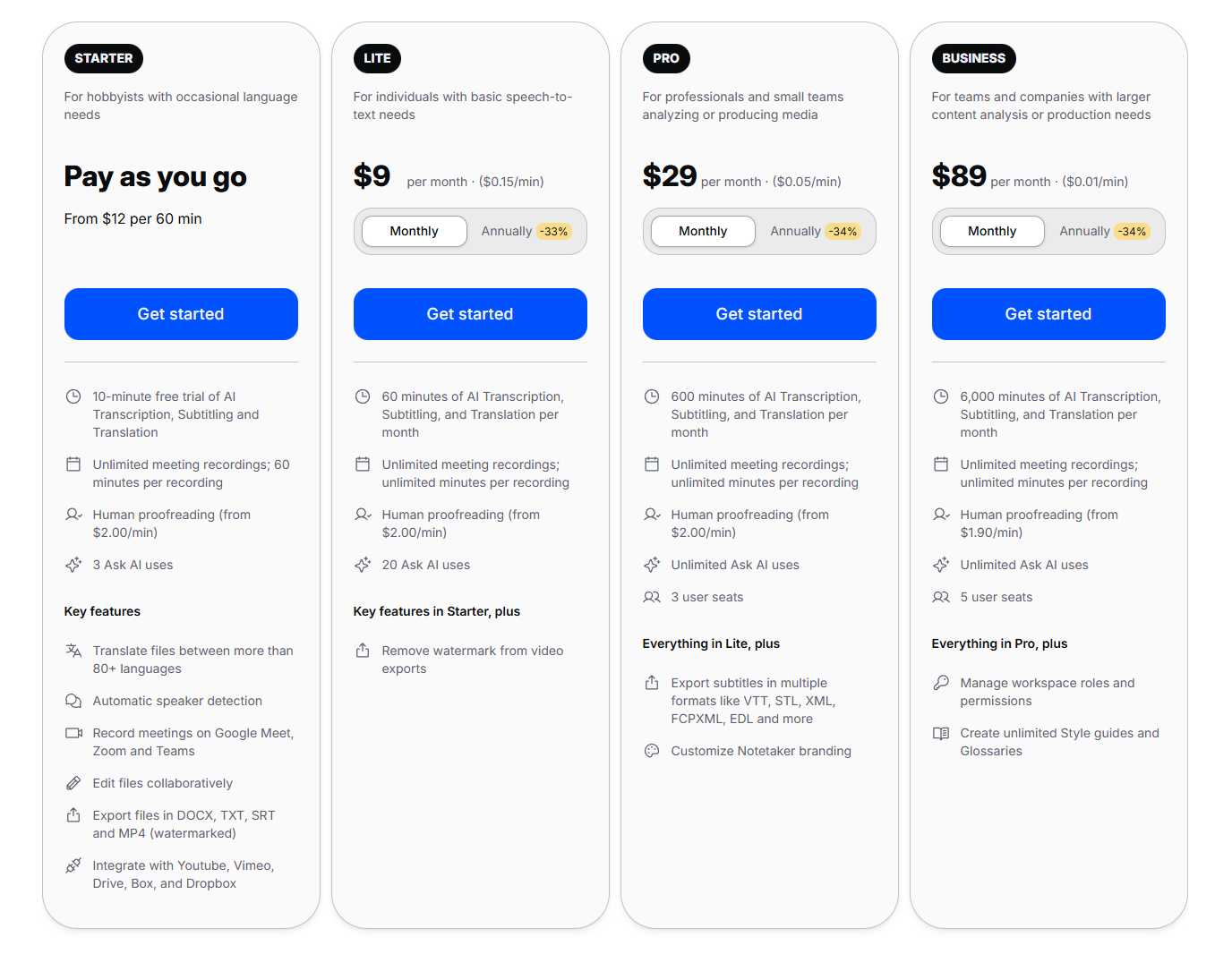
- Pay-as-you-go: $12/hour
- Lite: $9/month (60 minutes/month)
- Pro: $29/month (600 minutes/month)
- Business: $89 per month (6000 minutes/month)
- Human Transcription: $2/minute or $120/hour
Pros
- Extensive language support
- Good subtitle export options
- Free trial available
Cons
- AI accuracy (~85%) lags behind top competitors
- Human transcription is expensive
- Fewer AI analysis features than Sonix
7. Temi — Best Budget-Friendly Option
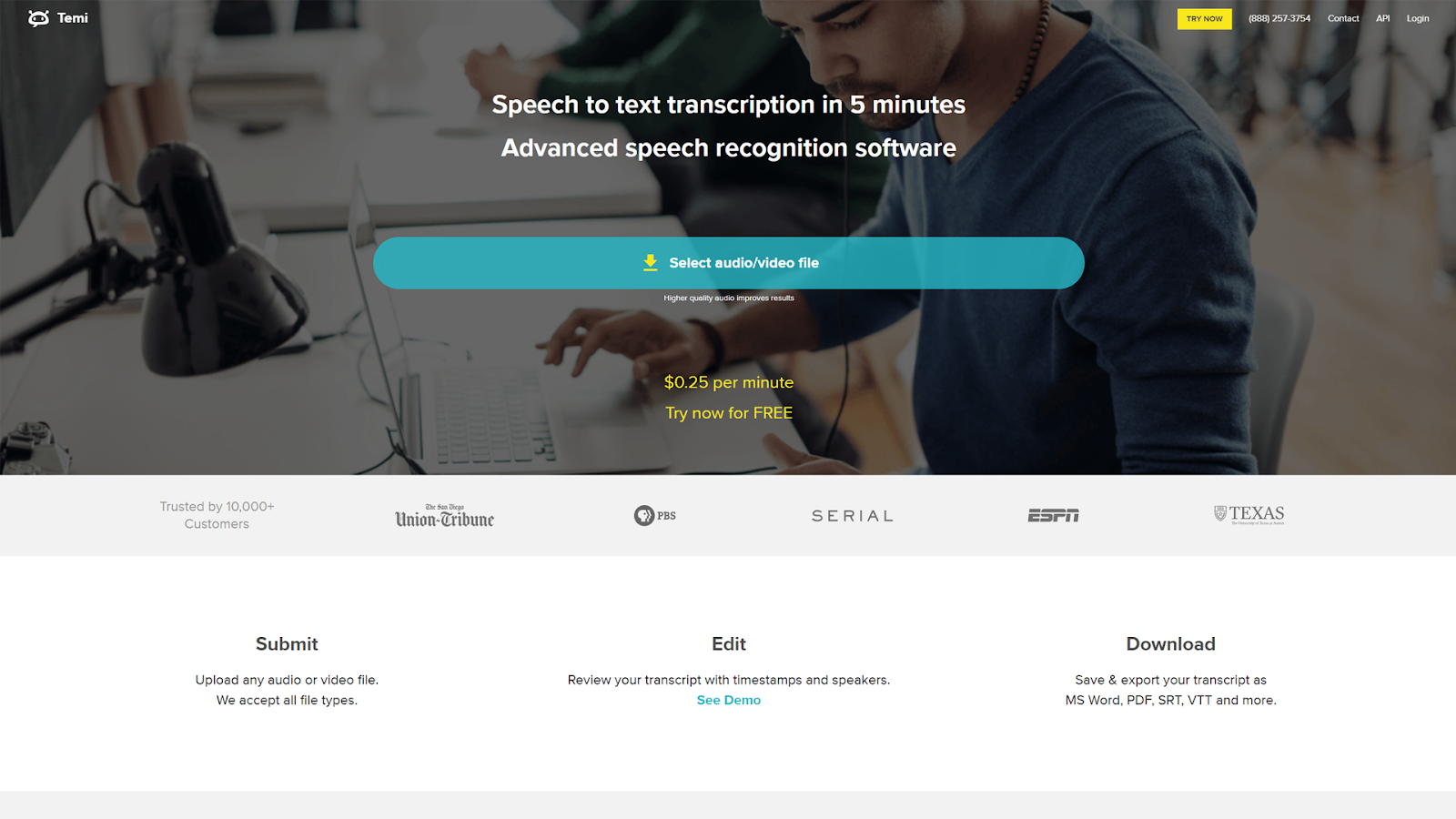
Temi offers straightforward AI transcription at $0.25 per minute with no subscription required. The platform uses Rev’s underlying technology (Rev is Temi’s parent company) but focuses on automated transcription only, with the same price as Rev, which comes with extra post-transcription features.
For users with clear audio and basic transcription needs, Temi provides reasonable value. The platform is good at what it does, but lacks the advanced features found in premium tools. We covered this in detail in our Temi review.
Features
- Automated Transcription Only: Temi is an AI-powered transcription service owned by Rev that operates on a pay-as-you-go model at $0.25 per minute or $15 per hour. The platform uses the same automatic speech recognition technology as Rev’s AI service, with claimed 90% accuracy.
- English-Only Support: The service currently supports English transcription only with no multi-language capabilities. Temi offers a 45-minute free trial for first-time users and delivers transcripts within minutes of upload.
- Basic Feature Set: Temi includes a simple editor with timestamp controls, speaker identification, and filler word removal. Export formats include MS Word, PDF, and caption files (SRT, VTT), with no live transcription or meeting integration features.
Pricing
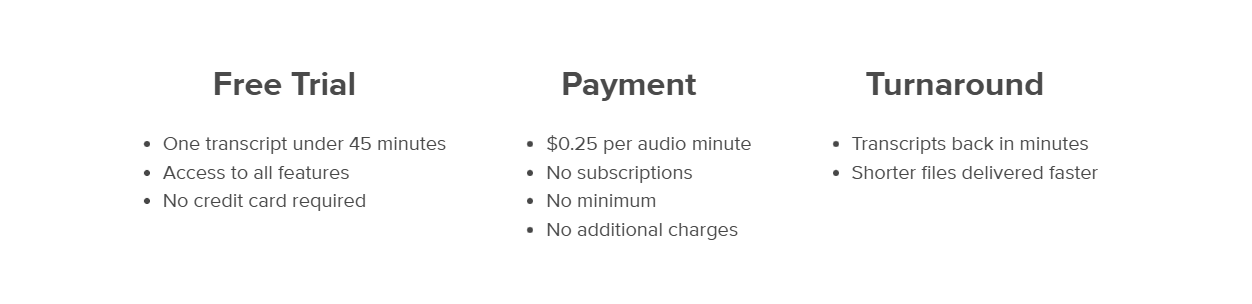
- Pay-as-you-go: $0.25/minute ($15/hour). No subscription available
Pros
- Low cost with no subscription
- Quick turnaround
- Simple interface
Cons
- English only
- ~90% accuracy, lower than premium options
- Limited features compared to full-service platforms
- No AI analysis tools
8. YouTube’s Built-in Transcripts — Best Free Option
YouTube automatically generates captions for most videos using its speech recognition technology. These auto-generated transcripts can be accessed directly through YouTube’s interface or via third-party extraction tools. For quick, free access to video text, this is the simplest option.
The catch? Accuracy varies significantly depending on audio quality, speaker clarity, and subject matter. Speaker identification is nonexistent, and technical vocabulary, accents, and background noise often result in errors that require substantial correction.
Features
- Free Automatic Captions: YouTube provides automatic caption generation for uploaded videos at no cost using Google’s speech recognition technology. The feature supports 60+ languages and generates captions automatically once videos are processed.
- Variable Accuracy: Studies indicate YouTube’s automatic captions achieve 60-70% accuracy on average, though this can reach 80-85% with clear audio and standard accents. Accuracy decreases significantly with background noise, multiple speakers, or non-native accents.
Pros
- Completely free
- Already generated for most videos
- No signup required
Cons
- Highly variable accuracy
- No editing tools
- Limited export options
- No speaker identification
- Not available for all videos
9. Fireflies.ai — Best for Meeting Insights
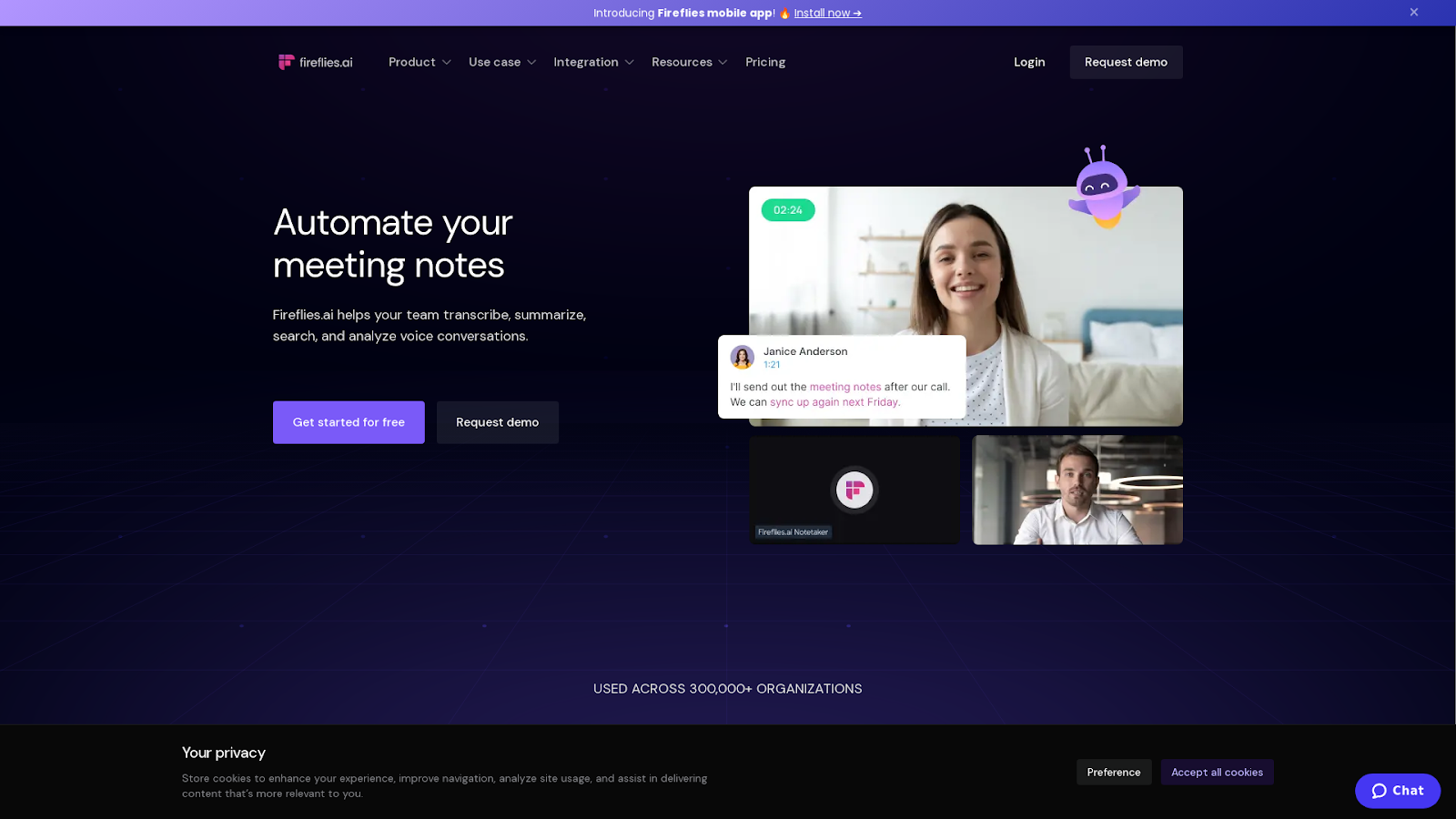
Fireflies.ai focuses on meeting transcription and analysis, automatically joining Zoom, Teams, and Google Meet calls to capture conversations. The platform excels at extracting action items, detecting topics, and generating meeting summaries. For YouTube transcription specifically, Fireflies can process uploaded files, though meetings are its primary use case.
Features
- Meeting-Focused Platform: Fireflies.ai operates as an AI meeting assistant that automatically joins and transcribes Zoom, Google Meet, Microsoft Teams, and Webex calls. The platform supports 70+ languages with claimed transcription accuracy of about 90%.
- AI-Generated Insights: The service provides AI Super Summaries, action item extraction, conversation analytics, and searchable transcripts. Users can create Soundbites (shareable audio clips) and utilize AI Chat to query past conversations.
- Integration Ecosystem: Fireflies integrates with 60+ applications, including Slack, Salesforce, HubSpot, and Notion. The free plan includes limited transcription credits, while paid plans start at $18/month with various enterprise security certifications available.
Pricing
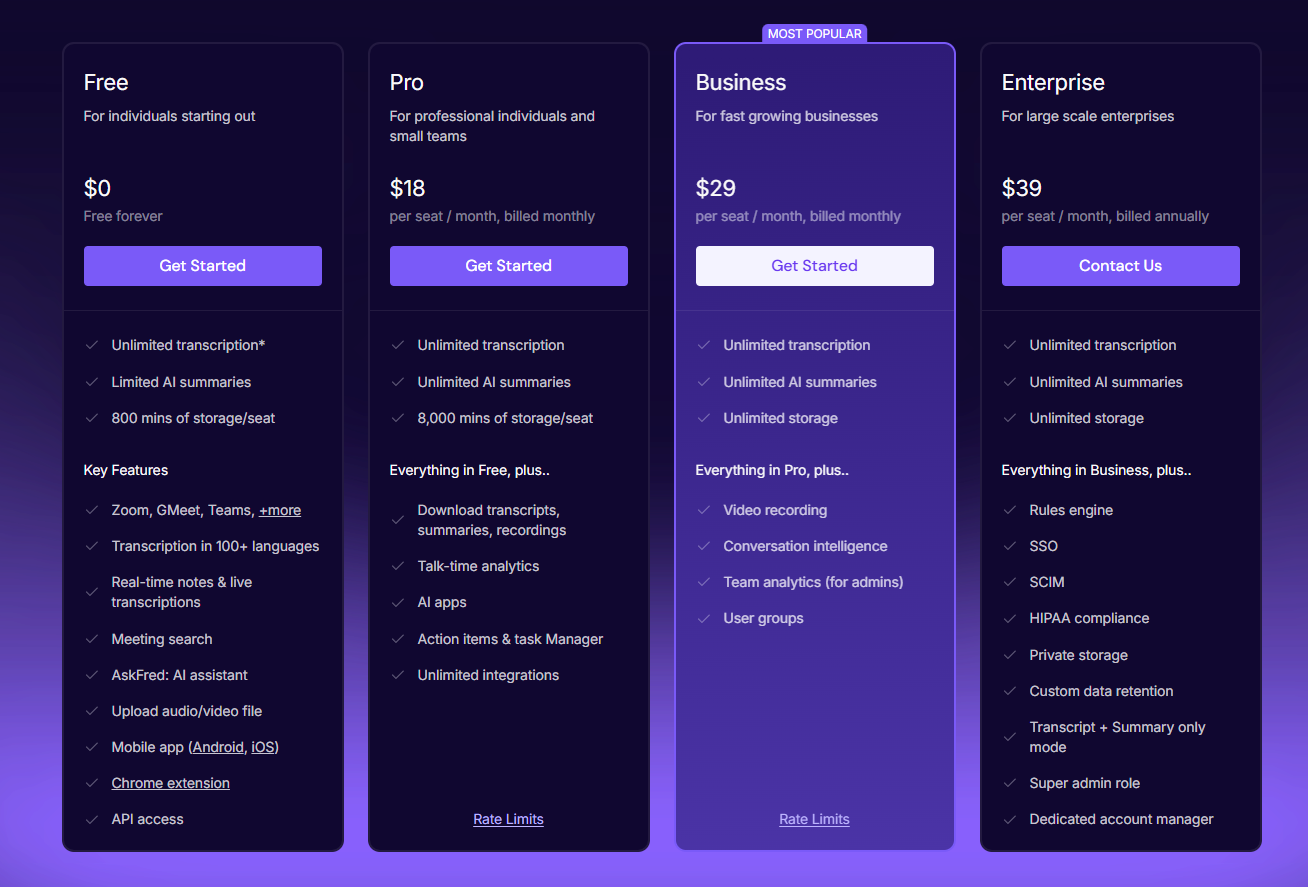
- Free: Pricing section says “unlimited”, but then the breakdown says “limited”, so the exact transcription minutes allowed here are vague
- Pro: $18/seat/month for unlimited transcription
- Business: $29/seat/month for unlimited transcription
- Enterprise: $39/seat/month for unlimited transcription
Pros
- Strong meeting workflow integration
- Good action item detection
- Free tier available
Cons
- Optimized for meetings, not YouTube video processing
- ~90% accuracy
- Limited language support compared to Sonix
10. TranscribeMe — Best for Hybrid Transcription
TranscribeMe combines AI transcription with human review, offering specialized services for legal, medical, and academic transcription. The platform supports 100+ languages and maintains strict security protocols, making it suitable for organizations with compliance requirements.
Features
- Hybrid Approach: TranscribeMe combines AI transcription starting at $0.07/minute with human-edited options ranging from $0.79-$2.00/minute. The service offers tiered accuracy levels from automated (lower accuracy) to verbatim transcription (marketed as 100% accurate).
- Specialized Services: The platform provides HIPAA-compliant medical transcription and legal transcription services with enhanced security protocols. TranscribeMe uses a crowdsourced network of human transcriptionists for quality control and editing.
- Multi-Service Platform: Beyond transcription, TranscribeMe offers translation services ($0.11/word), data annotation ($0.10/task), and custom AI dataset creation. Turnaround times range from same-day for automated transcripts to 2-5 business days for verbatim human transcription.
Pricing
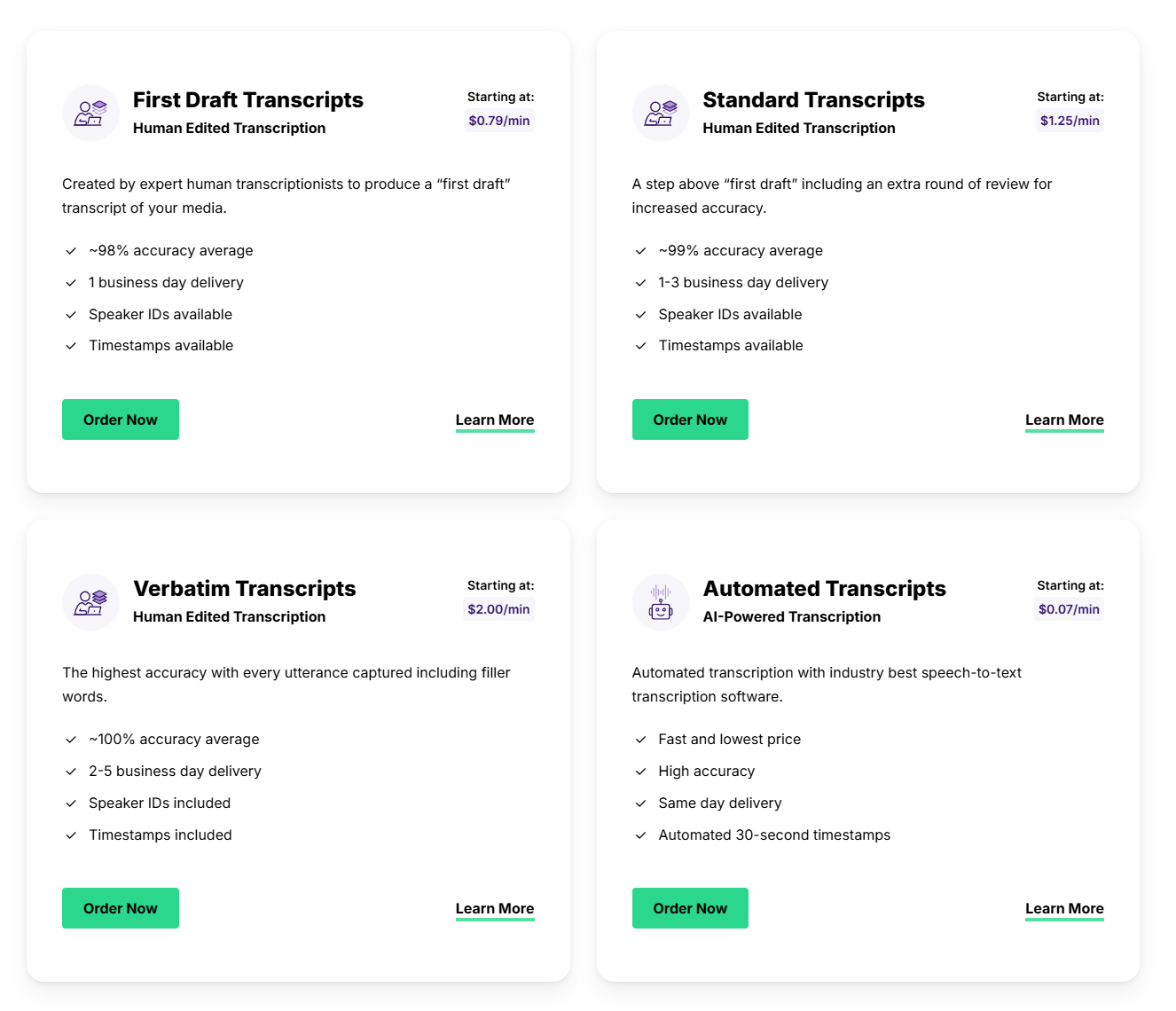
- First Draft Transcripts: From $0.79/minute or ~$50 per hour,
- Standard Transcription: $1.25+/minute or $75 per hour
- Verbatim Transcripts: $2/min or $120 per hour
- Automated Transcripts: $0.07/min or $4.2/hour but with accuracies below 80%.
Pros
- Extensive language support
- Strong security and compliance options
- Industry-specific expertise
Cons
- Higher pricing than many competitors
- Human transcription has a longer turnaround
- The interface is less intuitive than Sonix
- AI-only accuracy is low
How to Choose the Best YouTube Transcript Generator
Selecting the right transcription tool depends on your specific needs, budget, and workflow requirements. Consider these factors:
Accuracy
For professional use cases, like research, journalism, and business documentation, accuracy should be your top priority. A tool with 85% accuracy means correcting roughly 15 errors per 100 words. At 99% accuracy, you’re down to 1 error per 100 words. Over a 10-minute video, that difference translates to hours of editing time saved.
Sonix leads with 99% accuracy, while many competitors hover around 85-95%.
Language Support
If you work with multilingual content or serve international audiences, language support matters. Some tools transcribe only English, while others support 40-120+ languages. Sonix supports 50+ languages for both transcription and translation.
Speed
AI-powered tools typically process video faster than real-time—a 60-minute video might be transcribed in 5-10 minutes. Human transcription services take hours or days. For time-sensitive content, fast turnaround is worth the investment.
Export Options
Consider how you’ll use the transcript. Will you create subtitles (SRT, VTT files)? Import into video editing software? Need formatted documents (DOCX, PDF)? Make sure your chosen tool supports the formats you need.
Security
For business, legal, medical, or research applications, security compliance matters. Look for SOC 2 Type 2 certification, data encryption, and clear data handling policies. Sonix offers bank-level security with encryption and compliance certifications.
Pricing Structure
Match the pricing model to your usage pattern. Pay-as-you-go works well for occasional users. Subscriptions benefit heavy users who transcribe regularly. Calculate your expected monthly usage to determine the most cost-effective option.
Challenges of Transcribing YouTube Videos
While modern transcription tools make YouTube transcription faster than ever, several factors still affect accuracy, speed, and usability.
Understanding these challenges helps you choose the best YouTube video transcript generator and set the right expectations, especially if you work with diverse content, multiple speakers, or technical subject matter.
1. Inconsistent Audio Quality
YouTube hosts a massive range of video styles, from polished studio productions to handheld vlogs recorded on the go. Background noise, echo, music overlays, and low-quality microphones can significantly reduce transcription accuracy.
Even the best ASR engines struggle when speech isn’t clean or when multiple sound sources overlap.
2. Multiple Speakers and Overlapping Dialogue
Interviews, podcasts, and panel discussions often include several people talking in quick succession or at the same time. Without strong speaker identification, transcripts become messy and difficult to follow.
Tools with advanced diarization, like Sonix, help reduce this confusion by separating speakers more reliably.
3. Accents, Technical Terms, and Specialized Vocabulary
AI transcription engines must correctly interpret various accents, regional speech patterns, and niche terminology. Videos covering medicine, engineering, legal topics, or pop culture references often include unique phrases that cheaper or less advanced tools mishandle.
This leads to time-consuming manual corrections unless you use a tool optimized for accuracy and language flexibility.
Final Thoughts
YouTube video transcription has evolved from a tedious manual task to an automated process that takes minutes rather than hours. The right tool depends on your priorities: if accuracy is paramount, Sonix’s 99% precision rate makes it the clear choice. For users who need both transcription and video editing, Descript offers a unique workflow. Budget-conscious users with basic needs might start with YouTube’s built-in captions or Temi.
For professionals in journalism, research, education, and content creation who cannot afford transcription errors, Sonix delivers the accuracy, language support, and security features that justify its position as the leading YouTube transcript generator.
Want to see what 99% accuracy does for your YouTube transcripts? Sign up for Sonix today with a 30-minute free trial — no credit card required.
Best YouTube Transcript Generators: Frequently Asked Questions
What Is the Best YouTube Transcript Generator?
The best YouTube transcript generator is Sonix, offering 99% accuracy, 50+ language support, and comprehensive AI analysis tools. For users who prioritize accuracy and professional features, Sonix outperforms competitors like Otter.ai (85% accuracy, English only) and Temi (90% accuracy, limited features).
How Do I Get a Transcript from a YouTube Video?
You can get a YouTube transcript by:
- Using YouTube’s built-in caption feature, if available
- Downloading the video and uploading it to a transcription service like Sonix
Dedicated transcription tools provide higher accuracy and better editing features than YouTube’s auto-generated captions.
Can I Transcribe a YouTube Video for Free?
Yes, you can transcribe YouTube videos for free using YouTube’s built-in auto-captions (variable accuracy), free trials of services like Otter.ai (limited minutes, English only), or Sonix’s 30-minute free trial (99% accuracy, 53+ languages). Free options typically have limitations on accuracy, features, or usage volume.
What Is the AI That Transcribes YouTube Videos?
AI transcription tools use Automatic Speech Recognition (ASR) technology combined with machine learning to convert video audio to text. Leading AI transcription platforms include Sonix (99% accuracy), Rev (90%+ accuracy), and Otter.ai (85% accuracy). Sonix’s AI also includes advanced features like sentiment analysis, thematic detection, and automated summaries.
How Accurate Are YouTube Transcript Generators?
Accuracy varies significantly. YouTube’s auto-captions range from 70-90% depending on audio quality, while dedicated tools like Sonix achieve 99% accuracy. Factors affecting accuracy include audio clarity, speaker accents, background noise, and technical vocabulary. For professional use, tools with 95%+ accuracy minimize editing time.
How Much Does YouTube Transcription Cost?
YouTube transcription pricing ranges from free (YouTube auto-captions, limited free tiers) to $0.25-$1.50 per minute for AI and human services. Sonix offers $10/hour pay-as-you-go or $5/hour with a subscription. Human transcription services typically cost $1.50+/minute. A 30-minute free trial from Sonix lets you test before committing.
Get accurate transcription in minutes
Start transcribing smarter. Try Sonix free or explore our pricing to find the right plan for you.



 EN
EN  ES
ES  DE
DE  FR
FR  RU
RU  PT
PT  NL
NL  ZH
ZH  TR
TR  DA
DA